1
Button Functions
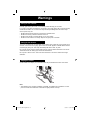
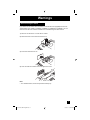
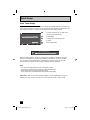
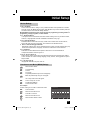
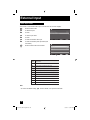
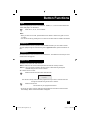
Sleep Timer
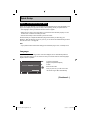
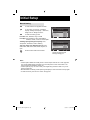
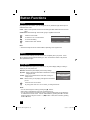
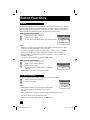
The Sleep Timer can turn the TV off for you after you fall asleep. Program it to work for a total
time of up to 180 minutes. When you press the SLEEP button once, the rest of the time will be
displayed.
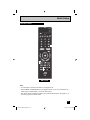
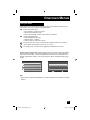
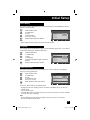
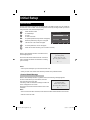
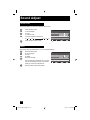
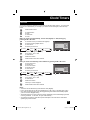
Press the MODE button to select TV
Press the SLEEP button twice
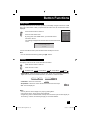
By every press of the SLEEP button, you select the time for
the timer to shut off
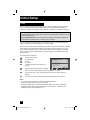
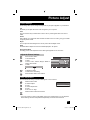
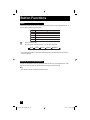
This message will appear 60 seconds before the automatic shutoff
occurs:
S l e e p
0
1 5
3 0
4 5
6 0
9 0
1 2 0
1 8 0
T i me r
m i n .
m i n .
m i n .
m i n .
m i n .
m i n .
m i n .
m i n .
Good Night !
Push [SLEEP TIMER] button
to extend.
You then have 60 seconds to press the SLEEP button to delay the shut off.
Note:
• You can also select the timer by pressing the π† buttons.
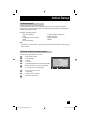
Display
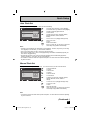
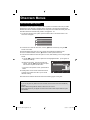
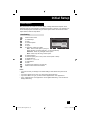
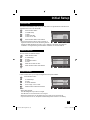
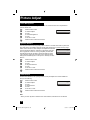
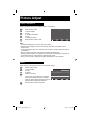
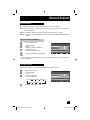
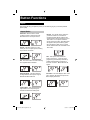
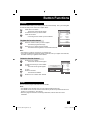
The display screen shows the current information as follows.
Press the MODE button to select TV
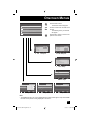
Press the DISPLAY button
Detailed mode
Clock Mode
Simple Mode
Off
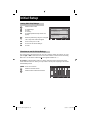
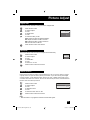
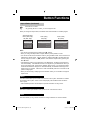
• Detailed Mode - Shows the channel, channel name, signal, rating information, current time,
digital antenna level and scramble information, as well as the current time below.
HD1080i CC ((o)) ((S))
Dolby Digital
TV
PG D L S V NR
11:00PM - 11:30PM Football fun meeting
• Clock Mode - Shows the current time.
108-1
WEWEWEW
10:15PM
• Simple Mode - Shows the current channel and channel name or AV input.
• Off - Turns the display off.
108-1
WEWEWEW
Notes:
• You may also turn off the display at any step by pressing MENU.
• If the clock is not set, "Clock not set" will be displayed.
• A signal being shown in Detailed Mode, will only show the kind of input and video signal you
are receiving. However, the actual signal type you see will be different.
61
LCT2275-001B-A English.indd 61
6/14/07 10:36:30 AM