1
[108] How to Use
Viewing
Using viewing functions
Slide Show
Automatically plays back images continuously.
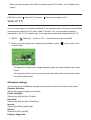
1. MENU →
(Playback) → [Slide Show] → desired setting.
2. Select [Enter].
Menu item details
Repeat:
Select [On], in which images are played back in a continuous loop, or [Off], in which the
product exits the slideshow when all the images are played back once.
Interval:
Select the display interval for images from among [1 Sec], [3 Sec], [5 Sec], [10 Sec] or [30
Sec].
To quit the slideshow in the middle of playback
Press the MENU button to quit the slideshow. You cannot pause the slideshow.
Hint
You can activate a slideshow only when [View Mode] is set to [Date View] or [Folder
View(Still)].
[109] How to Use
Viewing
Using viewing functions
Rotate
Rotates a recorded still image counter-clockwise.
1. MENU →
(Playback) → [Rotate].
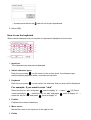
2. Press
on the center of the control wheel.
The image is rotated counter-clockwise. The image rotates as you press
on the
center. If you rotate the image once, the image remains rotated even after the product
is turned off.
Note
You cannot rotate the movies.