1
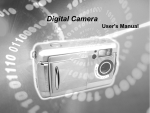
Digital Video Camera
User's Manual
Welcome
This is a high-quality yet affordable Digital Video Camera that allows
you to create, edit, share and send photos to your friends and family.
This Digital Video Camera is also not just a Digital Camera. It lets you
record short segments of movies or voice. What's more, it can be
used as a Web camera when you connect it to a computer.
This easy-to-follow manual shows you how to use your new Digital
Video Camera and install all the softwares included in the software
CD-ROM. You'll find clear instructions on how to take pictures, record
movies and voice, and use your Digital Video Camera as a PC camera.
Guidelines on how to use the software to transfer photos and movie
segments from the Digital Video Camera into your computer are also
provided.
Whenever you want to send snapshots or short video clips via mails,
create exciting photo albums, produce movies, or even chat with your
friends or family face to face over the Internet, this Digital Video
Camera gives you all the tools that you need.
1
Contents
1.Attention…………………………………………………………..…….…..……4
Safty Precautions……………………………………………..……………..….………….…..4
Before Using Your Digtial Video Camera………………….…..…..……….………………..4
Operational Cautions……………………….…………….…………….………...………..…..5
Package Contents………………………….………….…………….…………….…..…...…..5
2.Getting to Know Your Digital Video Camera………..………..……....…….6
Digital Video Camera Controls….…….……...……………..…………….………….…….6
Front side View……………………………………..……....….…………...………..…....6
Left Side View………………………………………………....….…………...……………6
Right Side View………………………………………………....….………………………6
Top View………………………………………………....….…………...………………..…7
3.Getting Started………..……………..……..…..……………………..……..….8
Preparing Your Digital Video Camera….……...………...…………. …...…………….….8
4.Start Using Your Digital Video Camera…………….……..………...…....…9
Function Tree………………….……………….……………….…………….……..…….…...9
Setup Mode…………………………………………….………….……………………….….10
Movie Mode………………………..…….………………….…………….…………..……....11
Status Identifier……………………..………………………....….…………...…………....11
Recording Video …………...….………….….…………….….…………….….………….12
Recording Video with Self-Timer……………….….…….……….….……..…….…….....12
Voice modes…………………………………………………………………………….…….13
Status Identifier……...……………….………………………………………..….…….…..13
Record Voice………………………………………………………………………………...13
Capture modes…………………………………………………………………………….…14
Status Identifier……………….……………………. …………………………….…….….14
Shooting Photos…………………………………………………….…………………...….15
To take Close-up pictures……………….………….………….…………………….….....15
To take portrait and distant pictures………………...…………………………….……....15
Digital Zoom………………….………….……………….………….……..…………….....15
Snapshot Menu……………………………….………. ……………………….….…...…..16
Flash Function…………...……………….….……………….……………….…..….…….19
Photo/Movie/Voice Playback Mode …….….……………….…….…....…………...……19
Status Identifier ………………………….….…………………………….…..…………....19
Image Playback………….….…………………………………………….…………….…..19
Movie Playback…………………………………….….……...………………..…….……..20
Voice Playback……………………………….….……………...…………………………..20
2
Album Function……………………………….….…………………….……....…….……..21
Playback Menu………………………………………………………………...….………...21
5.Connecting Your Computer….…... ....….…..….….…...…….…......…......28
Using the Digital Video Camera as a Web camera or a Mass Storage drive….…….…..28
Connecting to Your TV/VCR……………………………………..………….………..….…..29
System Requirements……………….……………………………………………….…...…..30
6.Installing Drivers… …………………….. ……………………….... ………...31
7.Installing the Applications for PC………...………...………...……...….…32
Appendix: Digital Video Camera Specifications….…...….....……...……..34
3
1. Attention
Please read through this manual carefully before using the Digital Video Camera
and follow the instructions to avoid damages caused by improper operations.
Safty Precautions
●The software CD-ROM packaged with the Digital Video Camera is for PC only.
Playing this CD-ROM on a stereo or CD player may cause damages to it.
●This Digital Video Camera is a precision electronic device. Do not attempt to
service this Digital Video Camera yourself, opening or removing covers may
expose you to dangerous voltage points or other risks.
Do not expose this Digital Video Camera under direct sunlight to avoid causing
a fire.
Before Using Your Digital Video Camera
●Try to take some pictures before you perform the formal recording.
Before taking pictures with this Digital Video Camera in any important occasion
(such as a wedding ceremony or an overseas trip), do test the Digital Video
Camera beforehand to ensure that it functions well. Any additional loss caused
by the malfunction of this product (such as costs of photography or any loss of
benefit generated by the photography) is not the responsibility of our company
and no compensation will be given for it.
●Copyright information
Unless agreed by the right owner, all the pictures taken with this Digital Video
Camera cannot be used in violation of copyright law. Moreover, when "No
Photography" restriction is placed on site, you cannot record any live
performance, improvisation or exhibits even for personal purpose. Any transfer
of pictures or memory card with data must be conducted under the constraints
of copyright law.
●Notes on the LCD (Liquid Crystal Display) monitor
1.If the liquid contacts the skin:
Please wipe dry the skin with a cloth and wash with large amount of water.
2.If the liquid gets in the eye:
Please immediately rinse with fresh water for at least 15 minutes and then
consult with a doctor to receive treatment as soon as possible.
3.If anyone accidentally swallows the liquid:
Please rinse the mouth with water, drink large amount of water and receive
treatment as soon as possible.
4
Operational Cautions
This product consists of intricate electrical parts. To ensure the photography
normally, do not drop or hit the Digital Video Camera when taking pictures.
●Avoid to use or place the Digital Video Camera in the following locations:
1.Damp and dusty places.
2.Sealed vehicles or places exposed to direct sunlight or places subject to
extremely high temperatures or heat.
3.Violently turbulent environment.
4.Locations full of smoke, oil fumes or steams.
5.Locations subject to strong magnetic field.
6.Raining or snowing environment.
●Do not open the battery cover when the power is on.
●If water has entered the Digital Video Camera, immediately turn the power off
and remove the batteries.
●How to maintain your Digital Video Camera:
1.If lens or LCD monitor surface is dirty, please use lens brush or soft cloth to
wipe clean instead of touching them with your fingers.
2.Do not use any solid object to hit the Digital Video Camera to avoid
scratching the lens, or LCD monitor surface.
3.Do not use any detergent or volatile solution, which will subject the Digital
Video Camera case and paint to solving or distortion. Use soft cloth only.
Package Contents
Please check if the following items are in the package when purchasing this
product.
CD-ROM
Pouch
(Driver & Application
Software)
USB Cable
Wrist Strap
AV OUT Cable
2 x ” AA”
Alkaline
Batteries
User's Manual
5
● CD-ROM
(Driver & Application Software)
● Pouch
● Wrist Strap
● 2 x “AA” Alkaline Batteries
● USB Cable
● AV OUT Cable
● User's Manual
2. Getting to Know Your Digital Video Camera
Digital Video Camera Controls
Front Side View
Shutter-Press the Shutter
button to take pictures in
Capture mode, and to start
& stop recording movies(voice)
in Movie(Voice) mode.
Self-timer LED
Flash
Lens
Microphone
Left Side View
Set Button-Press the button
to get into the Setup mode.
Mode Switch-You can select
the following modes by sliding
this Mode switch:
1. Capture Mode
2. Movie Mode
3. Voice Mode
Battery Cover and SD Card slot
Right Side View
Macro Switch-The switch is used
for “Normal” and “Macro” modes
switching.
icon will appear on
LCD display when the Macro mode
is selected.
Terminal Compartment
Located on the left side of the Digital Video Camera are the two ports for
attaching the following cables: Audio/Video Output, USB. These ports will
6
enable you to attach the appropriate cables from the Digital Video Camera to
your computer or TV/VCR.
Audio/Video Output Port- Used to connect your Digital Video Camera to a
TV/VCR for viewing images/movies stored in your Digital Video Camera.
USB Port - Used to connect your Digital Video Camera to the computer via the
USB cable. You can then transfer photos and recorded movies(voice) from the
Digital Video Camera to your computer, or use the Digital Video Camera as a
Web camera.
Top View
Speaker
Color Liquid Crystal Display
Strobe LED-When the strobe
is charging, this LED blinks, it
will light on when the strobe is
ready, and turns off when the
strobe is turned off.
Power LED-As the Digital Video
Camera power turned on, the
power LED will light . It blinks
and goes off when batteries exhaust.
Power Button-Press the button one second,then the Digital Video Camera
will power on/off.
Enter Button- The multi-function key set performs different operations in
each mode, e.g. set , select , ok.
Playback Button-Press the button to get into the playback mode. The
playback button can be performed in “Capture”,”Movie”and”Voice” modes.
Simply press the button again to leave playback mode and enter the mode
selected by mode switch.
Display Button - The Display button provides 3 display types of the LCD
(such as Normal / Full Screen / Off ) in" Capture", "Playback" and "Movie"
modes.
Menu Button-You can enter detail Menu functions in "Capture" , "Playback"
and "Movie" modes.
Battery power level
Full battery power
Medium battery power
Low battery power
Battery exhausted
7
3.Getting Started
Preparing Your Digital Video Camera
●Step 1 Insert two "AA" batteries into the battery compartment .
●Step 2 When inserting SD/MMC memory card, follow the icon shown in the
compartment to insert or remove the card push-and-pull.
Then, push the memory card all the way into the memory compartment and
close the battery door, push the battery door down and then slide it closed.
Note: When memory card is inserted, internal 16MB flash memory will be
disabled no matter card is full or not.
●Step 3 Attach the wrist strap to the strap holder at the side of the Digital
Video Camera as illustrated in the picture below.
8
4. Start Using Your Digital Video Camera
●Step 1 Press Power button to turn on the Digital Video Camera. And Power
LED will light on.
●Step 2 The LCD Display will be turned on automatically.
Note: The LCD Display will be turned off automatically if you do not operate
Camera over 30 seconds, the Camera will be turned off automatically if you
do not operate it over 60 seconds.
Function Tree
9
Setup Mode
Press the Set button to enter the setup menu.
You can configure the basic settings for Digital Video Camera:
1.Beep-Sound effect On/Off.
2.Date/Time-Date & time settings.
3.Language-Language setting:
English/Italian/French/German/Spanish/Japanese/Chinese.
4.Format-Formatting the internal memory or memory cards.
5.Default-Reset to preliminary settings.
6.TV-TV output format setting : NTSC/PAL
7.Frequency-Fluorescent frequency : 50Hz/60Hz
Date /Time setting
●Step 1 Press
to move to the Date/Time option.
●Step 2 Press Enter button to bring up the menu.
●Step 3 Press
to adjust Date/Time; press
hour or minute.
to select year, month, day,
●Step 4 Press Enter button to save your settings and then exit.
10
Formatting the Memory Card
You are suggested to format your SD/MMC memory card before using it to store
pictures.
●Step 1 Press
to move down to the Format option.
●Step 2 Press Enter button to bring up the"Cancel/OK" Menu.
●Step 3 To format the memory card, select “ok” on the screen and then press
the Enter button. You will hear a ring sound when you press it.
●Step 4 The Digital Video Camera then begins formatting the memory card.
Wait for the formatting process to finish.
●Step 5 After the memory card has been formatted; all the pictures and datas
in the memory card will be deleted. And there is a message showing:
Format OK
Movie Mode
Slide the Mode switch to select Movie Mode
Status Identifier
Movie Mode Indicator
Movie recording time
Image Number
Battery Status Indicator
Card Indicator
11
Recording Video
With your Digital Video Camera, you can record short sequences of video at
a rate of 15 frames per second. The Digital Video Camera stores video in AVI
format.
●Step 1 Press once the Shutter button to start recording video. You will see
live views of the subjects or scenes you are recording on the
LCD Display.
●Step 2 And while recording, a red icon
blinks on the upper left side of the
LCD Display and the recording time counts up. The icon stops blinking
and becomes green after you terminate the recording process.
●Step 3 To stop recording, press the Shutter button again.
Recording Video with Self-timer
You can use Self-timer function for recording video clips, press Menu button to
will appear on
switch Self-timer on or off. When Self-timer set on, the icon
center of LCD panel.
Self-timer function is same as in Capture Mode(p.18).
Image quality setting
Its operating is same as Capture Mode(p.17).
12
Voice mode
With your Digital Video Camera,you can record voice just as a recorder. It can
record music or dialog if you like. The file of voice is standard Microsoft WAV
format. The file can be broadcasted on the Digital Video Camera or PC, and you
can broadcast on TV but it must connect to TV through AV cable first.
Status Identifier
Voice Icon
Record Length
Image Number
Card Indicator
Battery Indicator
Record Voice
Slide modes switch to the Voice
●Step 1 Press once the Shutter button to start recording voice.
●Step 2 And while you are recording, an red icon ● blinks on the upper
left side of the LCD Display. And the icon disappear after you
terminate the recording process. And the recording time counts up
as you continue shooting.
Step 3 Press Shutter button to stop the voice recording.
The voice playback function is in Playback mode.
13
Capture Mode
Slide Mode switch to Capture Mode
Status Identifier
Date Stamp (Default is not displayed).
Battery Status Indicator:
(Full)
Half
Low
Empty
Memory Card Status:
Use Internal Memory
Internal Memory Full
Use SD Card
Image Number.
Self-timer Indicator.
EV Level
SD Card Full
White Balance:
Auto,
Sunny,
Tungsten,
Image Quality:
Fine,
Normal,
Basic.
Image Size: 4M(2304x1728), 3M(2048x1536),
2M(1600x1200), VGA (640x480).
Zoom Lever:
(Normal), (4.0x Zoom).
Macro Indicator
Capture Mode Indicator
Flash Mode:
(OFF),
(Auto),
Fluorescent.
Warning:
Card Lock , the sign shows up blinking as the Shutter Button pressed with
the memory card locked physically.
Memory Full , the sign shows up blinking when the internal memory or
the inserted memory card is full. Please notice that the capturing functions will
not access when the Warning signals appear.
14
Shooting Photos
Taking pictures with your Digital Video Camera is a snap. Just point and shoot!
●Step 1 Make sure the Digital Video Camera is turned on.
●Step 2 Use the LCD display to frame the subjects you want to photograph.
●Step 3 Press the Shutter button to take a picture.
The LCD will turn off until it is stored in the memory. When the LCD Display
resume, you may focus your next target to take the next picture.
To take close-up pictures
●Step 1 Push the Macro switch downwards to
select Macro mode .
on the LCD display
The Macro indicator
will show , allowing you to take pictures at
a closer range (between 25~30cm).
●Step 2 To take pictures, follow the steps in the
"Shooting Photos" section.
To take portrait and distant pictures
●Step 1 Push the Macro switch upward. This sets the Digital Video Camera to
normal mode, and the icon
on the LCD panel will disappear, allowing you to
take pictures of people or sceneries which distance 1.2m~infinity.
●Step 2 To take pictures,follow the steps in the "Shooting Photos "section.
Digital Zoom
The Zoom Lever hides normally, press
to enter Zoom in / Zoom out
functions, the framed image can be zoomed between 1.0X ~4.0X.
15
Snapshot Menu
In Capture mode, press Menu button to enter Snapshot Menu:
White Balance Setting
●Step 1 Use
to select WB on the menu bar.
●Step 2 Press Enter button to enter White Balance setting menu.
●Step 3 You can use
to select Auto, Sunny, Tungsten, and Fluorescent.
●Step 4 Press Enter button to confirm your selection, or press Menu button to
cancel it.
Image Size Setting
●Step 1 Use
to select the image size icon on menu bar.
●Step 2 Press Enter button to enter Image Size setting menu.
●Step 3 You can use
to select:
VGA : Fine quality, 640*480 pixels
2M : Best quality, 1600*1200 pixels
3M : 3M Scale up, 2048*1536 pixels(firmware interpolation)
4M : 4M Scale up, 2304*1728 pixels(firmware interpolation)
●Step 4 Press Enter button to confirm your selection, or press Menu button to
cancel it.
16
Image Quality Setting
●Step 1 Use
to select
on the menu bar.
●Step 2 Press Enter button to enter Image Quality setting menu.
●Step 3 You can use
to select Fine, Normal and Basic
●Step 4 Press Enter button to confirm your selection, or press Menu button to
cancel it.
Exposure Value Setting
●Step 1 Use
to select EV on the menu bar.
●Step 2 Press Enter button to enter Exposure Value setting menu.
●Step 3 You can use
to set -2EV, -1.5EV, -1EV, -0.5EV, 0EV, +0.5EV,
+1EV, +1.5EV,and +2EV.
●Step 4 Press Enter button to confirm your selection, or press Menu button to
cancel it.
Self-Timer Setting
●Step 1 Use
to select
on the menu bar.
●Step 2 Press Enter button to enter Self-Timer setting menu.
17
●Step 3 You can use
to select ON, Off.
●Step 4 Press Enter button to confirm your selection, or press Menu button to
cancel it.
To Take a picture with self-timer
When the Self-timer function set On , a Self-timer icon
display appears.
at center of the LCD
When shutter button pressed, the self-timer icon disappears while a number
appears counting down from 10 with beep sounds and the self-timer LED blinks.
After count down to zero, the Digital Video Camera will take one picture.
Date Stamp setting
●Step 1 Use
to move to
on the menu.
●Step 2 Press Enter button to enter Date Stamp setting menu.
18
●Step 3 You can use
to select ON, Off.
●Step 4 Press Enter button to confirm your selection, or press Menu button to
cancel it.
Note: After setting date stamp on, the date will display on LCD panel, and
stamped on captured pictures later.
Flash function
Flash function is active Only in Capture Mode, the Flash has two status, if
press Right button , it can sequence into Auto and OFF status.
Right button
Off
Auto
Photo/Movie/Voice Playback Mode
Press the Playback button to Playback Mode
Status Identifier
Image Number.
Image Total.
Movie file Indicator.
Movie play Length
Locking Indicator
Battery Indicator
Image Playback
Press
to playback the previous image or the next image.
Press Enter button to the image zoom modes
Press Up button
to zoom in the image
19
Press Down button
to zoom out the image
In this modes press the menu button into the pan modes
In this modes , you can press [ ]、[
to preview the any partly image.
]、[
]、[
]
Press Enter button to quit the zoom modes or pan modes.
Movie Playback
When it comes to movie file , the movie indicator
appears on the up-left corner of screen , by pressing
the Enter button you can start playing the movie.Press
Enter button to stop playing movie.
or
In movie playback you can press Up button
Down button
to adjust volume,the volume
indicator will appears on down-right corner of screen,
and press Menu button to pause.
Voice playback
When it cames to voice file,the voice icon indicator appears on screen,by
pressing the Enter button you can start playing the voice.Press Menu button
to pause play process. Press Enter button to stop playing voice.
.
20
In voice playback process, press the [ ] 、[ ] button to adjust volume and then
the volume appears on screen left side ,but press [ ]、[ ] button to adjust
the play time
Album Function
●Step 1 Enter Playback Mode.
●Step 2 Press Left button
to enter 3-frame Album function , which shows 3
images per page with a mid-size preview window. Use
to change
previewing images . (Pressing ENTER can return to Playback Mode
which displays selected image with full screen.)
●Step 3 Press Left button
again to enter 3x3 Album, which supports to
playback 9 images in a page, then use
to select image.
●Step 4 Press ENTER to playback selected image with full screen .
Playback Menu
Deleting Photos
21
You can choose to delete a single photo or all the photos stored in the Digital
Video Camera.
Deleting a Single Photo
●Step 1 Make sure that the Digital Video Camera is in playback mode.
Example: Move to the picture which is going to be deleted.
●Step 2 Press the Menu button to enter Playback Menu and then move to
DEL with
If press Menu button, the screen will return to step 1.
●Step 3 Press the Enter button to bring up Delete menu: Delete One and
Delete All.
If press Menu button, the screen will return to step 2.
●Step 4 Press Enter button to confirm Delete One, then bring up current
picture with Delete menu: Cancel and Photo Number.
If press Menu button, the screen will return to step 2.
●Step 5 Press Enter to confirm your
deleting operations. The image
shown on the display will then
be deleted and the previous
image comes up.
If press Menu button, the screen will return
to step 2.
22
●Step 6 Select Cancel to stop deleting operation and
go back to the Playback Menu.
Deleting All Photos
You may also choose to delete all the photos if the memory is already full and you
want to free up the space to take more photos. But before you remove all photos,
remember to transfer them to your computer.
●Step 1 Make sure that the Digital Video Camera is in playback mode.
●Step 2 Press the Menu button to enter Playback Menu.
If press Menu button, the screen will return to step 1.
●Step 3 Press the Enter button to bring up Delete menu: Delete One and
Delete All, If press Menu button, the screen will return to step 2.
●Step 4 Press
to select the Delete All option on the menu screen.
If press Menu button, the screen will return to step 2.
●Step 5 Press Enter button to confirm Delete All, then bring up current picture
with Delete menu: Cancel and Delete All.
●Step 6 Press
to select the Delete All option on the menu screen, and
then press Enter button to confirm the erasing operation again.
If you change your mind and do not want to continue deleting all the pictures,
press
to select Cancel on the menu screen. Then press the Enter button.
All your pictures will be retained.
23
●Step 7 After all the pictures have been deleted, there is a message showing:
No picture
Image protect
Perhaps, you hope some images will not be deleted by accident; you can choose
to protect specific photos taken in the Digital Video Camera.
●Step 1 Press the Menu button to enter Playback Menu.
If press Menu button, the screen will return to step 1.
●Step 2 Use
to select
●Step 3 Press Enter button to bring up Protect Menu.
If press Menu button, the screen will return to step 3.
●Step 4 Press
to select one image for protection.
●Step 5 Press the Enter button to protect current image, then icon
will
appear on right top corner of the image that you selected. This means the image
has been protected.
24
●Step 6 If current image had been protected, you can press the Enter
button to unprotect it, and then icon
will disappear on right top
corner of the image that you selected. This means the image
protection had been disabled.
If press Menu button, the screen will return to step 3.
Slide Show
You can slide show all pictures previously taken with the Digital Video Camera.
●Step 1 Use
to move to
●Step 2 Press Enter button to bring up Slide Show Menu: Cancel and Start.
If press Menu button, the screen will return to step 1.
●Step 3 Press
to select the Start on the menu screen, and then press
Enter button to slide show all of your pictures.
●Step 4 Press Enter button to stop slide show.
DPOF Function
Selecting DPOF option in Playback Menu can directly send your selected
photo to the compatible printers that read DPOF (Digital Print Order Format)
files.
●Set All Pictures to DPOF file
25
●Step 1 Press the Menu button to enter Playback Menu.
If press Menu button, the screen will return to step 1.
●Step 2 Use
to move to DPOF
If press Menu button, the screen will return to step 1.
●Step 3 Press Enter button to bring up DPOF Menu:
Set All and Set One.
If press Menu button, the screen will return to step 2.
●Step 4 Press
to select Set All on the menu screen, and then press Enter
button to set all of your pictures, which would indicate print number 1
only, to DPOF files unless specific picture marked from following
Set Single Picture process
Note: All pictures, which had not been set to DPOF file, will be set to DPOF
file, and print number is 1.
You can reset all DPOF pictures by select Reset All and then press Enter Button.
Set Single Picture to DPOF file
●Step 1 Press the Menu button to enter Playback Menu.
If press Menu button, the screen will return to step 1.
26
●Step 2 Use
to move to DPOF
If press Menu button, the screen will return to step 1.
●Step 3 Press Enter button to bring up DPOF Menu: Set All and Set One.
If press Menu button, the screen will return to step 3.
●Step 4 Press
to select Set One option on the menu screen, and then
press Enter button to enter menu for setting single picture to
DPOF file.
●Step 5 Press
to select single picture, use
to adjust print number,
number zero means this picture is not set in DPOF file.If come to
the last file press
will return to the first file.
●Step 6 After setting single picture to DPOF file, press Enter button to return
to Step 3.
27
5. Connecting Your Computer
You need to connect the Digital Video Camera to your computer's USB port to
transfer photos into your computer. This section shows how you can connect the
Digital Video Camera to your computer.
You must install the Digital Video Camera Driver from the software CD-ROM
before connecting to ensure your computer functions properly with USB. See the
section "Installing Software" for details on how to install the driver.
Using the Digital Video Camera as a Web camera or a Mass
Storage drive
When you connect Digital Video Camera to your computer, you can use it as a
Web camera or a Mass Storage drive. You can then join video conferencing
sessions on the Internet with your Digital Video Camera. You need to install the
Digital Video Camera Driver and required application softwares from the
software CD-ROM before you can start using it as a Web camera. See the section
"Installing Software" for installation instructions.
Using the Digital Video Camera as a Web camera, it also lets you capture video
directly into your computer and editing or enhancing your videos. See the section
"Installing Software" for installing instructions.
●Step 1 Make sure the Digital Video Camera loads two ”AA”
batteries in the compartment.
●Step 2 Connect the smaller end of the USB
cable into the USB port of your Digital
Digital Video Camera.
Note: Make sure to plug-in USB cable in right direction gently to avoid possible
damage to USB connector.
●Step 3 Connect the other end
of the USB cable to the
USB port located on the
back of your computer.
The Digital Video Camera’s LCD
Panel will turn on and enter
PC Connection Menu.
28
●Step 4 Press
to select Mass Storage Drive or PC Camera option on the
menu screen, and then press Enter button to enter menu for Using the Digital
Video Camera as a Web camera or a Mass Storage drive.
Connecting to Your TV/VCR
Connect your Digital Video Camera to a television if you want to have a larger
view of your photos.
●Step 1 Connect the black colored plug of the Audio/Video output cable into the
Audio/Video out port in the Terminal Compartment on the left side of
the Digital Video Camera.
●Step 2 Connect the other end of the audio(the white plug) and video(the
yellow plug) output cable to the Audio-in and Video-in plug on your
TV/VCR.
Note: Locate the Audio/Video ports on your individual TV/VCR and insert
the video output connector into the Video port.
●Step 3 On your television, select the channel for auxiliary Audio/Video input.
Note: Channels may vary by manufacturers; refer to your VCR's operating
manual.
29
System Requirements
At least refer to the minimum system requirements for the Digital Video Camera.
We recommend that you use a computer system that exceeds the minimum
requirements in order to utilize the Digital Video Camera at its optimum efficiency.
The minimum system requirements for the Digital Video Camera is as the
following:
System (PC) Requirements
OS
Microsoft Windows 98SE/Me/2000/XP
CPU
Intel Pentium 166MHz or higher
Memory
Minimum 32 MB memory or above
CD-ROM
4X or above
HDD
10 MB free disk space (minimum)
Others
One standard USB 1.1 port
Note:Before playing Video Clips(*.AVI file) ,make sure your PC has been
installed with DirectX8.0 or higher, and installed sound effective
card into you computer
30
6. Installing Software
You can use the PC Camera and Mass Storage functions of the camera via PC.
To install the proper camera driver, perform the following:
●Step 1 Insert the software CD-ROM supplied with the package into the
CD-ROM drive.
●Step 2 The Auto-run program will be
executed and the welcome
screen appears:(If your CD-ROM
drive doesn't support the auto-run
function. Please double press on the
"My Computer" icon on the
desktop. Double press the CD-ROM
drive icon and press the
InstallMgr.exe file in the root
directory.
●Step 3 Press on the drivers to install them, and the following screen will
appear :
●Step 4 Press Next to continue the setup program. After the camera driver
installed successfully, a message will appear on the screen as
following:
●Step 5 Press Finish to restart the computer and finish the driver installation.
31
7. Installing the Applications for PC
Install Arcsoft Software (Take Photo Impression Installation for example)
●Step 1 Insert the software CD-ROM supplied with the package into the
CD-ROM drive.
●Step 2 The Auto-run program will be
executed and the welcome
screen appears:
(If your CD-ROM drive doesn't support the
auto-run function. Please double press on the
"My Computer" icon on the desktop. Double
press the CD-ROM drive icon and press the
InstallMgr.exe file in the root directory.
●Step 3 Press the Arcsoft
PhotoImpression to install, and
the screen will appear as following:
●Step 4 Select the language for installation. press Enter button to confirm
your selection.
●Step 5 You will see the Welcome screen. Press Next to continue.
●Step 6 Enter Software License Agreement window. Please press Yes to
continue installation.
32
●Step 7 Please follow the instructions of installation Wizard to select a
destination folder and components you need.
●Step 8 Please select the program folder you want to install.
●Step 9 When the installation is completed, the window below will appear.
Press Finish to end the installation.
33
Appendix: Camera Specifications
●Lens : f=9.6 mm
●Image Sensor : 2.0 mega pixel CMOS sensor
●Focus: F/2.8
●Sensitivity : ISO 100
●White Balance : Auto, Sunny, Tungsten, Fluorescent.
●Shutter: Electrical
●Shutter Speed : 1/4 sec. ~ 1/2000 sec.
●Storage Media : 16MB Internal Flash Memory and SD / MMC Card Slot
(supports max. 512MB card)
●Image File Format : JPEG for Still Image; AVI for Motion Image
●Image Resolution :
2304x1728(Firmware Interpolation Technology)
2048 x 1536(Firmware Interpolation Technology)
1600 x 1200
640 x 480
●Digital Zoom : 10-Step 4X Digital Zoom
●Focal Range : Standard: 1.2m ~ Infinity Macro: 25 ~ 30cm
●Self-timer : 10 sec. delay
●PC-CAM Mode : 20〜30 fps. (320 x 240) ;15~25 fps. (640 x 480)
●Flash Mode : Auto,Off
●AV-OUT : NTSC / PAL options
●PC Connection : USB (Ver. 1.1)
● Movie File : Recording continuous movie file with 320 x 240 format:
Internal 16MB
memory
Fine
Normal
Basic
80 Seconds
120 Seconds
200 Seconds
● Voice File: 61 Minute
●Recordable Image Numbers (16MB) :
Fine
16MB
640X480
1600X1200
2048X1536
2304X1728
85
15
10
5
Normal
130
25
20
15
Basic
180
30
25
20
●Power Supply : 2 x “AA” alkaline Batteries
●Dimensions : 82 x 82 x 33 mm
●Weight : About 120g (batteries excluded)
34