1
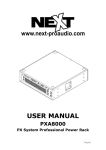
Hill M-Series
Hi-Z Drive Processing Unit
M10HiZDPU User Manual Rev 1.00
Page 1
Contents
Packaging!
3
Warnings!
3
User Responsibility!
4
Speaker Damage
4
Speaker Output Hazard
4
Radio Interference
4
User Operation!
5
User Controls
5
Fan Operation
5
Peak/On LED
5
Maintenance
5
Input Connectors
6
Output Connectors
6
Hill M-Series Hi-Z Drive Processing Unit Rear Panel!
6
Cooling and Installation!
7
Rack Mounting
7
Cooling
7
Specification!
8
FAQ and Trouble Shooting!
9
M10HiZDPU User Manual Rev 1.00
Page 2
Packaging
Carefully open the shipping carton and check for any noticeable damage. Every Hill DPU is tested and
inspected before leaving the factory and should arrive in perfect condition. If found to be damaged,
notify the shipping company immediately. Only the consignee may institute a claim with the carrier for
damage incurred during shipping. Be sure to save the carton and packing materials for the carrier's
inspection.
It is also advisable, to save the carton and packing material, even if the DPU is undamaged. Should
you ever need to ship the DPU, use the original packing.
Warnings
Read this before you are operate your DPU:
•
Do not use this DPU if the power cord is broken or frayed.
•
Always operate the unit with the chassis ground wire connected to the electrical safety earth.
•
Do not parallel or series connect a DPU output, with any other DPU output.
•
Do not connect the DPU output to any other voltage source, such as battery, mains source or
power supply, regardless of whether the DPU is turned on or off.
•
Do not run the output of any DPU back into another channels input.
•
Do not block the air intake or exhaust ports.
•
Do not operate the DPU near heat producing devices such as radiators, stoves etc.
•
Do not spill water or other liquids into or on the unit.
•
Do not operate the DPU if it is standing (or is suspected to be) in liquid.
•
Do not remove top or bottom covers. Removal of the cover will expose hazardous voltages.
There are no user serviceable parts inside and removal may void warranty.
•
Keep this manual for future reference.
M10HiZDPU User Manual Rev 1.00
Page 3
User Responsibility
Speaker Damage
This DPU is only designed for Hill M-Series Hi-Z Speaker Systems.
Your DPU is very powerful and can be potentially dangerous to both loudspeakers and humans alike.
Hill loudspeakers can be damaged or destroyed if continually overdriven.
Speaker Output Hazard
DPUs are capable of producing hazardous output voltages. To avoid electrical shock, do not touch
any exposed speaker wiring, while the DPU is operating. See outputs section about proper
connection of speakers.
Radio Interference
This product complies with the limits for the European Electro Magnetic Compatibility (EMC) directive.
These limits are designed to provide reasonable protection against harmful interference between
electrical equipment. However, there is no guarantee of no interference even if the DPU is EMC
approved.
If the DPU causes interference (which can be easily determined by turning the DPU on and off) the
user can correct the interference by one or more of the following steps:
1. Increase the proximity between the equipment.
2. Connect the AC cord to an outlet on a different circuit from that to which the affected unit is
connected.
3. If a radio receiver has interference (normally amplitude modulation) reorient the antenna.
4. Check if the affected unit complies with the EMC limits for immunity (CE-labelled).
If not, address the problem with the manufacturer or supplier.
All electrical products sold in the EC must be approved for immunity against electromagnetic fields,
high voltage flashes, and radio interference.
M10HiZDPU User Manual Rev 1.00
Page 4
User Operation
User Controls
The power switch for the DPU is located on the rear of the unit.
There are no other user operated controls on this product, it is fully optimised for use with the Hill M10
Hi-Z system.
Simply connect each output to a Hill M10 Hi-Z speaker system.
peak / on
M-Series Drive Processing Unit
Hill M-Series Hi-Z Drive Processing Unit Front Panel
Fan Operation
The cooling system is actively controlled via onboard audio sensing circuitry. When audio drive to the
DPU is low the cooling fan will operate slowly, as audio drive increases so will the fan speed. If a high
temperature condition occurs the fan will also be triggered.
Peak/On LED
When the unit is switched on and operational the Peak/On LED will be lit in ‘green’.
As the unit approaches maximum output the LED light will dim to ‘black’. When the unit reaches
peak, the LED will be lit in ‘red’. Warning - regular/prolonged use of the DPU whilst the Peak LED is
lit in ‘red’ will result in damage to the DPU and speaker system.
Maintenance
The fan filter requires regular cleaning/replacement to ensure a free flow of air. This is mounted
externally on the rear of the unit. Cleaning intervals will depend on the condition of the air being
drawn into the unit. Typically the intervals will be between 3 and 6 months. Ensure the filters are dry
before reinstalling them
Do not operate the DPU without the air inlet filter being installed.
M10HiZDPU User Manual Rev 1.00
Page 5
Input Connectors
There are two balanced line-level input connectors located on the rear panel:
Neutrik female 3pin XLR (pin2 +ve)
1 x Mid-Frequency Drive (LF)
1 x High-Frequency Drive (HF)
Output Connectors
There are two balanced line-level output connectors located on the rear panel. This enables a ‘daisy
chain’ of upto 12 units:
Neutrik male 3pin XLR (pin2 +ve)
1 x Mid-Frequency Drive (LF)
1 x High-Frequency Drive (HF)
There are two NL8 Hi-Z Speaker output connectors located on the rear panel. These are designed to
connect to 1 x M10 Hi-Z per NL8 output connector. Warning - Do not daisy chain, or split the
speaker level output, or connect it to another DPU.
NL8 pin out: 1+/1-:MF outer
2+/2-:MF inner
3+/3-:N/A
4+/4-:HF
Input
NL8 Output
(Speaker Level)
Power
Input and Switch
FAN Filter
A
B
HF
LF
Link Output
HF
LF
Hill M-Series Hi-Z Drive Processing Unit Rear Panel
M10HiZDPU User Manual Rev 1.00
Page 6
Cooling and Installation
Rack Mounting
The Hill M-Series DPU must be supported from both the front and rear of the chassis. Rack mount
adaptors are provided for this purpose.
Please note that consideration to air inlet/outlet must be taken to allow adequate cooling for the DPU.
Cooling
The air cooling inlet is at the rear of the unit, do not block or obstruct this. Ensure a supply of clean
cool air is available to draw into the DPU.
The air outlet is located down either side of the DPU. Ensure this is free of direct obstruction. Hill
recommend that a 1U venting gap is left above each DPU.
M10HiZDPU User Manual Rev 1.00
Page 7
Specification
Voltage:
240v (+/- 10v)
Max Operating Current:
6.5A (Note: Surge on switch-on)
Output power into Hi-Z configured speaker system:
1100W + 400W
Dimensions:
H (2U):
88mm
W (19”):
450mm
Depth:
500mm
Weight:
13.6Kg
M10HiZDPU User Manual Rev 1.00
Page 8
FAQ and Trouble Shooting
Please contact your distributor should you encounter any problems or difficulties.
M10HiZDPU User Manual Rev 1.00
Page 9