1
INDEX
4/51
CONTENTS
Chapter 1 Introduction ................................................................................................................. 8
1.1 Outline .................................................................................................................................... 8
1.2 Development Environment..................................................................................................... 8
Chapter 2 Usage of Camera Interface......................................................................................... 9
2.1 Camera Interface Function..................................................................................................... 9
2.2 Operation Flow......................................................................................................................11
2.3 Details .................................................................................................................................. 12
2.3.1 Camera Initialization ...................................................................................................... 12
2.3.2 Set Camera Timing........................................................................................................ 14
2.3.3 Set Input/Output Size .................................................................................................... 16
2.3.4 Set Frame Address........................................................................................................ 17
2.3.5 Set Reduction ................................................................................................................ 19
2.3.6 Set Transfer Processing ................................................................................................ 20
2.3.7 Set Level Adjustment..................................................................................................... 21
2.3.8 Open Camera Interrupt.................................................................................................. 21
2.3.9 Start DMA Transfer ........................................................................................................ 21
2.3.10 IMC/LCD Setting for Display ....................................................................................... 22
2.3.11 Camera DMA Transfer ................................................................................................. 22
2.3.12 Stop DMA Transfer ...................................................................................................... 22
2.3.13 Close Camera Interrupt ............................................................................................... 22
2.3.14 Stop LCD Display ........................................................................................................ 22
Chapter 3 Example of Camera Interface Operation.................................................................. 23
3.1 Hardware Connection .......................................................................................................... 23
3.2 Initialization........................................................................................................................... 24
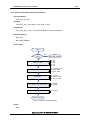
3.2.1 Operation Flow .............................................................................................................. 24
3.2.2 Operation Detail............................................................................................................. 25
3.2.2.1 Config Camera Interface as Default ...................................................................................... 25
3.2.2.2 Init Camera Sensor Module................................................................................................... 28
3.2.2.3 Init IMC/LCD for Display........................................................................................................ 28
3.3 Example of Preview Function............................................................................................... 29
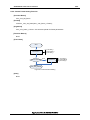
3.3.1 Operation Flow .............................................................................................................. 29
3.3.2 Operation Detail............................................................................................................. 30
3.3.2.1 Preview Start ......................................................................................................................... 30
3.3.2.2 Preview Stop ......................................................................................................................... 30
3.4 Example of Mirror Function .................................................................................................. 31
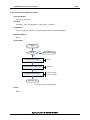
3.4.1 Operation Flow .............................................................................................................. 31
3.4.2 Operation Detail............................................................................................................. 31
3.5 Example of Level Adjustment Function................................................................................ 32
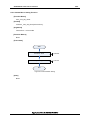
3.5.1 Operation Flow .............................................................................................................. 32
3.5.2 Operation Detail............................................................................................................. 32
Application Note S19892EJ1V0AN00