1
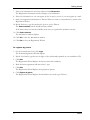
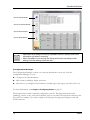
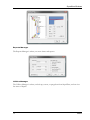
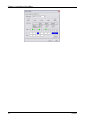
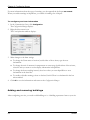
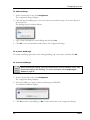
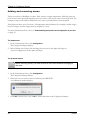
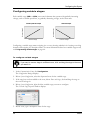
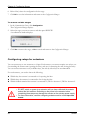
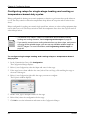
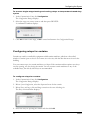
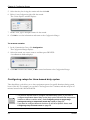
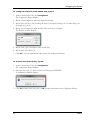
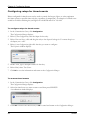
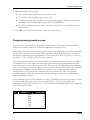
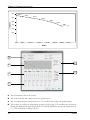
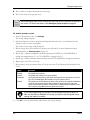
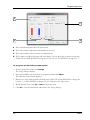
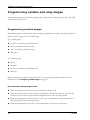
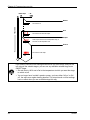
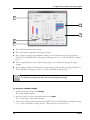
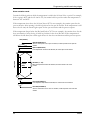
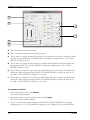
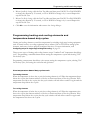
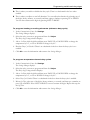
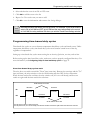
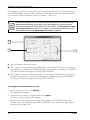
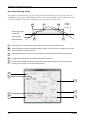
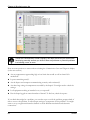
Programming zones 3. Make the changes to the settings. If you will be using a growth curve, select curve A or B. If you will be using a group set point, select None. To change the group set point, click the slider and then drag up or down. For more precise adjustments, click the slider and then press the UP or DOWN key. To enable or disable the alarms, select or deselect Enabled. There is a checkmark in the box when enabled. 4. Click OK to save the information and return to the Settings Manager. Programming growth curves A growth curve is an extension of the group set point concept. The growth curve automatically adjusts the set points over time to control the temperature in a room or zone. For example, in hog production, newborn piglets require a high temperature for comfort and health. As they grow older, they need a steadily lower temperature. Using the growth curve, you can have the Supra automatically adjust the temperatures. You can start at 76°F for 1 day, drop to 74°F for 1 day, then to 71°F for 21 days, 68°F for 14 days, and so on. You can program two growth curves: Growth Curve A and Growth Curve B. This lets you control two different areas of your facility with each Supra, with each area having independent set points. You can have up to seven steps in a growth curve. Each step has a starting temperature and duration (in days). The Supra automatically calculates the set points for the days between the steps and adjusts the set points at midnight each day. Individual set points for the variable and fixed stages are adjusted relative to the growth curve temperature for that particular day. This is an extremely powerful feature because it lets you put fan and heating strategies in place once, and then adjust them automatically over time. In the following page, step 2 has a duration of 10 days. The difference between the starting set point (86.5°F) and the starting set point for the next step (85°F) is 1.5°F. The Supra divides the temperature difference by the duration 1.5 ÷ 10=0.15 and then automatically adjusts the set point by 0.15°F each day for 10 days. Step 1 2 3 4 5 6 7 41 Temperature (°F) Duration (days) 88.0 86.5 85.0 83.5 81.0 78.0 74.0 5 10 10 10 5 5 10 Phason