1
CLS VLJ USERS MANUAL
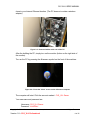
close to your Internet Ethernet location. (The PC does not contain a wireless
adapter)
Figure 2.3—Connect Cables at the rear of the PC
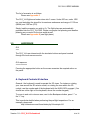
After the building the PC, simply turn on the monitor (button on the right side of
the monitor).
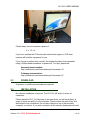
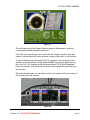
Turn on the PC by pressing the Alienware symbol on the front of the machine:
Figure 2.4—Press the "Alien" to turn on the Alienware computer
The computer will start. Click the account marked: CLS_VLJ Owner
Your username and password are:
Username: CLS_VLJ Owner
Password: VLJsR0ck!
Copyright © 2008 – Commercial Level Simulations, Ltd.
Version 1.6—CLS_VLJ Professional
All Rights Reserved
8 of 55