1
TC7000/TC7150 – User Manual
MENU SELECTION
• Pressing the joystick again will highlight
each spot in turn. This is followed by the
option for the Infrared Camera to scan
for an RFID tag. Place the top front of the
camera within 5 cm of an RFID tag and
press/hold the joystick again. The RFID tag
information will be displayed and can be
edited. (See detailed RFID Section on P.11)
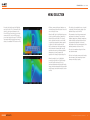
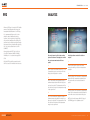
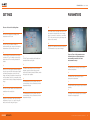
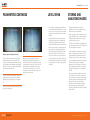
• All other camera settings and features are
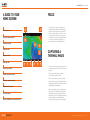
selected through the menu button. Press this
once to display 6 icons.
• The settings icon enables the user to select
or deselect all of the display settings. (See
detailed Settings section on P.13)
• When the NUC icon is highlighted one press
of the joystick will perform a manual Non
Uniformity Correction (NUC). This should
not be required in normal use as the NUC
is carried out automatically when required.
A distinct click will be heard when the
NUC is performed and the thermal image
will be refreshed. A manual NUC may be
required when moving to different ambient
temperatures but very frequent NUC
operation will seriously impact battery life.
• The parameters icon allows measurement
parameters to be altered. These include
ambient temperature, reflected temperature,
relative humidity and target distance. Note
that emmisivity adjustment is selected
individually at each spot measurement. (See
detailed parameters section on P.14)
• When the analysis icon is highlighted
pressing the joystick in will cycle through
crosshair (spot) selection (0,1,2 or 3),
maximum temperature display (within entire
image), minimum temperature display (within
entire image). (See detailed analysis section
on P.12)
RUGGED AUTHORITY
• The clock icon enables setting of all time
and date information.
• The info icon displays camera serial number,
internal memory used, remaining internal
memory and battery capacity.
Document Reference TC7000/TC7150UM Rev. B
11