1
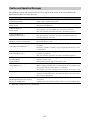
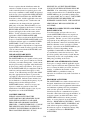
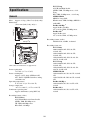
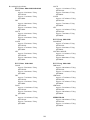
Setup Menu List
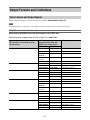
This section describes the function and settings of the items in each menu.
Factory default settings are shown in bold (for example, 18dB).
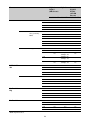
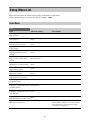
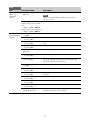
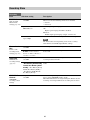
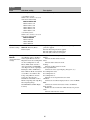
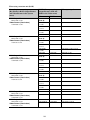
User Menu
User
Item
Sub-item setting
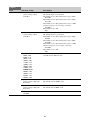
Country
See Country in the System menu.
Description
Region settings
Base Setting
Base settings
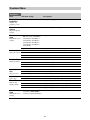
Rec Format
See Base Setting in the System
menu.
Recording format settings
See Rec Format in the System
menu.
Codec
See Codec in the System menu.
Codec settings
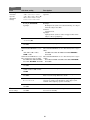
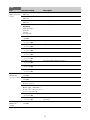
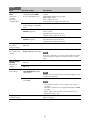
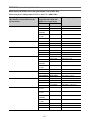
S&Q Motion
Slow & Quick Motion mode
settings
Picture Cache Rec
Picture cache recording mode
settings
Simul Rec
Simultaneous recording settings
Output Format
Output format settings
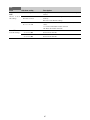
Monitor LUT
See S&Q Motion in the Recording
menu.
See Picture Cache Rec in the
Recording menu.
See Simul Rec in the Recording
menu.
See Output Format in the Video
menu.
Monitor LUT settings
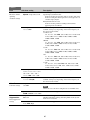
See Monitor LUT in the Video
menu.
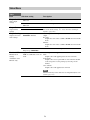
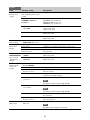
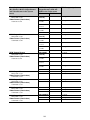
Clip
See Clip in the Media menu.
Settings related to clip names
VF Setting
See VF Setting in the VF menu.
Viewfinder settings
Assignable Button
See Assignable Button in the
Settings for assigning functions to System menu.
assignable buttons
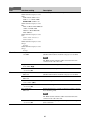
Assignable Dial
See Assignable Dial in the System
Settings for assigning functions to menu.
assignable dials
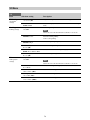
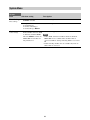
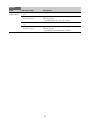
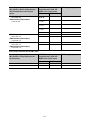
Format Media
See Format Media in the Media
Format (initializes) memory cards menu.
Edit User Menu
Edits the items in the User menu.
When “Edit User Menu” is selected, the Edit
User menu moves to the top level, and the
menu items are displayed.
Edit the User menu items
61