1
Overview
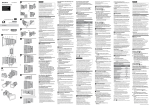
System Configuration
This section shows an example of a camera system configuration.
SELP28135G
SEL1635Z
SELP18200
Lens
ECM-MS2
Microphone
LA-EA3
LA-EA4
A-Mount
Adaptor
IFU-WLM3 (supplied)
USB Wireless LAN Module
UWP-D11
UWP-D12
Wireless
Microphone
Package
SMAD-P3
Multi-Interface
Shoe Adaptor
XLR-K2M
XLR
Adaptor Kit
S/N/H/G-series
XQD Memory Card
BP-U30 (supplied),
BP-U60, BP-U60T,
BP-U90
Battery Pack
HVL-LBPC
Video Light
MRW-E80
XQD Card Reader
BC-U1 (supplied), BC-U2
Battery Charger
PXW-FS7
AC Adaptor (supplied)
MPA-AC1 (USA/Canada)
AC-NB12A (except USA/
Canada)
HXR-IFR5
Interface Unit
RMT-845 (supplied)
Infrared Remote Control
Grip Remote Control
(supplied)
XDCA-FS7
Extension Unit
VCT-FS7
Shoulder Adaptor
CBK-WA100
Wireless Adaptor
6
BP-L80S, BP-FL75
Battery Pack
AXS-R5
Portable
Memory
Recorder