1
6
Mvix Ceeno+ Digital Signage Player w/ HDMI
Mvix Ceeno+ Display Screen layout
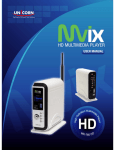
Mvix Ceeno is a networkable digital signage player capable of displaying multi-zone content on a large screen TV
or monitor. All the zones and settings can be remotely configured and customized over the internet via the
icatsignage cloud-based content management system (Take a Tour). Content for the following zones can be
customized:
Top Zone: Top zone is a static image zone. It uses a JPEG image (1280 x 100 px) to display a header banner
or logo. All devices within a group will have the same static top zone. Different top zone images can be
assigned to devices in different groups.
Image Zone: Image zone is a playlist zone comprising of a JPEG images (560x560 px) which will loop
(slideshow) and can be scheduled. Each device can have its own images, slideshows, and schedules.
Date / Time / Weather Zone: This is system configured zone, defined within the player’s preference settings.
Weather is defined by the zip (city) code and can be displayed in degree-C or degree-F
RSS / Text Ticker Zone: This marque zone can display dynamic text content acquired via an automated RSS
ticker feed (Latest news, Sports, Breaking News etc.) or a custom text (for displaying specials,
announcements or alerts)
Video or TV Zone: This 720 x 480px zone contains the video playlist comprising of a videos. This playlist
can loop and can be scheduled. This zone can also be used for streaming live TV (via the Video-in port).
Each device can have its own videos / TV feed.
Mvix Ceeno +
6
Users Manual