1
SalesNexus Online CRM and Email Marketing
User Manual
Once you have selected the campaign you want, you can either Delete it or Retire it.
NOTE: Delete will remove all open and all closed items for this campaign. It will remove all history of any kind
associated with this campaign. There is no Undo so be sure that is what you want to do before hitting Delete. If you
want to remove only open items please contact Chat.
Retire- will block anyone else from being scheduled for this campaign but does not remove the history.
Stop!
You can now stop any emails from being sent that are in the que. Simply click the Campaign name and click Delete.
NOTE: This will remove all Pending emails for this campaign for all clients so if you do not want to remove all
pending emails, please contact Chat to have the specific one removed.
Groups Tab
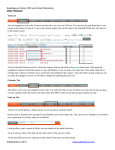
To look up a group, Go to the group tab in the top row., Click Display All to see all your Groups
©SalesNexus 2013
www.salesnexus.com
SalesNexus Online CRM and Email Marketing
User Manual
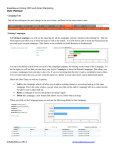
For the line starting with Search On, you can pick any field in the group to search for groups with that information.
Default is Group Name
You can change the fields you view in the list of groups by clicking on the green plus to the far Right
Once you have a group selected, open it by clicking on the magnifying glass on the far left.
©SalesNexus 2013
www.salesnexus.com
SalesNexus Online CRM and Email Marketing
User Manual
•
•
•
•
Clicking on the center Notes tab will show you all notes on all contact records associated with this group.
Clicking on the center Activities tab will show you all activities on all contact records associated with this group.
Clicking on the center Sales/ tab will show you all Sales Opportunities on all contact records associated with this group.
Clicking on the center Contact tab will show you all contact records associated with this group. To go to a contact in the
group, click on the mag glass.
To see the groups a given contact belongs to, go to the Groups tab in the center of the contact record.
©SalesNexus 2013
www.salesnexus.com
SalesNexus Online CRM and Email Marketing
User Manual
Dashboard Tab
You have the ability to set up dashboards to allow you to see data that matters to you.
Click on the Dashboard tab, click Create New Dashboard
It will take you to a layout to pick your tables and fields.
Here is a sample dashboard we use
©SalesNexus 2013
www.salesnexus.com