1
Version 1.0
I. Introduction
I-1. Purpose
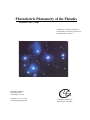
This document provides information for users of the CLEA software module “Photoelectric Photometry of the Pleiades”.
It includes discussions of hardware and operating system requirements (Section II); software installation and operation
(Section III); files associated with the exercise (Section IV); user options and file formats for possible user modifications
(Section V); and astronomical data, models and algorithms employed in the exercise (Section VI). The material in this
guide is intended for use by the instructor and by other personnel involved in installing and configuring the exercise
software and PC hardware. It is not intended for distribution to the students. (The word “user” as it appears in herein
should be interpreted as “instructor”, and not “student”.)
I-2. Acknowledgments
Development of CLEA exercises and materials, including this guide, is supported in part by National Science Foundation
Grant USE 9155927 and by Gettysburg College.
II. System Requirements
II-1. Hardware
This exercise should run successfully on any IBM or compatible PC capable of running Microsoft Windows 3.0 or 3.1.
This includes processors Intel 80286 (or equivalent) and above (80386, 80486, Pentium) with a minimum of 2 MBytes of
RAM. For optimum performance we recommend a fairly fast processor capable of running Windows 386 Extended
mode (25 MHz 386SX or above), with 4 MBytes or more of RAM. A floating point coprocessor (Intel 80x87 or equivalent) is highly recommended but is not required. (A Weitek coprocessor should cause no problems if present, but is not
used.) A mouse is a definite requirement (but you need not load a separate mouse driver if you use a mouse with Windows). A color display (VGA or better) is required; a high-speed high- resolution video card/driver is advantageous (see
Section II-4).
II-2. Operating System
This software runs under Microsoft Windows Versions 3.0 and 3.1 (and compatible modes on later versions and/or
equivalents). You cannot run it standalone under DOS.
II-3. Disk Space
A hard disk is required. This exercise uses approximately 1.1 MByte of disk space. You can reduce this somewhat by
deleting unneeded bitmap files (see Section V-2).
II-4. Video Issues
Unfortunately, beyond VGA (640x480, 16 colors) and SuperVGA (800x600, 16 colors), there is very little standardization in video cards/drivers used to run Windows. Most newer cards offer additional modes - resolutions to 1024x768 and
beyond, and 256 and more (16K!) colors - and many Windows users are probably unaware of how their system is
configured and what mode they are using. We have attempted to address the lowest common denominator (VGA 640x480 pixels, 16 colors) in our development of these programs, but many of the available image files do not display
well in 16 colors and so we have adopted 256 colors as our standard. Individual discussions of color, resolution, and
changing video drivers are presented in Sections II-4.1 through II-4.3.
P AGE 3