1
Contents
Contents
1
2
3
4
4.1
Introduction
Getting Started
Overview
Your VGA/XGA Audio Matrix Switcher
Connecting the VP-4x4
1
1
2
2
5
4.1.1
4.1.2
4.1.3
Connecting a PC
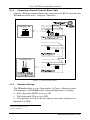
Connecting a Phoenix Terminal Block Cable
Dipswitch Settings
5
6
6
5
5.1
5.2
Operating Your Audio Matrix Switcher
Displaying Unit Characteristics
Choosing the Audio-Follow-Video or Breakaway Option
7
7
8
5.2.1
5.2.2
Setting the Audio-Follow-Video Option
Setting the Breakaway Option
8
8
5.3
5.4
Switching OUT-IN Combinations
Confirming Settings
8
9
5.4.1
5.4.2
Toggling between the AT ONCE and CONFIRM Modes
Confirming a Switching Action
9
10
5.5
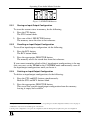
Storing/Recalling Input/Output Configurations
10
5.5.1
5.5.2
5.5.3
Storing an Input/Output Configuration
Recalling an Input/Output Configuration
Deleting an Input/Output Configuration
11
11
11
5.6
6
Locking the Front Panel
Technical Specifications
12
12
Figures
Figure 1: VP-4x4 VGA/XGA Audio Matrix Switcher
Figure 2: Connecting a PC without using a Null-modem Adapter
Figure 3: VP-4x4 Connections
Figure 4: VP-4x4 Unit Characteristics
Figure 5: SELECTOR Buttons
3
5
6
7
11
Tables
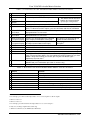
Table 1: Front Panel VP-4x4 VGA/XGA Audio Matrix Switcher Features
Table 2: Rear Panel VP-4x4 VGA/XGA Audio Matrix Switcher Features
Table 3: Rear Panel Dipswitches
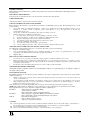
Table 4: Technical Specifications of the VP-4x4 VGA/XGA Audio Matrix Switcher
4
4
7
12
i