1
DEFAULT PROGRAMMING CODE: 0000
DEFAULT USER CODE: 1234
6
5
1
Rockwell
7
2
3
8
4
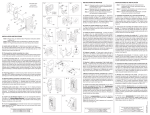
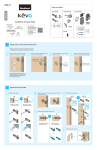
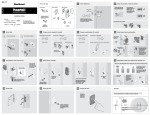
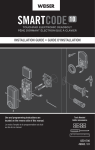
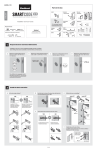
1. One touch button - Used to operate the locking function, clearing codes,
to enter codes, confirming programming codes and clearing errors.
2. Keypad Number Buttons - Used for user codes, programming codes.
There are a maximum of 6 user codes with each user code ranging
from 4 - 8 digits long.
3. Locking Cylinder - Used with a key to manually extend and retract the
multipoint lock bolt from the exterior.
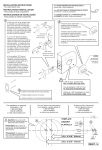
4. Gasket - Used to prevent water infiltration to the unit.
5. Battery Cover - Slide the cover to change batteries or restore default
settings.
6. Battery Holder - AA Alkaline Batteries ( 4 Required )
7. Reset Button - Used to restore default settings.
8. Turnpiece - Used to retract and extend the multipoint bolt from the
interior.
5.
Copyright © 2011 Rockwell Security Inc. All rights reserved.