1
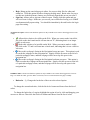
Reset Password
1. The Super Admin can automatically reset the password of an account holder so he/she can
log into his/her account. This should be reserved for the case when the admin user forgets the
answers to his/her security questions, but it is not required.
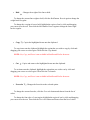
Delete User
1. The Super Admin can remove users from the system for several reasons, including but not
limited to a violation of the terms to use the system, legal violations, or discontinued use of
his/her account.
a. Click the “Delete User” option above the grid.
b. The Super Admin will be prompted which user to remove.
c. After selecting a user, click the submit button to continue or cancel to return to the
main page.
d. A dialog box will appear to confirm the decision. Choose “OK” to commit the user
account deletion, or “Cancel” to void the transaction.
1) Confirming at this stage will result in the permanent removal of the
selected user!
e. After selecting either option, the Super Admin will return to the main page.
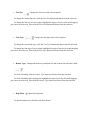
Sign Out
1. Same as regular admin.
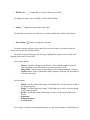
Extra Sources for info/help
Please refer to http://babyhuey.cis.temple.edu/createapage/popups/admin_manual.html for details
about “Administration Control Bar”
Please refer to
http://babyhuey.cis.temple.edu/createapage/popups/about_manual.html?wysiwyg=textarea1 for
details about using the “WYSIWYG” editor