1
3.2
Server Data
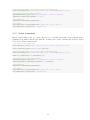
At PortfolioEffect we are capturing and storing 1-second intraday bar history for a all NASDAQ traded equites.
This server-side dataset spans from January 2013 to the latest trading time minus five minutes. It could be used
to construct asset portfolios and compute intraday portfolio metrics.
3.2.1
Create Portfolio
Method portfolio create() creates new asset portfolio or overwrites an existing portfolio object with the same
name.
When using server-side data, it only requires a time interval that would be treated as a default position holding
period unless positions are added with rebalancing. Index symbol could be specified as well with a default value
of “SPY” - SPDR S&P 500 ETF Trust.
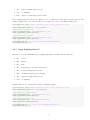
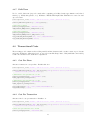
Interval boundaries are passed in the following format:
• “yyyy-MM-dd HH:MM:SS” (e.g. “2014-10-01 09:30:00”)
• “yyyy-MM-dd” (e.g. “2014-10-01”)
• “t-N” (e.g. “t-5” is latest trading time minus 5 days)
• UTC timestamp in milliseconds (mills from “1970-01-01 00:00:00”) in EST time zone
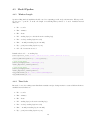
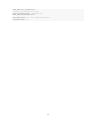
% Timestamp in "yyyy-MM-dd HH:MM:SS" format
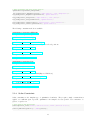
portfolio=portfolio_create(’fromTime’,’2014-10-01 09:30:00’,’toTime’,’2014-10-02 16:00:00’);
% Timestamp in "yyyy-MM-dd" format
portfolio=portfolio_create(’fromTime’,’2014-10-01’,’toTime’,’2014-10-02’);
% Timestamp in "t-N" format
portfolio=portfolio_create(’fromTime’,’t-5’,’toTime’,’t’);
3.2.2
Add Positions
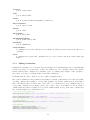
Positions are added by calling portfolio addPosition() method on a portfolio object with a list of symbols and
quantities. For positions that were rebalanced or had non-default holding periods a ’time’ argument could be
used to specify rebalancing timestamps.
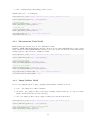
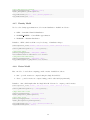
% Single position without rebalancing
portfolio_addPosition(portfolio,’GOOG’,200);
% Multiple positions without rebalancing
portfolio_addPosition(portfolio,{’C’,’GOOG’},[300,200]);
% Single position with rebalancing
portfolio_addPosition(portfolio,’AAPL’,[300,150],’time’,[’2014-10-02 09:30:01’;’2014-10-02 11:30:01’]);
6