1
CPU Hardware and Software
B.3.
SERIAL PORT MODES AND COMMANDS
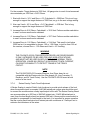
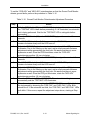
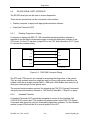
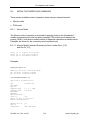
There are two available modes of operation when using an external terminal:
•
Monitor mode
•
PGK mode
B.3.1.
Monitor Mode
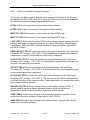
The Monitor mode of operation is activated by applying power to the Genrakode II
module and pressing the enter key when prompted. The monitor mode displays the
prompt ( MON> ) and allow a limited number of diagnostic operations as shown below.
Examples are shown for the commonly used commands only.
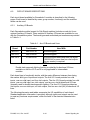
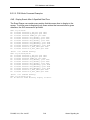
B.3.1.1. Monitor Mode Command Summary for Boot Loader Rev A [1.0]
and Rev B (1.01]
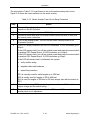
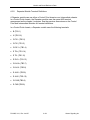
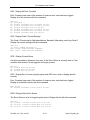
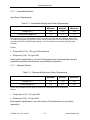
Press 'D' to Display error queue
Press 'R' to view config Report
Press 'M' to use Memory monitor
Examples
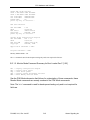
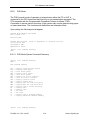
Display Error Queue - ‘D’
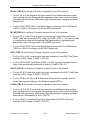
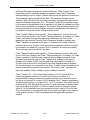
MON> EQ: 02/10/97 15:06:45 Err#=A0
EQ: 02/10/97 15:06:45 Err#=60
EQ: 02/10/97 15:06:45 Err#=30
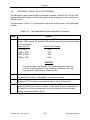
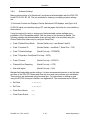
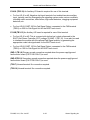
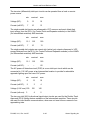
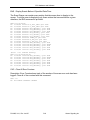
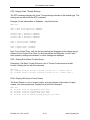
View Configuration Report - ‘R’
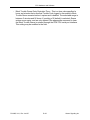
Application Documentation:
S/N
GK-0000-154
APP NAME
APP ID
COMPILE DATE
5 / 6 / 1999
COMPILE TIME
16:16:20
DESIGNER
CHECKER
REVISION LEVEL 1
SITE ID
100
press any key to continue...
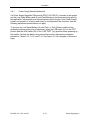
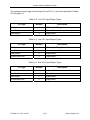
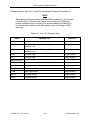
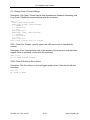
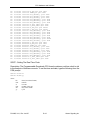
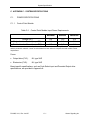
Module Configuration:
MODULE CFG ID
AUX IO
DIRECTION
29
1
EAST AND WEST
P2160B, Vol.1, Rev. Jan/07
B–4
Alstom Signaling Inc.