1
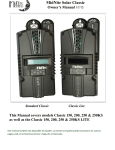
Classic owner’s manual RevG 2056 the network settings. If the network settings do not update within a minute, please consult the troubleshooting section. Static IP The Classic supports static IP address allocation. In this mode you can assign the Classic a specific IP address. This lets you set up things like port forwarding from your router or for networks with static IP allocations. Press Main Menu Scroll to NET menu and press the Enter button Highlight and select STATIC Using the left and right keys, navigate to the settings to change and use the up and down arrows to adjust the desired fields. Press the ENTER button at any time to commit the settings to the Classic’s Flash memory. Please note that static settings span two menu screens. You may use the soft keys to navigate between the two menus. Pressing the ENTER key in either menu saves all settings to Flash memory. For convenience when you manually set the device’s IP address the Gateway and Primary DNS addresses follow the change. See the following sections for details on each of these fields. IP Address This is the local network address of your Classic. It usually takes the form ―192.169.0/1.x‖ or ―10.0.0.x‖ depending on your networking equipment. You must be careful when selecting this address. If it does not match your network subnet then the classic will not be able to communicate with the network. If it is the same as another device on the network then collisions will occur causing both devices to act erratically. Check your router settings or ask your network administrator which local address to use. Also refer to the troubleshooting section for tips. Subnet This refers to the class of local network you are using. This depends on your network hardware but most users should use ―255.255.255.0‖ for this field. Gateway This is the address of your router or modem – the device which is connected directly to the Internet proper. It will usually take the form 192.168.0/1.1 or 10.0.0.1 depending on your network configuration and hardware. Check your router settings or ask your network administrator which local address to use. Also refer to the troubleshooting section for tips. DNS 1 The DNS is the means by which human-readable internet addresses are resolved to actual IP addresses on the network. These values can usually be set identically to the gateway address depending on your network hardware. If your ISP provides you with specific DNS servers then use those addresses in these fields instead. Example 1: Your gateway is a DSL modem with address 192.168.1.1. If your ISP has not given you explicit DNS servers to use then set the D1 field to 192.168.1.1 Example 2: Your gateway is a cable modem with address 10.0.0.1. Your ISP has specified primary and secondary DNS server addresses of 11.22.33.44 and 11.22.33.55, respectively. Set the D1 address to 11.22.33.44 and the Web Access MidNite Solar will be offering a free web service with which you can access your Classic from a web page from anywhere in the world simply by pointing your favorite web browser to https://www.mymidnite.com 69 | P a g e 10 -001-1 REV: G