1
7.Operating
Operating Procedure
■ Pre-Installation Verification
1.
2.
3.
4.
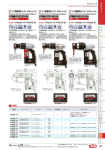
Determine the rotation required for the length of bolt being tested. (See fig. 1)
Set the tool for the desired angle of rotation. (See fig. 2)
Place the bolt assembly in the “Bolt tension Indicator”.
Snug tighten the bolt assembly.
Use the “snug tight” condition that is recognized by the American Institute
of Steel Construction (A.I.S.C.) and the Research Council for Structural
Connections (R.C.S.C) as stated in the publication “Specification for Structural
Joints Using ASTM A325 and A490 Bolts”. (Note 1)
5. Match mark the end of the bolt with the face of the nut.
6. Slide the socket assembly over the nut. (See fig. 3)
7. Squeeze the trigger switch to start the tightening process.
The reaction arm will turn counter-clockwise until it comes up against
the reaction stud on the face plate of the bolt tension indicator.
The inner socket will then rotate the nut clockwise.
8. When the socket reaches the preset angle of rotation, the tool will
shut down automatically.
9. Record the tension of the installed bolt assembly.
10. Measure and record the installed torque of the assembly.
(Figure 1)
Bolt Length
1-4 Body Diameters
4-8 Body Diameters
8-12 Body Diameters
Required Rotation
1/3 Turn - 120 Degrees
1/2 Turn - 180 Degrees
2/3 Turn - 240 Degrees
(Figure 2)
¥
-22-


![固図[1]](http://vs1.manualzilla.com/store/data/006549974_2-d7890545c0bf24d0e59eacd2fa710d3f-150x150.png)