Download Using FlashRunner - Texas Instruments
Transcript
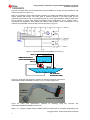
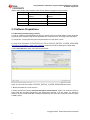
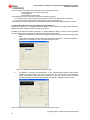
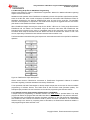
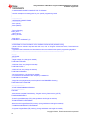
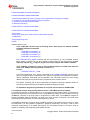
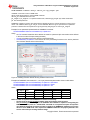
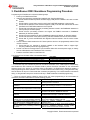
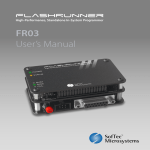
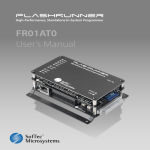
Using FlashRunner FR03TXI0 to Program UCD3020/3028/3040 and UCD3138 SLUA654 - August 2012 3. FlashRunner FR03 Standalone Programming Procedure Programming the FlashRunner involves the following steps: 1. Power up the FlashRunner FR03 2. Insert SD card with all the requisite files installed inside. Use Checklist below: • Ensure SCRIPT0.FRS script file & firmware image (.FRB) file are installed in SD card at correct location • Ensure that the correct Device name is used in the TCSETDEV statement in the script file • Ensure that the filename of the firmware image file (.FRB) in the SD card matches the file name specified in the TPSETSRC statement in the script file • Ensure that correct Device ID of the pre-existing firmware is used in the ROMBACK statement in the script file (for firmware update) • Ensure that the pre-existing firmware can support the PMBUS commands in ROMBACK statement (for firmware update) • Ensure the correct password is used in ROMBACK statement (if desired, for firmware update) • Ensure that all licenses of the FR03 unit being used are installed in SD card at correct location • Ensure that TI_D.ALG and DEFAULT.ALG algorithm files are loaded in the SD card at correct location 3. Connect interface cable between the DUT board (with the device to be programmed) and the FR03 unit ISP connector • Ensure that the CHF capacitor is properly installed on the interface cable to support highfrequency PMBUS protocol during programming 4. Provide 3.3V bias to the target Device (can be biased either with external power supply or directly from the VPROG0 line from FlashRunner ISP connector) 5. Press the red START button on the FR03 unit The response from the status LEDs is summarized below: Scenario During programming After successful programming and verification1 by FR03 If programming is unsuccessful2 LED status the yellow BUSY status LED is lit up the green PASS status LED is lit up the red FAIL status LED is lit up 1 - In verification step, the FlashRunner performs Checksum calculation on the .FRB image file independently and FlashRunner also instructs the UCD3xxx ROM to perform Checksum calculation on the downloaded firmware image in the device. By comparing these 2 calculations, the FlashRunner determines whether a valid programming has been executed or not. If a valid Checksum was written during .xo file generation step, then the device will be put in Flash-mode after successful programming. If an invalid Checksum was written during .xo file generation step, then the device will stay in ROM mode after successful programming. 2 – There are several reasons related to set-up which can cause programming to be unsuccessful. A checklist is provided in table below for trouble-shooting purpose: Reason for unsuccessful programming ROMBACK command Password is incorrect Delay time parameter in ROMBACK command is insufficient ROMBACK command is not included in script file when device to be programmed is in Flash mode DEVICE ID in ROMBACK statement is incorrect Invalid Device name is used in TCSETDEV statement Script file name is not SCRIPT0.FRS The .FRB file name in SD card does not match .FRB file name in script file TPSETRC statement CHF capacitor is not properly installed or is too small value to support 400khz PMBUS protocol PMBUS command in ROMBACK statement is not recognized by the pre-existing firmware on the device Troubleshooting Guideline Use correct password, according to definition in preexisting firmware in the device Increase delay time or add additional code to implement faster reset according to Section 4.1 in this document Add ROMBACK statement in SCRIPT0.FRS file Use correct DEVICE ID according to pre-existing firmware in the device in ROMBACK statement Use only valid Device names (UCD3020, UCD3028, UCD3040 and UCD3138) in TCSETDEV statement. Change Script file name to ‘SCRIPT0.FRS’ Change .FRB file name in TPSETRC statement of script file to match .FRB file installed in SD card Check CHF capacitor installation or increase CHF capacitor value Pre-existing firmware in device must support PMBUS command in ROMBACK statement. Firmware update feature cannot be used if this condition is not met. Copyright © 2012, Texas Instruments Incorporated 21