1
DIRECTIONS FOR USE
Elegance Pro Massage Table
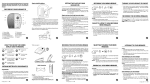
Adjusting the Table Height:
The Elegance Pro line of tables offers height positioning with electronic
ease. The table comes with a single foot control that can be placed on
either side of the table for maximum convenience. Simply step lightly on
the “up” arrow to raise the table or the “down” arrow to lower.
Adjusting the Backrest (Lift Back & Deluxe models):
The backrest section of the table is adjusted manually. To adjust
the backrest to desired position, move the backrest gently. The backrest
will automatically lock into the desired position when you stop. To move
back to a flat position release one of the levers. Release levers are
located on both sides of the table.
Adjusting the Foot Rest (Deluxe model):
The foot rest section of the table is adjusted manually. To adjust the foot
rest to desired position lift on the foot rest cushion. The foot rest will
automatically lock into the desired position. To move back to a flat position
release the lever and push down on the foot rest cushion. Release levers
are located on both sides of the table.
ELEGANCE PRO TABLE OPERATOR’S MANUAL
7