1
Page 13 of 28
MICRON USER GUIDE
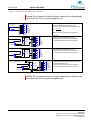
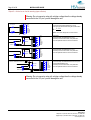
Adjust start distance
Start distance is the distance the product travels from product sensor has been activated
until print is started.
This distance is normally set from design software. Typically it is not necessary to set from
the controller. If you wish to select start distance anyway (for example, if the designer is
far away from you), do the following:
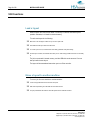
Hold the
The green led [3] will blink fast.
For each sensor signal a vertical line of 10 px is printed at current position, along with a readout of current
value
Press
button to INCREASE distance
Press
button to DECREASE distance
Press
button to toggle distance step.
EXIT setup by holding
button for 3 seconds
button 3 seconds again
Calibrate internal photo cell
If you use the internal photo cell, you may need to calibrate for different media. Do the
following:
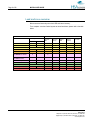
Hold
Remove the media in front of sensor
Press
Place the media to sense onto in front of sensor
Press
Test that calibration is OK by passing product by sensor
and
for 3 seconds to enter. Leds [5] and [6] will blink.
HSA Systems
Mileparken 16 | DK-2740 Skovlunde | Denmark | +45 4494 0222
Egegaardsvej 3 | DK-5260 Odense S | Denmark | +45 6610 3401
www.hsasystems.com