1
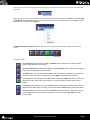
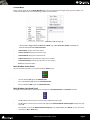
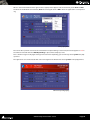
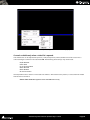
When more than one machine is running VT and the network is activated, you can select the computer on which
you want to view the running clients by right-clicking on the Clients Frame and selecting the desired machine in
the pop-up menu.
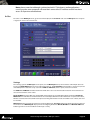
Client frame pop-up menu
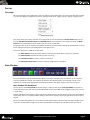
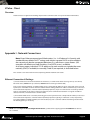
Network Frame
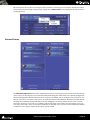
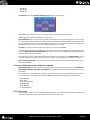
Network Frame with active clusters
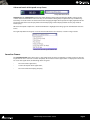
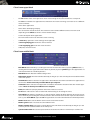
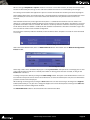
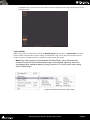
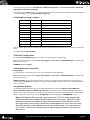
The Network Setup Frame allows you to configure how VT Servers running on machines on the local network will
interact. They can be setup to run in stand-alone mode by disabling the network. This is the default configuration.
When working together with the other VT Servers on the local network, you can configure each server to be a TC
Master, a Slave or as an available Server. This is achieved by sliding machines between Available Server Window on
the right side, to Network Clusters Window on the left. Dragging a server into another one will create a cluster,
where the “container” server will act as TC Master and the contained Server will be slave. A TC Master Server can
have many Slaves, but a Slave can have only one Master. An Available Server acts like a Server without the network
enabled. As seen in Fig. 18, more than one cluster can be created.
Virtual Transport User Guide : Server
Page 15