1
NOTE: The Jam Splash will automatically power off after 2 minutes
of inactivity.
Built-In Speakerphone
The Jam Splash is equipped with a built-in speakerphone, for easy hands
free talking:
1.Make sure the Jam Splash is successfully paired with y our device.
2.To answer or end a call, simply press any button when you hear
a ringtone.
3. To reject an incoming call, press and hold (5 sec.) any button.
NOTE: When an incoming call is detected, the Splash will pause the music
and a ringtone will sound. After the call is terminated, the music will resume
to play automatically where it left off. When making a call, use your phone
to dial and the Splash will automatically go into hands free mode.
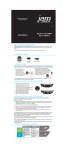
Mounting Options
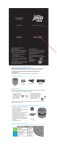
Fig. 1
Kickstand (Fig. 1):
Simply pull kickstand out fully and the Jam Splash will
stand upright. This is perfect for taking the Splash to the
beach or pool side.
Suction Cup (Fig. 2):
1. Attach the 3 suction cups (provided) in the cut outs on
back of holster.
2. Gently slide the Jam Splash into the holster.
Fig. 2
3. Find a clean, dry surface and press the Jam Splash in its
holster to shower wall or glass door.
NOTE: For an airtight seal, attach suction cups to a solid,
non-porous surface such as glass, metal, smooth tile or
polished wood surfaces. For best results, ensure that the
shower surface is thoroughly clean and dry.