1
Operation Manual
The 24CH LED controller can be controlled by DMX 512 console.You can select the controller for different kinds
of power output which is DC12V/15V/18V/24V for your demand to control the different LEDs. It is widely applied
to entertainment hall, stage, social club and indoor building decoration.
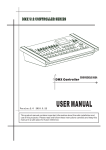
The picture of the controller:
A Specification:
1. Power input:110-120VAC (3.2A) / 220-240VAC (1.6A), 50/60Hz.
2. Power consumption: 200W
3. Power output:eight 4-pin phoenix terminal sockets. 1A per output 12V/15V/18V/24V
4. DMX input:3-pin male XLR socket
5. DMX output:3-pin female XLR socket
6. Control:DMX-512 (1990)
7. LED digital display
8. Built-in microphone
9. IR remote available
10. Each export of the controller can be controlled individually.
- AC110-120V /AC 220-240V input voltage switch
- LED digital display for DMX addressing and work mode setting
- universal DMX512 (1990) multiplexed digital control
- DMX and Stand Alone operation modes
- 0~100%, stand alone, fade time function
- stand alone, chase speed function
- Selectable 8 jumping modes&8 dreaming modes&8 sound active modes&1 auto mode in stand alone mode
For use with the following led devices:LED ceiling light and LED underground light and LED underwater light
It has six kinds of operation modes,they are as follows:
Manual dimmer color mode
Sound active mode
Auto-run program mode
Static color select mode
Other program select mode
DMX mode
1 of 8 pages
Here above six kinds running mode are selected by MODE button.The DP dot of fourth digital tube will be flicker
when you operate it ,then the DP dot will be automatically off after 60 seconds if there is no operation.The four
digital tube will display the current operation mode.You have to press the MODE button if you want to operate the
24CH LED CONTROLLER again.
MODE
manual
SET UP manual
Address
UP/DOWN manual
~
instruction
Sets the DMX starting address
The unit occupies 3 channels
DMX
MODE
The unit occupies 4 channels
Channels
The unit occupies 5 channels
The unit occupies 6 channels
The unit occupies 12 channels
The unit occupies 24 channels
DIMMER
MODE
SOUND
MODE
AUTO
RUN
MODE
STATIC
COLOR
SELECT
MODE
OTHER
MODE
Red dimmer
~
Adjust the intensity of the red color
Green dimmer
~
Adjust the intensity of the green color
Blue dimmer
~
Adjust the intensity of the blue color
Flash
~
Mode select
~
Adjust the flash speed,
off,
is slowest,
Select the built-in sound mode
Sensitivity select
~
Adjust
Dreaming mode set
~
is the
sound-active,
level,
is the highest level
Select the built-in dreaming mode
Jumping mode set
~
Select the built-in jumping mode
Auto
Dreaming&Jumping
mode
the
is flash
is fastest
sensitivity
of
the
lowest
Set the light in auto dreaming&jumping
mode,the dreaming mode and jumping mode
will run in a continuous cycle
Speed set
~
Adjust the speed of the dreaming/jumping
mode
Color select
~
Select the eight static colors
Flash
~
Adjust the flash speed,
off,
is slowest,
is flash
is fastest
Display
on/off
LED digital tube display always on
Display
normal/inversed
LED digital tube display normal
Initialization
mode
Initialize the unit at the extra factory setting
LED digital tube display off
LED digital tube display inversed
1. Manual dimmer color mode
1) Manual dimmer color select
2 of 8 pages
Press"MODE"button, select the manual dimmer color select mode .At this time,the four digital tube displays
~
",press the "SET UP" to choose different color,green"
red"
blue"
~
",then press"UP"or "DOWN"button to set the dimming rate 0-255.
2) Flash speed select
Press"SET UP"to choose the flash speed select mode .At this time,the
~
four
digital
",
tube
~
".Press"UP"or "DOWN"button to select the flash speed 00-15,00 is flash off,01 is the
displays"
slowest flash speed,15 is the fastest flash speed.
2. Sound active mode
Press"MODE"button,select the sound active program mode.There are two modes in the sound active program
mode.You can select them by pressing the"SET UP" button.
1) Sound active program mode select
~
Press"SET UP"button until the four digital tube displays"
select the sound active program mode 1-8under this mode.
2) Sensitivity select mode
",then press"UP" or "DOWN" to
~
",then press"UP" or "DOWN" to
Press"SET UP"button until the four digital tube displays"
select the sound active the sensitivity 1-8. 1 is off sound-active,2 is the lowest sensitivity,8 is the highest
sensitivity.
3. Auto-run program mode
Press"MODE"button,select the auto-run program mode.There are three modes in the auto-run program mode.You
can select them by pressing the"SET UP" button.
1) Color dreaming program mode select
Press"SET UP"button until the four digital tube displays"
select the eight color dreaming programs 1-8.
2) Color jumping program mode select
~
",then press"UP"or "DOWN"button to
Press"SET UP"button until the four digital tube displays"
select the eight color jumping programs 1-8.
3) Auto dreaming&jumping mode
~
",then press"UP"or "DOWN"button to
",and then the dreaming mode and jumping
Press"SET UP"button until the four digital tube displays"
mode will run in a continuous cycle then press"UP"or "DOWN"button is no use in this mode.
4) Color dreaming/jumping speed select
~
".Press"UP"or "DOWN"button to
Press"SET UP"button until the four digital tube displays"
select the color dreaming/jumping or the auto dreaming&jumping speed 01-16,01 is the slowest speed,16 is the
fastest speed.
4. Static color select mode
Press"MODE"button,select the static color select mode.There are two modes in the static color select mode.You
can select them by pressing the"SET UP" button.
1) Static color select
Press"SET UP"button until the four digital tube displays"
~
",then press"UP" or "DOWN" to
select static color 0-7 under this mode.
0---black 1---red
2---green 3---blue 4---cyan 5--- yellow 6---purple 7---white
2) Flash speed select
3 of 8 pages
Press"SET UP"button until the four digital tube displays"
~
",then press"UP"or "DOWN"button to
select the static color flash speed 00-15,00 is flash off,01 is the slowest flash speed,15 is the fastest flash speed.
5. Other program select mode
1) Display off/on select mode
Press“SET UP” button ,select display off/on mode.Press UP or DOWN to select the four digital
"means that the display will on in any situation,when
tube display on/off.When the digital tube displays"
the digital tube displays"
"means that the display will be automatically off after 60 seconds if there is no
operation.
2) Display normal/inversion select mode
Press“SET UP” button ,select display normal/inversion mode.Press UP or DOWN to select the four digital tube
"means that the digital tube displays
display normal/inversion.When the digital tube displays"
normally,when the digital tube displays"
"means that the digital tube displays inversion.
3) Initialization select mode
",and the display is flicker.Now press UP
4) Press“SET UP” button until the four digital tube displays"
button and DOWN button at the same time,you can initialize it at extra factory setting,running into the auto
dreaming&jumping mode,and the four digital tube displays"
".
6. DMX mode
You can control the devices individually via your DMX-controller.
Notice:The 24CH LED controller is under slave mode in any situation of the DMX mode(any DMX
address,any DMX channels mode) when it is combined to other 24CH LED controller but not
512DMX-controller.
1) DMX address select mode
The control Board allows you to assign the DMX address which is defined as the first channel of the 24CH LED
CONTROLLER.Press“MODE”button until the display is“
~
”, then press UP or DOWN to set
the DMX address. You can set 510pcs address at most when it is in 3 channel DMX mode,509pcs address at most
when it is in 4 channels DMX mode,508pcs address at most when it is in 5 channels DMX mode, 507pcs address
at most when it is in 6 channels DMX mode, 501pcs address at most when it is in 12 channels DMX mode, 489pcs
address at most when it is in 24 channels DMX mode.The four digital tube display will be flicker when there is no
controller signal.
2) DMX-PROTOCOL
Press“SET UP”button until the display is“
/
/
/
/
UP or DOWN to set the desired channels (3,4,5,6,12,24).There are total six DMX modes.
:3 channels mode
CH No.
DMX value
/
Function
CH1
000~255
Red(dim→bright)
CH2
000~255
Green(dim→bright)
CH3
000~255
Blue(dim→bright)
:4 channels mode
CH No.
CH1
DMX value
Function
000~255
Red (dim→bright)
4 of 8 pages
”, then press
CH2
000~255
Green (dim→bright)
CH3
000~255
Blue (dim→bright)
CH4
000~255
Dimming (dim→bright)
:5 channels mode
CH No.
DMX value
Function
CH1
000~255
Red(dim→bright)
CH2
000~255
Green(dim→bright)
CH3
000~255
Blue(dim→bright)
CH4
000~255
Dimming(dim→bright)
000
CH5
No function
001~005
Sound active
006~010
No function
011~255
Strobe slowest to fastest
flash frequency is 0.1HZ-20HZ
:6 channels mode
CH6
MODE DMX VALUE
CH5
CH4
CH3
CH2
CH1
Blue
0-255
(dim→
bright)
Green
0-255
(dim→
bright)
Red
0-255
(dim→
bright)
No
function
No
function
No
function
FUNCTION
1
0-15
No function
2
16-31
Red
3
32-47
Green
4
48-63
Blue
5
64-79
Cyan
6
80-95
Yellow
7
96-111
Purple
8
112-127
White
9
128-135
Color dreaming 1
10
136-143
Color dreaming 2
11
144-151
Color dreaming 3
12
152-159
Color dreaming 4
13
160-167
Color dreaming 5
14
168-175
Color dreaming 6
15
176-183
Color dreaming 7
16
184-191
Color dreaming 8
17
192-199
Color change1
18
200-207
Color change 2
19
208-215
Color change 3
20
216-223
Color change 4
Strobe slowest to
fastest
Dimming
16-255
flash frequency is 0-255
(dim→
0.1HZ-20HZ
bright)
Speed
0-255
(slow→fast)
5 of 8 pages
21
224-231
Color change 5
22
232-239
Color change 6
23
240-247
Sound mode1
24
248-255
Sound mode2
:12 channels mode
CH No.
Sensitivity
0-255
(insensitive→
sensitive)
DMX value
Function
CH1
000~255
R1 (dim→bright)
CH2
000~255
G1 (dim→bright)
CH3
000~255
B1 (dim→bright)
CH4
000~255
R2 (dim→bright)
CH5
000~255
G2 (dim→bright)
CH6
000~255
B2 (dim→bright)
CH7
000~255
R3 (dim→bright)
CH8
000~255
G3 (dim→bright)
CH9
000~255
B3 (dim→bright)
CH10
000~255
R4 (dim→bright)
CH11
000~255
G4 (dim→bright)
CH12
000~255
B4 (dim→bright)
:24 channels mode
CH No.
DMX value
Function
CH1
000~255
R1 (dim→bright)
CH2
000~255
G1 (dim→bright)
CH3
000~255
B1 (dim→bright)
CH4
000~255
R2 (dim→bright)
CH5
000~255
G2 (dim→bright)
CH6
000~255
B2 (dim→bright)
CH7
000~255
R3 (dim→bright)
CH8
000~255
G3 (dim→bright)
CH9
000~255
B3 (dim→bright)
CH10
000~255
R4 (dim→bright)
CH11
000~255
G4 (dim→bright)
CH12
000~255
B4 (dim→bright)
CH13
000~255
R5 (dim→bright)
CH14
000~255
G5 (dim→bright)
CH15
000~255
B5 (dim→bright)
CH16
000~255
R6 (dim→bright)
CH17
000~255
G6 (dim→bright)
CH18
000~255
B6 (dim→bright)
CH19
000~255
R7 (dim→bright)
6 of 8 pages
CH20
000~255
G7 (dim→bright)
CH21
000~255
B7 (dim→bright)
CH22
000~255
R8 (dim→bright)
CH23
000~255
G8 (dim→bright)
CH24
000~255
B8 (dim→bright)
11. Operation by IR remote:
You can also operate this product by IR remote, the distance available is at most 13M.
Notice:IR remote can also be used when the unit is in the DMX mode.
The picture of the IR remote:
AUTO RUN mode
Press “AUTO RUN” to choose Auto run mode.The flat par will run into the Auto Dreaming&Jumping mode.Press
SPEED to set the program running speed mode and press “+” or “-” to adjust it.
Select program Mode
1. Press PROG to go into built-in program select mode,it contains static color select mode, color dreaming mode
and color jumping mode.
2. Press “+” or “-” to scroll through the seven static colors,the eight dreaming modes and the eight jumping
modes.You can also press button 1-9 to choose static color,the seventh jumping mode and the seventh dreaming
mode.
1--- red 2---green
3---blue 4---cyan 5--- yellow 6---purple 7---white
8---the seventh color jumping mode
9---the seventh color dreaming mode
3.When the flat par goes into the static color mode,you can press FLASH to turn on/off flash and press “+” or “-”
to adjust the flash speed. When the LED controller goes into the color dreaming mode or color jumping
mode,you can press SPEED to set the program running speed and press “+” or “-” to adjust it.
Sound Active Mode
Press SA to display sound active mode and press “+” or “-” to select the eight sound active mode.Once the
sound active mode has been selected,press Press SP to display sound active sensitivity select mode and press “+”
or “-” to adjust the sensitivity level.
Select light program mode
Press R/G/B to choose R/G/B color,press SL to choose white color and pressing “+” and “-” buttons to adjust the
intensity of the light. Press FLASH to turn on/off flash effect to in this situation, pressing “+” and “-” buttons to
adjust the flash speed.
7 of 8 pages
DMX MODE
Press D to display DMX mode.
Set ADDR
Press this button to set the DMX address or initialize the program, then the red, green and blue lights will flash
2~3 times. Please put in 3 number ,for example, 1 2 3. After the red light is on, please put in the first number. After
the first number is accessed the green light will be on, then put in the second number. When the blue light will be
on, please put in the third number. After all the three number are put in, the red, green and blue lights will flash
2~3 times, which indicate that the DMX address is right and it go in to the DMX MODE automatically. If the
address is wrong the red light will be on. New DMX address should be put in.
If the 951 are put in, red and green lights will be on.Put “0” to initialize the program. If the wrong address is put in,
the red light will be on, indicating new address should be put in. Then the system will run in the auto
dreaming&jumping mode.
Black Out mode
Press “BLACK OUT” to set the LED lights power on or power off by pressing this button.
8 of 8 pages