1
cd-rom BASIS UK_400nw
11-08-1999
10:45
Pagina 6
Chapter 1.
System Configuration
Before using your Philips CD Rewriter, make sure that you have all of the items on the list of
included items.
In order to use your Philips CD Rewriter, you will require the following.
Computer
The following operating environment is required:
•
•
•
•
•
An IBM/AT compatible computer with a 100 MHz or faster Pentium Processor 16Mb
of RAM
A vacant IDE interface connector
A vacant half-height bay
Windows 95, Windows 98, Windows NT4.0 or Higher
Sufficient free hard disk space (min 12Mb)
Note: You will need about twice as much space on your hard disk as that required by the data
you wish to write to CD
Software
The Philips CD-RW software packed with your Philips CD Rewriter has been carefully
designed to give you the best possible results with the maximum ease of use.
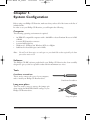
Tools
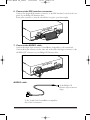
Cruciform screwdriver
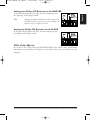
This is used to remove the cover of your computer,
and to install your Philips CD Rewriter drive.
Cruciform Screwdriver
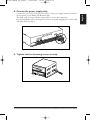
Long nose pliers
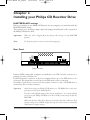
These are used to insert or remove the jumper pin
when setting the MASTER/SLAVE settings of your
Philips CD Rewriter drive.
Long nose pliers
6 Philips CD Rewriter