1
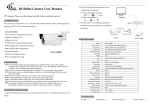
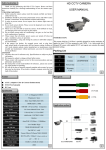
Minimum Illumination: 0 LUX (IR ON) S/N Ratio: More than 52 dB Distance: 150ft LED: 12 PCS High Density IR LED Video Output: 1Vp-p 75Ω . AHDM / CVBS switch Connector video: BNC Operation Temperature: -4°F to +122°F Supplied Power: 24VAC, 12VDC(+/-10%); Installation 1. Connect the terminated power wire of the cable directly to the AC or DC power source. 2. Connect the BNC output of the Camera to an extension cable, or directly to a DVR / Observation System or to a TV/Monitor. 3. Fix up the pedestal on the ceiling, fix up the screw of pedestal. 4. Aim and adjust the “Field of View” as desired, then fix up the screw of horizontal angle. 5. Next, choose a satisfactory angle at which to aim the camera then connect the screw of declining angle. Push the Joystick up / down to select among menu items. Push the Joystick left / right to adjust the level of the selected item. Press the Joystick to enter the submenu or exit the OSD Setup Menu. Note: The function button is not only for direction control, also for switching video format and video output. Please follow the detailed instruction as below: Push the joystick "DOWN" button key over 5 seconds to switch video format from PAL to NTSC. Push the joystick "LEFT" button key over 5 seconds to switch video output from 720p to 960H (CVBS is the default). Push the joystick "RIGHT" button key over 5s to switch video output from 960H to 720p. 6. Tear apart the outer packing (figure 1) to take out the Desiccant Bag (figure 2), then put it into the camera housing (figure 3)