1
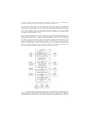
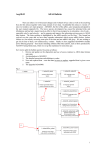
The ADAS605 output screen (Fig. 3) follows the usual format i.e. a set of optional output types, each
with the familiar `replace', `default file' and `file names', checkbox, button and textbox respectively for
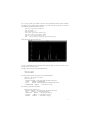
specifying the output file. The output options available are `graphical output' - saving the plot window
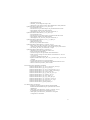
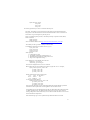
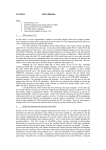
as a graphic (postscript in the example Fig. 4), `X-Y output' - the plot data in a plain text file as coordinate pairs (Fig. 5) and finally, `code listing output' - AFG will auto-generate the appropriate IDL
source code (including in-line comments) to generate the feature using the API directly, rather than via
the GUI (Fig. 6). It is envisaged that this template source will serve as an entry point to most users
looking to utilize AFG in their own codes. As can be seen from the output screenshot, AFG is an
object-oriented program and therefore utilises the IDL object syntax. However, the program can also be
utilised through a wrapper program that operates in a familiar, procedural, fashion.
Fig. 5: ADAS605 `X-Y output'.
Fig. 6: ADAS605 `code listing output'.
5