1
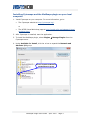
Locating compounds or reactions within a network by
searching
You can locate and select a specific compound or reaction within a network by using
the Search feature of Cytoscape. You can also use search to find a group of
compounds or reactions with common attribute values. Search is especially useful
with large, complex networks.
Limitations of the Search feature in Cytoscape:
•
•
•
For a successful match, the search term must match the entire attribute value.
For example, the following Enzyme attributes do not match:
−
2.3.1.65 [Bile acid-CoA:amino acid N-acyltransferase.]
−
2.3.1.65 [Bile acid-CoA:amino acid N-acyltransferase.]; 6.2.1.- [Acid--thiol
ligases.]
For a successful match, the search term must match the attribute value from the
start of the string—you cannot match a substring within an attribute value. For
example, the search term taurine matches the first attribute value below, but
not the second:
−
taurine+deoxycholoyl-CoA = CoA+H('+)+3"a",12"a"-dihydroxy-5"b"-cholan24-oyl-taurine
−
(5-L-Glutamyl)-peptide+Taurine=Peptide+5-Glutamyl-taurine
Search does not support logical operators, wildcards, or other advanced search
features.
Note: For more flexible and powerful searching, including logical operators and
wildcards, you can use the Enhanced Search plugin for Cytoscape. For more
information, see the Analysis group of plugins on the Cytoscape Plugins page.
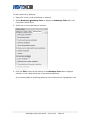
To search for compounds or reactions:
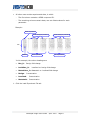
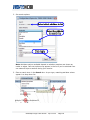
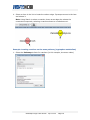
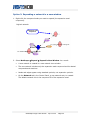
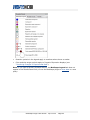
1. Click
(Configure search options) to the right of the Search box in the
Cytoscape toolbar.
Metscape Plugin User Guide · April 2010 · Page 17