1
3.0 INITIAL VERIFICATION
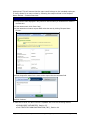
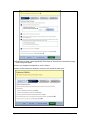
Designated Agents are not able to create a case in E-Verify until they have enrolled
at least one Client. For a Designated Agent to use E-Verify to verify the employment
eligibility of their own employees they must add their company as a Client and follow
the steps outlined in section 2.1. The initial verification page contains a field in which
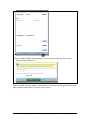
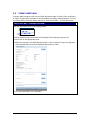
the Designated Agent must select the employer (Client) corresponding to the
employee being verified.
The E-Verify verification process begins with a completed Form I-9. E-Verify makes
employment eligibility determinations by comparing the employee’s Form I-9
information entered in E-Verify with the information contained in DHS and SSA
records.
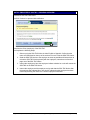
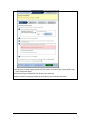
Information from Form I-9 is entered into E-Verify and a case result is provided.
Case results ultimately determine an employee’s work eligibility. E-Verify will
determine a case result based on information compared with SSA and DHS records.
Case results can be initial, interim, or final. Every case created in E-Verify receives a
final case result before it is closed, and every case must be closed.
This section outlines the steps required to create a case in E-Verify and the initial
case results provided by E-Verify.
3.1
FORM I-9 AND E-VERIFY
All employers are required to complete Form I-9 within three days of hiring a new
employee and keep a record of the form on file. This requirement does not change
for employers enrolled in E-Verify. Employers enrolled in E-Verify, through the use of
a Designated Agent, have chosen to take the additional step of verifying that Form
I-9 employee information matches government records thereby ensuring a legal
workforce. Clients of Designated Agents and Designated Agents themselves must
become familiar with the procedure of completing Form I-9.
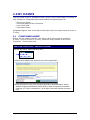
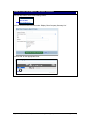
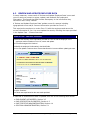
To view or download Form I-9, go to the following URL:
http://www.uscis.gov/files/form/I-9.pdf
L
For more information on Form I-9 procedures, refer to the View Essential Resources
(Section 1.2) page of your E-Verify account, where you will find the Handbook for
Employers.
To view or download the Handbook for Employers, go to the following URL:
http://www.uscis.gov/files/nativedocuments/m-274.pdf
For assistance in finding additional Form I-9 resources, contact E-Verify Customer
Support Monday through Friday 8 a.m. – 5 p.m. 888-464-4218.
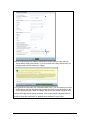
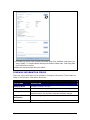
Newly hired employees must complete Section 1 of Form I-9 in its entirety. Providing
a Social Security Number (SSN) on Form I-9 is voluntary. However, a SSN is
required by employers that use E-Verify. Therefore all newly hired employees,
including seasonal, temporary, and re-hires MUST have a SSN.
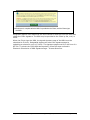
A case cannot be created in E-Verify without a SSN. If a newly hired employee does
NOT have an assigned SSN, they must obtain one from the SSA. This will delay the
Page 24 of 88 | M-776, E-Verify User Manual for Designated Agents| June 2010
www.dhs.gov/E-Verify