1
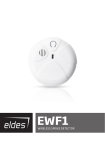
EWF1 WIRELESS SMOKE DETECTOR User Manual v1.0 Compatible with: • ESIM264 v7.11.30 and up + EWT1 16.14 and up. • ESIM364 v02.04.01 and up. • EPIR2 v01.01.02 and up. Main Features • • • • Photoelectric sensor for slow smouldering fires TEST button Non-radioactive technology for environmental friendly High and stable sensitivity • • • • Quick fix mounting plate for easy installation LED operation indicator Built-in speaker for audio alarm indication Auto-reset when smoke clears EWF1 is a wireless photoelctric type smoke detector intended to use with ELDES alarm systems. Photoelectric smoke detectors are generally more effective at detecting smouldering fires which smoulder for hours before bursting into flame. An optical method is used for the detection of visible smoke. When the concentration of smoke in the optical chamber exceeds a given threshold, EWF1 sounds the alarm and sends out a signal to the ELDES alarm system using the wireless connection and the system triggers the alarm. By default, when more than one EWF1 device is used, the system will automatically activate the interconnection feature. See 4.1. Interconnection. ESIM264 and EPIR2 alarm systems support up to 16 EWF1 devices, while ESIM364 - up to 32 EWF1 devices. The maximum wireless connection range is 150 meters (in open areas). 1.PACKAGE CONTENT 1. EWF1........................................................... qty. 1 2. User manual.............................................. qty. 1 3. 9V battery.................................................. qty. 1 4. Screws........................................................ qty. 2 2.TECHNICAL SPECIFICATIONS 2.1. Electrical & Mechanical Characteristics Detection Type Alarm Sound Level Battery Voltage Battery Type Number of Batteries Battery Operation Time Wireless Transmitter-Receiver Frequency Wireless Communication Range Range of Operating Temperatures Humidity Sensitivity to Smoke Dimensions Compatible with Alarm Systems Photoelectric chamber 85 Decibels at 3 meters 9V 6F22 primary alkaline 1 ~18 months* 868 Mhz Up to 30 meters in premises; up to 150 meters in open areas 5oC to 45oC 0-90% RH @ 0... +40 °C (non-condensing) 3.0-6.0 % Obs /m 110mm Ø ELDES Wireless * This operation time might vary in different conditions. 2.2. Main Unit & LED Functionality TEST LED SIREN RESET** Button for testing / button for testing and restoring default parameters (if RESET button not available) EWF1 status indication Built-in speaker for audio alarm indication Button for restoring default parameters 1 FRONT SIDE Siren BACK SIDE TEST button LED indicator RESET button** BATTERY ** Unavailaible on some EWF1 models 2 EN EWF1 Manual v.1.0 3.PLACEMENT 1. Install the wireless smoke detector as close to the center of the ceiling as possible. If this is not practical, mount no closer than 10 centimeters from a wall or corner. Also, if local codes allow, install wireless smoke detectors on walls, between 10 and 30 centimeters from ceiling/wall intersections. 2. Install a minimum of two wireless smoke detectors in every house, no matter how small the house is. 3. Install a wireless smoke detector in each room that is divided by a partial wall (either coming down from the ceiling at least 20 centimeters, or coming up from the floor). 4. Install a wireless smoke detector in lived-in attics or attics which ho use electrical equipment like furnaces, air conditioners, or heaters. NOTE: For best protection we recommend that you install a wireless smoke detector in every room. Recommended EWF1 placement locations 4 (0,1 m) Ceiling RE HE A YW RE AN HIS A T IN 0,9 m (3 ft) Acceptable here NEVER HERE (0,1 m) Max. (0,3 m) Max. Top of detector acceptable here 0,9 m (3 ft) HORIZONTAL DISTANCE Wall NOTE: Measurements shown are to the closest edge of the detector. 3.1. Typical Single-Story House Install a wireless smoke detector on the ceiling or wall inside each bedroom and in the hallway outside each separate sleeping area. If a bedroom area hallway is more than 9 meters long, install a wireless smoke detector at each end. If there is a basement: Install a wireless smoke detector on the basement ceiling at the bottom of the stairwell. 2 Bedroom Bedroom Living Room Family Room LEGEND: Dining Room Kitchen Bedroom Minimum required smoke detector locations. Recommended additional smoke detector locations EWF1 Manual v.1.0 EN 3 3.2. Typical Multi-Story or Split-Level House Install a wireless smoke detector on the ceiling or wall inside each bedroom and in the hallway outside each separate sleeping area. If a bedroom area hallway is more than 9 meter long, install a wireless smoke detector at each end. Please install a wireless smoke detector on the top of a first-to-second floor stairwell. 3 Bedroom LEGEND: Bedroom Minimum required smoke detector locations. Recommended additional smoke detector locations Living Room Dining Room Basement 3.3. Incorrect EWF1 Placement DO NOT place EWF1 in the following locations: • Near appliances or areas where normal combustion regularly occurs (kitchens, near furnaces, hot water heaters). Use specialized wireless smoke detector with unwanted alarm control for this areas. In areas with high humidity, like bathrooms or areas near dishwashers or washing machines. Install at least 3 meters away from these areas. Near air returns or heating and cooling supply vents. Install at least 1 meter away from these areas. The air could blow smoke away from the detector, interrupting its alarm. In rooms where temperatures may fall below 5oC or rise above 45oC. In extremely dusty, dirty, or insect-infested areas where loose particles interfere with wireless smoke detector operation. • • • • ATTENTION: Incorrect placement will result in a decrease of operational effectiveness. 4.INSTALLATION 1. Detach the mounting plate by turning it counter-clockwise from the back of EWF1 (see Fig. No. 5). 2. Secure the mounting plate to ceiling or wall with mounting screws.(see Fig. No. 5). 3. Lift to open the battery pocket door (see Fig. No. 7) 4. Insert the battery into the battery pocket considering the polarity terminals indicated on the enclosure of EWF1. Ensure the battery is securely connected. Red LED may flash briefly when the battery is being installed. 5. Close the battery pocket door by snapping it into place. 6. Position the smoke detector to the mounting plate by turning it clockwise to lock into place. Note that the device will not lock into the mounting plate without the battery being present in the battery pocket. 7. Push the TEST button to verify if the wirless smoke detector is operational. See 4.1. Testing EWF1. 8. Bind the device to the alarm system using ELDES Configuration Tool software. Open Wireless Device Management section and enter a 8-digit wireless device ID located on the EWF1 enclosure and click the Add button (see Fig. No. 6). The device can also be bind by sending a corresponding command via SMS text message. For more details, please refer to the software‘s HELP section and ELDES alarm system installation manual. 9. Upon the successful binding process, EWF1 device icon becomes visible in Wireless Device Management section as well as Battery Level and Signal Level (see Fig. No. 6). 10. EWF1 wireless smoke detector is ready for use. 5 Mounting plate Mounting slot Screws Battery pocket door NOTE: If you are unable to bind the wireless device, please restore the parameters of the wireless device to default and try again. See chapter 5.3. Restoring Default Parameters for more details. 4 EN EWF1 Manual v.1.0 6 4.1. Interconnection The interconnection feature automatically links all wireless smoke detectors to each other that are connected to the same alarm system unit. When any EWF1 detects smoke, it sounds the alarm and sends the signal to the alarm system that causes an instant alarm along with the rest of EWF1 wireless smoke detectors. The device that detected smoke will auto-reset when the smoke clears, while the rest of EWF1 detectors will sound according to the set time period (by default - 60 seconds). By default, the interconnection feature is enabled, but can be disabled using ELDES Configuration Tool software. 5.MAINTENANCE 5.1. Testing EWF1 • The TEST button verifies if EWF1 is operational. Firmly push the TEST button and the wireless smoke detector will sound a loud beep. The alarm will stop sounding after releasing the TEST button. When testing EWF1 using ELDES Configuration Tool software, the detector will provide short beeps. • Stand at arm’s length from the wireless smoke detector when testing. • Test wireless smoke detectors weekly and upon returning from vacation or when no one has been in the household for several days. • Test each wireless smoke detector to be sure it is installed correctly and operating properly. • DO NOT use an open flame to test this wireless smoke detector. You may ignite and damage the wireless smoke detector or your home. • If the wireless smoke detector does not sound, please check the battery and signal level using ELDES Configuration Tool software. ATTENTION: Test all wireless smoke detectors weekly to ensure proper operation. 5.2. Battery Replacement 1. Turn EWF1 counter-clockwise to detach it from the mounting plate. 2. Gently pull down the wireless smoke detector. 7 9V battery 3. Remove the old battery from the battery pocket. 4. Postition the new 9V battery according to the appropriate battery slot positive/negative terminals indicated on the enclosure of EWF1. Ensure the plastic battery holder is fully depressed when the battery has been fitted. 5. Using the TEST button, test the wireless smoke detector to verify if it is operational. See 4.1. Testing EWF1. 6. Re-attach the wireless smoke detector to the mounting plate by turning the wireless smoke detector clockwise until it snaps into place. EWF1 Manual v.1.0 EN 5 ATTENTION: Only 9V 6F22 primary alkaline type battery can be used. Install only new, high quality and unexpired batteries. ATTENTION: The battery must be removed if the device is not in use. ATTENTION: In order to avoid fire or explosion hazards, the system must be used only with approved battery. Special care must be taken when connecting positive and negative battery terminals. Dispose old batteries only into special collection sites. Do not charge, disassemble, heat or incinerate old batteries. NOTE: The battery status can be monitored in real-time using ELDES Configuration Tool software. NOTE: The system sends an SMS message to the preset user phone number as soon as the battery level runs below 5%. 5.3. Restoring Default Parameters 1. Remove the battery from EWF1. 2. Press and hold the RESET button. 3. Insert the battery back to EWF1. 4. Hold the RESET button until you hear a short beep. 5. Release the RESET button. On some EWF1 models the RESET button is not available. On such EWF1 devices the reset process is as follows: 1. Remove the battery from EWF1. 2. Wait for 45 seconds. 3. Press and hold the TEST button. 4. Insert the battery back to EWF1. 5. Hold the TEST button for 10 seconds or more. 6. Release the TEST button. : ATTENTION: EWF1 built-in speaker will sound while pressing and holding the TEST button. Please, ignore the sound. 5.4. Cleaning Clean the wireless smoke detector at least once a month to remove dust, dirt, or debris. Using the soft brush or wand attachment of a vacuum cleaner, vacuum all sides and cover of wireless smoke detector. Be sure all the vents are free of debris. If necessary, use a damp cloth to clean wireless smoke detector cover. NOTE: Do not attempt to remove the cover to clean inside the wireless smoke detector. This will void your warranty. 6 EN EWF1 Manual v.1.0 6.ADDITIONAL INFORMATION Limited Liability The buyer must agree that the system will reduce the risk of fire, theft, burglary or other dangers but does not guarantee against such events.“ELDES UAB” will not take any responsibility regarding personal or property or revenue loss while using the system. “ELDES UAB” liability according to local laws does not exceed value of the purchased system. “ELDES UAB” is not affiliated with any of the Internet providers therefore is not responsible for the quality of Internet service. Manufacturer Warranty This device carries a 24-month warranty by the manufacturer “ELDES UAB”. Warranty period starts from the day the system has been purchased by the end user. The warranty is valid only if the system has been used as intended, following all guidelines listed in the manual and within specified operating conditions. Receipt must be kept as a proof of purchase date. The warranty is voided if the system has been exposed to mechanical impact, chemicals, high humidity, fluids, corrosive and hazardous environment or other force majeure factors. Safety instructions Please read and follow these safety guidelines in order to maintain safety of operators and people around: • DO NOT use the system where it can be interfere with other devices and cause any potential danger. • DO NOT use the system with medical devices. • DO NOT use the system in hazardous environment. • DO NOT expose the system to high humidity, chemical environment or mechanical impacts. • DO NOT attempt to personally repair the system. The WEEE (Waste Electrical and Electronic Equipment) marking on this product (see left) or its documentation indicates that the product must not be disposed of together with household waste. To prevent possible harm to human health and/or the environment, the product must be disposed on in an approved and environmentally safe recycling process. For further information on how to dispose of this product correctly, contact the system supplier, or the local authority responsible for waste disposal in your area. Copyright © “ELDES UAB”, 2013. All rights reserved It is not allowed to copy and distribute information in this document or pass to a third party without advanced written authorization by “ELDES UAB”. “ELDES UAB” reserves the right to update or modify this document and/or related products without a warning. Hereby, “ELDES UAB” declares that wireless smoke detector EWF1 is in compliance with the essential requirements and other relevant provisions of Directive 1999/5/EC. The declaration of conformity may be consulted at www.eldes.lt EWF1 Manual v.1.0 EN 7 Made in the European Union www.eldes.lt