1
Inspection/Standard Accessories
If any damage is apparent, do not unpack the DFS. Notify
the shipping carrier immediately for damage claim
instructions. Refer to the nameplate to confirm model
number ordered and record serial number for future
reference.
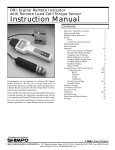
Items included with the DFS are:
• AC adapter
• (4) AA batteries
• DFS output connector
• Overload protection cable
Important Safety Instructions
Always wear eye protection when testing
materials.
Attachments must be properly installed to the
force gauges (hand-tighten only! Do not use
wrenches or other tools!).
Never exceed force capacity; if “OVR 1234”
appears on the display, STOP the test immediately
to avoid permanent sensor damage.
• Plastic carrying case
Features and Benefits
The DFS offers many features and benefits, including:
• Large memory capacity (100 samples plus statistics)
enables portable data collection for multi-location
usage
• High sampling rate (1000 hz) allows peak force and
torque points to be easily captured
• Handheld and test stand mountable - allows flexibility
in multiple test set-ups, applications and fixturing
• High and low set points permit measurement of
breakaway torque in applications such as child safety
cap testing
• External tare and hold control allows hands-free
zeroing using a keyboard or foot switch
Never apply a force or load at an angle to the
force sensor.
When installing the DFS on a test stand, confirm
that the indicator unit is thoroughly secured.
When not in use over an extended period of
time, remove batteries to avoid battery terminal
corrosion.
Only use the provided AC adapter; usage of any
other adapter may damage circuitry.
Check the batteries periodically for corrosion
when using the unit under AC power; this will
avoid damage and ensure memory backup (refer
to “Low Battery Indication” section).
Do not use or store unit in extreme temperatures;
normal operating temperature is 32-113°F (045°C).
Do not use or store unit in oily, dusty, or
excessively wet areas.
Do not use any chemicals to clean the case; use
a wet, soapy cloth.
2