1
Chapter 6: Advanced Chassis Setup
6-3 System Fans
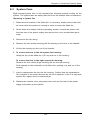
Eight internal system fans in two separate fan housings provide cooling for the
system. The system fans are easily removed from the chassis with a screwdriver.
Replacing a System Fan
1. Determine the location of the failed fan. If necessary, briefly remove the chassis cover while the system is running in order to locate the failed fan.
2. Power down the chassis with the operating system, remove the power cord
from the rear of the power supply and remove the cover as described previously.
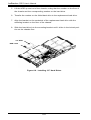
3. Disconnect the fan wiring.
4. Remove the two screws securing the fan housing to the floor of the chassis.
5. Lift the fan housing up and out of the chassis.
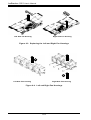
6. To remove the fans in the left system fan housing:
Grasp the top of the failed fan. Lift it up and out of the housing.
To remove the fans in the right system fan housing:
Remove the four rubber plugs securing the fan into the housing.
Push upward on the underside of the failed fan, pushing it up and out of the
housing.
7. Insert a replacement fan into the fan housing. Confirm that the replacement
fan is aligned in the same direction as the fan it replaces. If this is a right side
system fan, replace the four rubber plugs.
8. Replace the chassis cover, plug the power cord into the rear of the power
supply and power up the system.
6-3