1
Setting up a Partnership with a Desktop PC
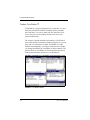
Setting up Communications
After you have calibrated and personalized Clio (refer to
“Calibrating and Personalizing the Device” on page 1-4), you can
install ActiveSync with Windows CE Services and set up a
partnership between Clio and your computer.
To install ActiveSync and set up a partnership with a desktop PC:
1.
2.
3.
Optionally, upgrade to Microsoft Outlook 98, Microsoft
Outlook 2000, or Schedule Plus 7.0A before installing
ActiveSync.
The installation tailors the partnership to the existing system
configuration; therefore, the PIM software you will use should
be installed on your PC before installing ActiveSync.
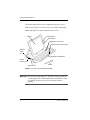
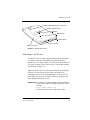
Connect Clio to your desktop computer.
Refer to “Connecting with the Travel Dock” on page 2-2.
Launch the ActiveSync setup wizard.
Insert the Desktop Software for Microsoft ActiveSync with
Windows CE Services compact disc into your CD-ROM drive
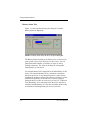
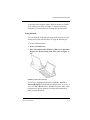
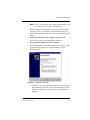
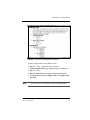
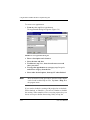
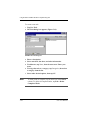
on your desktop PC. The Setup Wizard (Figure 2-2) starts
automatically and finds the port with the Clio attached.
FIGURE 2-2 Windows ActiveSync Setup Wizard
2-4
Clio User Manual