1
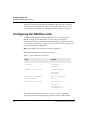
Configuring the unit
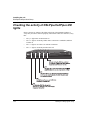
DSLPipe/CellPipe Quick Setup
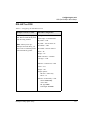
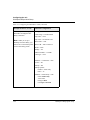
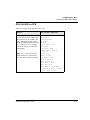
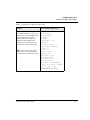
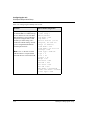
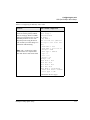
Table 3-6. Configuring the DSL-HST as CPE (continued)
Example Scenarios, as CPE
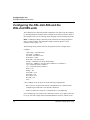
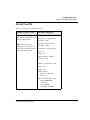
DSL-HST Configuration
2. Assume you are setting up a
DSL-HST for a bridged Frame
Relay connection.
Configure >
Chan Usage = Leased/Unused
My Name = CPE
My Addr = 204.215.204.215
Note: When you set up a
DSLPipe for Frame Relay, you
must create a Connection profile
and a Frame Relay profile.
Rem Name = COE
Rem Addr = 192.168.200.1/24
Route = None
Bridge = Yes
SDSL Line Rate = 1552000
Unit Type = CPE
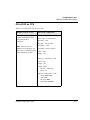
Ethernet > Connections > COE
Active = Yes
Encaps = FR
Encaps options...
FR Prof = frame-relay
DLCI = 16
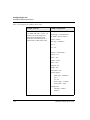
Ethernet > Frame Relay > COE
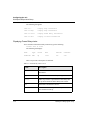
Name=frame-relay
Active=Yes
FR Type=DTE
Link Mgmt=T1.617D
3-20
DSLPipe/CellPipe Quick Setup