1
Quickstart
Configuring WAN lines
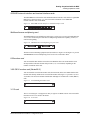
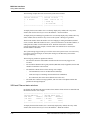
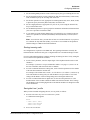
displays a 2-character link-status indicator and a 1-character channel-status indicator for each
channel. LA indicates Link Active (the line is physically connected). A dash (- ) means the
channel is idle but in service.
Before you configure the T1 lines, the dashes appear as periods (.), indicating the channels are
unavailable. If there is no link to a T1 line, question marks (??) flash in the upper right-hand
corner of the Main Edit Menu and status windows. The flashing question marks disappear after
you have configured the lines.
You are now ready to test the T1 WAN connection, as described in “Testing the WAN
connection” on page 6-24.
E1/PRI line configuration
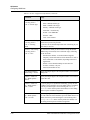
You can configure E1 lines to use ISDN PRI signaling or R2 signaling. Ask your carrier which
signaling types are available. ISDN signaling might be more expensive than R2 signaling, or
unavailable, in some locations.
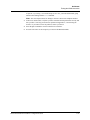
When you have determined which signaling type is appropriate for your WAN, gather the
necessary information, then proceed with the configuration.
ISDN signaling
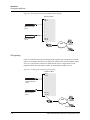
Incoming ISDN calls contain information about whether the call is an analog call (from a
modem) or a digital data call. The MAX automatically routes analog calls to the digital modem
card and digital calls to the Ethernet module. In the example illustrated in Figure 6-4, analog
callers are routed through one telephone number (555-1111) to the digital modems in slot 7.
Digital callers using the same telephone number (555-1111) are routed to the Ethernet module
in slot 9.
MAX 6000 Installation and Basic Configuration Guide
6-17