1
AVSIM Online - Flight Simulation's Number 1 Site!
panel itself.
- Panel interface(11th.Nov).pdf
The panel interface manual explains things in general and with the help of a tutorial, explains how the key mapper
works. I think the following extraction will explain a lot “To control the aircrafts that SDK is NOT available, key-command
programming to panel hardware is required. Key-mapping softwares are available to program VRinsight’s panel
hardwares (CDU and MCP-Combo) to assign combination of keyboard strokes and/or mouse-control, moving mouse
pointer and clicking button or rolling wheel”.
Ok, the last sentence is probably the best description of what this manual is all about, “This document explains how to
use VRinsight’s key-mapping software to program “a panel” hardware to emulate as keyboard or mouse”. When you’ve
got the intention to try and make your own MCP and/or CDU key mapping files, this document is needed to create it. I’ve
tried to follow it but it seems to me it’s a rather complicated procedure and I strongly advise you to print the manual and
follow the step-by-step tutorial.
- KeyCap_Decal.pdf
When you need more stickers for the keys (buttons) of the Combo MCP or CDU, then this is the right sheet. It’s a
complete sticker list which allows you to print out and have a fresh sheet in case of you need new stickers for your
hardware components.
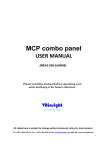
VR Insight Combo MCP panel
Hardware Overview
I must say that the combination of having an EFIS, MCP and Communication panel all together, is very nice and within a
slim format, but on the other hand, it doesn’t look like the real Boeing, Airbus or Douglas panels. Ok, it doesn't look like
a real aircraft panel since it’s completely black with white buttons and a dual blue display. However, you can use it for
many aircraft types, so it’s universal.
Telling me that you don't like the panel "look", that's something you can see and find out before buying it. When you
want to go for the realistic look, then this VR Insight product is not what you're looking for, but when you go for
thoroughness, then I think this is what you're looking for and worth reading the complete review. Later we will see that
the SerialFP2 software, which comes with most of the models, works really great and without any complicated
procedures.
That said, the whole panel is made out of metal; it's positioned on a bracket which gives the controls and displays a good
view. The buttons or keys are made out of white plastic, while for more reality labeled stickers can be placed on it. The
knobs don't look at all like the real ones but that doesn't make any difference to me, as long as it works. One small note
here is that you’re able to turn every knob 360 degrees. This is something which is not possible with the real system.
Below or above almost every button/key there’s an inscription on the panel telling you its function. On the
communication sub-panel upper row there's nothing and gives the user the ability to add user-programming functions to
these. The switches on the panel for the A/T (Auto Throttle), F/D (Flight Director) and AP DISENGAGE/ENGAGE are
ordinary switches so not a Boeing, Airbus or Douglas look but again, when it works then it's ok for me.
On the right side of the combo MCP panel, we will find the RX and TX LED, illuminating whenever there's a data
file:///E|/AVSIM/Reviews/Wilco%20Hardware/VRInsight.htm (7 of 31)25/06/2009 5:51:15 PM