1
MedeaWiz
U-Quick 2.0 User Manual
Issue date : 07/30/2013 Rev.: A06 8 of 34
5. Quick Guide to Use
Please insert SD cards into DV-81’s (The default disk is SD card. USB disk
is ok but must change the disk label to LOCALFS from PC before insert to
DV-81). It’s ok to use an empty disk. Please also plug in the internet cable
before executing U-Quick. Simply 4-steps will let you manage signage
players easily.
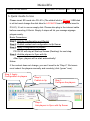
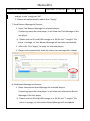
Basic Procedures
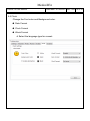
Step 1: Edit the Configuration and Playlist
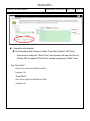
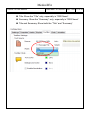
Step 2: Publish content and configuration to ftp Server
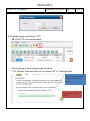
Step 3: Apply Configuration to players
PS: DV-81 will stay at Start-up Screen (Desktop) for next step.
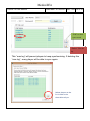
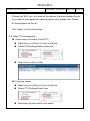
Step 4: Ask the players to Sync with ftp
After Sync, players will re-start automatically!
Notes:
If the content does not change, you won’t need to do “Step 4”. But users
must reboot the players manually and remotely (click “green” icon).
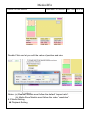
Step 3: Apply
Configuration to players
Step 2:
Publish to ftp
Step 1:
Configure the players
Step 4:
Ask players to Sync with ftp Server