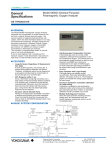
1
User’s Manual Model MG8G Paramagnetic Oxygen Analyzer IM 11P03A03-01E R IM 11P03A03-01E 4th Edition <INTRODUCTION> INTRODUCTION n Safety, Protection, and Modification of the Product • In order to protect the system controlled by the product and the product itself and ensure safe operation, observe the safety precautions described in this user’s manual. We assume no liability for safety if users fail to observe these instructions when operating the product. • If this instrument is used in a manner not specified in this user’s manual, the protection provided by this instrument may be impaired. • If any protection or safety circuit is required for the system controlled by the product or for the product itself, prepare it separately. • Be sure to use the spare parts approved by Yokogawa Electric Corporation (hereafter simply referred to as YOKOGAWA) when replacing parts or consumables. • Modification of the product is strictly prohibited. • The following symbols are used in the product and user’s manual to indicate that there are precautions for safety: Media No. IM 11P03A03-01E (CD) 4th Edition :November. 2008 (YK) All Rights Reserved Copyright © 2007, Yokogawa Electric Corporation IM 11P03A03-01E ii <INTRODUCTION> n Notes on Handling User’s Manuals • Please hand over the user’s manuals to your end users so that they can keep the user’s manuals on hand for convenient reference. • Please read the information thoroughly before using the product. • The purpose of these user’s manuals is not to warrant that the product is well suited to any particular purpose but rather to describe the functional details of the product. • No part of the user’s manuals may be transferred or reproduced without prior written consent from YOKOGAWA. • YOKOGAWA reserves the right to make improvements in the user’s manuals and product at any time, without notice or obligation. • If you have any questions, or you find mistakes or omissions in the user’s manuals, please contact our sales representative or your local distributor. n Warning and Disclaimer The product is provided on an “as is” basis. YOKOGAWA shall have neither liability nor responsibility to any person or entity with respect to any direct or indirect loss or damage arising from using the product or any defect of the product that YOKOGAWA can not predict in advance. n Notes on Hardware l Appearance and Accessories Check the following when you receive the product: • Appearance • Standard accessories Contact our sales representative or your local distributor if the product’s coating has come off, it has been damaged, or there is shortage of required accessories. l Model and Suffix Codes The name plate on the product contains the model and suffix codes. Compare them with those in the general specification to make sure the product is the correct one. If you have any questions, contact our sales representative or your local distributor. IM 11P03A03-01E User’s Manual Supplement Model MG8G Paramagnetic Oxygen Analyzer Thank you for selecting our MG8G Paramagnetic Oxygen Analyzer. In User's Manual, IM 11P03A03-01E, 4th Edition, supplied with the product, some revisons/additions have been made. Please replace the corresponding pages in your copy with attached, revised pages. Note Revisions P.3-2 Section 3.1, "Standard Specifications," Power Supply: Description changes. "Standard Specifications," : Addition of "KC Marking". P.6-1 Section 6, "PIPING," (2): Change the range of the pressure gauge. "PIPING," : Addition of setting pressure in figure 6.1. All Rights Reserved, Copyright © 2013, 2nd Edition: Jul.2014 (YK) Subject to change without notice. IM 11P03A03-01E 4th Edition 3-2 <3. SPECIFICATIONS> Calibration gas: Zero gas: N2 gas Note: Zero gas should not contain O2 gas with a concentration equal to or greater than 0.1% of the upper range value. Span gas: Dry air (instrument air O2: 20.95 vol%) or standard gas containing O2 gas with a concentration of 80 to 100% of the span value (balance nitrogen). Auxiliary gas pressure: N2, 180kPa (Approx. 35ml/min) Note: Auxiliary gas should not contain O2 gas with a concentration equal to or greater than 0.1% of the upper range value. Measurement gas condition: Flow; 200ml/min±10%, The gas flow rate may be less than 200ml/min depending on the composition of the measurement gas. Temperature; 0 to 50°C Humidity; No moisture condensation in the flow path or the sensor. Warm-up time: Approx. 2.5 hours Installation condition: Ambient temperature; -5 to 55°C Humidity; 10 to 95%RH (No condensing) Power supply: Power supply Voltage 100 to 115 V AC; Rated voltage range: 100 to 115 V AC Allowable voltage range: 90 to 127 V AC Reted frequency: 50/60 Hz Allowable frequency range: 48 to 63 Hz Power supply Voltage 200 to 240 V AC; Rated voltage range: 200 to 240 V AC Allowable voltage range: 180 to 264 V AC Reted frequency: 50/60 Hz Allowable frequency range: 48 to 63 Hz Power consumption: 100 to 115V AC; Max. 110VA, normaly approx. 25V 200 to 240V AC; Max. 125VA, normaly approx. 35V KC Marking: Korea Electromagnetic Conformity Standard Materials in contact with gas: SUS316 stainless steel, Fluorine-contained rubber IM 11P03A03-01E <3. SPECIFICATIONS> 3-3 Line connection: Rc1/4 Conduit connection port . Ø27 hole Installation: Indoor, panel or wall mounting Structure: Dustproof, General purpose Dimension: 406 (W) x 288 (H) x 216 (D) mm Weight: Approx. 18kg IM 11P03A03-01E <6. PIPING> 6. 6-1 PIPING (1) Piping The standard line diagram is shown in figure 6.1. Use 6/4 mm diameter metal tubes for lines and connect the tubes in such a way that there are no leaks. (2) Installation of the pressure regulator and pressure gauge Install the pressure regulator and pressure gauge (0 to 0.4 MPa G) in the auxiliary line. Use the pressure regulator to set a specified pressure. For pressure settings, see Section 8.2, "Setting the Auxiliary Gas Pressure". (3) Caution on piping This oxygen analyzer uses calibration gases for zero and span calibrations. Install the lines so that the sample and calibration gases can be switched. (4) Purge lines If the atmosphere or sample gas contains corrosive or combustible gases or if the atmospheric temperature is likely to rise too high, purge the instrument with clean air. Connect a copper or stainless steel tube to the purge air inlet shown in Figure 6.2 to supply air at a pressure of about 50 kPa G. (5) Gas outlet (exhaust) Gas from the instrument should be vented to the atmosphere. The gas outlet should be designed so that the ingress of wind or rain is prevented. Vent Model MG8G Zero gas Span gas Flow control valve Sample gas Filter Flow meter P 180 kPa Auxiliary gas Pressure Pressure gauge regulator F6.1E.ai Figure 6.1 Line Diagram Purge air outlet (with blind seal) Purge air inlet (Rc 1/8 female thread) (Note) Always remove the seal protecting the purge air outlet. F6.2E.ai Figure 6.2 Purge Air Connection IM 11P03A03-01E iii <INTRODUCTION> n Symbol Marks Throughout this user’s manual, you will find several different types of symbols are used to identify different sections of text. This section describes these icons. CAUTION Identifies instructions that must be observed in order to avoid physical injury and electric shock or death of the operator. WARNING Identifies instructions that must be observed in order to prevent the software or hardware from being damaged or the system from becoming faulty. IMPORTANT Identifies important information required to understand operations or functions. TIP Identifies additional information. SEE ALSO Identifies a source to be referred to. Clicking a reference displayed in green can call up its source, while clicking a reference displayed in black cannot. IM 11P03A03-01E iv <INTRODUCTION> u After-sales Warranty n Do not modify the product. n During the warranty period, for repair under warranty carry or send the product to the local sales representative or service office. Yokogawa will replace or repair any damaged parts and return the product to you. Before returning a product for repair under warranty, provide us with the model name and serial number and a description of the problem. Any diagrams or data explaining the problem would also be appreciated. l If we replace the product with a new one, we won’t provide you with a repair report. l Yokogawa warrants the product for the period stated in the pre-purchase quotation Yokogawa shall conduct defined warranty service based on its standard. When the customer site is located outside of the service area, a fee for dispatching the maintenance engineer will be charged to the customer. n In the following cases, customer will be charged repair fee regardless of war- ranty period. • Failure of components which are out of scope of warranty stated in instruction manual. • Failure caused by usage of software, hardware or auxiliary equipment, which Yokogawa Electric did not supply. • Failure due to improper or insufficient maintenance by user. • Failure due to modification, misuse or outside-of-specifications operation which Yokogawa does not authorize. • Failure due to power supply (voltage, frequency) being outside specifications or abnormal. • Failure caused by any usage out of scope of recommended usage. • Any damage from fire, earthquake, storms and floods, lightning, disturbances, riots, warfare, radiation and other natural changes. n Yokogawa does not warrant conformance with the specific application at the user site. Yokogawa will not bear direct/indirect responsibility for damage due to a specific application. n Yokogawa Electric will not bear responsibility when the user configures the product into systems or resells the product. n Maintenance service and supplying repair parts will be covered for five years after the production ends. For repair for this product, please contact the nearest sales office described in this instruction manual. IM 11P03A03-01E <CONTENTS> Model MG8G Paramagnetic Oxygen Analyzer IM 11P03A03-01E 4th Edition CONTENTS INTRODUCTION........................................................................................................i u After-sales Warranty...........................................................................................iv 1. 2. 3. 4. NOTICE ON HANDLING ........................................................................... 1-1 1.1 Precaution in Unpacking................................................................................... 1-1 1.2 Check of Model Name and Specifications...................................................... 1-1 OVERVIEW................................................................................................. 2-1 2.1 Standard System Configuration...................................................................... 2-1 2.2 System Configuration with Automatic Calibration........................................ 2-2 SPECIFICATIONS...................................................................................... 3-1 3.1 Standard Specifications.................................................................................... 3-1 3.2 Characteristics................................................................................................... 3-3 3.3 Model and Suffix Code...................................................................................... 3-4 3.4 External Dimensions......................................................................................... 3-5 INSTALLATION.......................................................................................... 4-1 4.1 Installation Location.......................................................................................... 4-1 4.2 Installation Procedure....................................................................................... 4-2 5. NAME OF COMPONENTS......................................................................... 5-1 6. PIPING........................................................................................................ 6-1 7. WIRING....................................................................................................... 7-1 7.1 External Connection Terminals........................................................................ 7-1 7.2 Wiring Precautions............................................................................................ 7-2 7.3 Cable Specifications.......................................................................................... 7-2 7.4 External Wiring................................................................................................... 7-2 7.4.1 Power Wiring and Grounding............................................................. 7-2 7.4.2 Analog Output Wiring.......................................................................... 7-3 7.4.3 Wiring for Solenoid Valves for Automatic Calibration......................... 7-3 7.4.4 Contact Output Wiring........................................................................ 7-4 7.4.5 Contact Input Wiring........................................................................... 7-5 IM 11P03A03-01E vi <CONTENTS> 8. 9. 10. 11. PREPARATIONS........................................................................................ 8-1 8.1 Adjustment of the Level in the Sensor Unit.................................................... 8-1 8.2 Setting the Auxiliary Gas Pressure.................................................................. 8-2 8.3 Checking Sample Gas....................................................................................... 8-2 OPERATIONS............................................................................................. 9-1 9.1 Operation Keys.................................................................................................. 9-1 9.2 Displays and Indicators..................................................................................... 9-2 9.3 Basic Operations............................................................................................... 9-3 IM 11P03A03-01E Switching from MEAS Mode to MAINT Mode.................................... 9-3 9.3.2 Entering the Password........................................................................ 9-3 9.3.3 Changing the Function Number.......................................................... 9-4 9.3.4 Returning to MEAS Mode from MAINT mode.................................... 9-4 9.3.5 Entering Values................................................................................... 9-5 9.3.6 Selecting Data..................................................................................... 9-6 9.3.7 Functions Numbers............................................................................. 9-7 START-UP................................................................................................. 10-1 10.1 Supplying Power.............................................................................................. 10-1 10.2 Warm-up............................................................................................................ 10-2 10.3 Analog Output Loop Check............................................................................ 10-3 10.4 Setting the Output Range................................................................................ 10-3 10.5 Executing Calibrations.................................................................................... 10-4 10.5.1 Calibration Gas Requirements......................................................... 10-4 10.5.2 Setting Calibration Gas Concentrations........................................... 10-4 10.5.3 Manual Calibration............................................................................ 10-4 PARAMETER SETTINGS........................................................................ 11-1 11.1 12. 9.3.1 Output Hold...................................................................................................... 11-1 11.1.1 Setting the Output Hold Function During Calibration....................... 11-1 11.1.2 Setting the Output Hold Function When an Error Occurs................ 11-2 11.2 Setting the Fail Contact................................................................................... 11-3 11.3 Action of the Maintenance Status Contact................................................... 11-3 11.4 Setting the High/Low Limit Alarms................................................................ 11-4 11.5 Setting the Remote Range.............................................................................. 11-5 11.6 Setting the Range Switching Answerback Contact Output........................ 11-6 CALIBRATION.......................................................................................... 12-1 12.1 Overview........................................................................................................... 12-1 12.2 Calibration Coefficient.................................................................................... 12-2 12.2.1 Zero Calibration Coefficient.............................................................. 12-2 12.2.2 Span Calibration Coefficient............................................................. 12-2 12.2.3 Checking the Calibration Coefficients............................................... 12-2 12.2.4 Initializing the Calibration Coefficients.............................................. 12-2 <CONTENTS> 12.3 13. 14. 15. Executing Calibrations.................................................................................... 12-3 12.3.1 Manual Calibration............................................................................ 12-3 12.3.2 Semiautomatic Calibration................................................................ 12-4 12.3.3 Automatic Calibration........................................................................ 12-5 OTHER FUNCTIONS................................................................................ 13-1 13.1 Checking the Temperature of the Constant Temperature Chamber (Function No. 30).............................................................................................. 13-1 13.2 Checking the Sensor EMF (Function No. 31)................................................ 13-1 13.3 Manual Operation of the Solenoid Valves for Automatic Calibration (Function No. 58).............................................................................................. 13-1 13.4 Checking the Firmware Version (Function No. 98)...................................... 13-1 13.5 Initializing Parameters (Function No. 99)...................................................... 13-2 INSPECTION AND MAINTENANCE....................................................... 14-1 14.1 Checking the Auxiliary Gas............................................................................ 14-1 14.2 Checking the Sample Gas............................................................................... 14-1 14.3 Precautions When Stopping and Restarting the Operation....................... 14-1 14.4 Fuse Replacement........................................................................................... 14-2 14.5 Other Instructions............................................................................................ 14-3 14.6 Replacing the Limited Life Component......................................................... 14-3 TROUBLESHOOTING............................................................................. 15-1 15.1 15.2 16. vii Errors and Remedies....................................................................................... 15-1 15.1.1 Checking the Error Code.................................................................. 15-1 15.1.2 Error Descriptions............................................................................. 15-2 Faulty Readings During Measurement.......................................................... 15-4 15.2.1 Fluctuations in Readings.................................................................. 15-4 15.2.2 Drift in Readings................................................................................ 15-4 15.2.3 Short-Term Shift in Readings............................................................ 15-4 15.3 When Calibration Cannot Be Executed......................................................... 15-4 15.4 In the Event of Power Failure.......................................................................... 15-4 15.4.1 Instantaneous Power Failure............................................................ 15-4 15.4.2 When the Power Returns.................................................................. 15-4 MEASUREMENT PRINCIPLE................................................................. 16-1 16.1 Measurement Principle................................................................................... 16-1 Customer Maintenance Parts List....................................... CMPL 11P03A01-01E Revision Information................................................................................................i IM 11P03A03-01E Blank Page 1. 1-1 <1. NOTICE ON HANDLING> NOTICE ON HANDLING It is highly recommended that you read this instruction manual carefully before using this analyzer so that the analyzer an operate in the best condition. All installation conditions should be provided in compliance with these specifications. 1.1 Precaution in Unpacking This analyzer is a precision instrument. Beware of the effect of shock on the analyzer, especially while unpacking, and avoid dropping it or letting it hit another object. 1.2 Check of Model Name and Specifications The nameplate on the inside of the converter door shows the main items. Check to see if the specifications are as specified. IM 11P03A03-01E Blank Page 2-1 <2. OVERVIEW> 2. OVERVIEW This oxygen analyzer integrates a detector and a converter into one unit to continuously measure the concentration of the oxygen in a sample gas. The analyzing cell is almost free from the effects of co-existent gas, is highly sensitive, and has a superior response. The detector is constructed to withstand vibration and mechanical shock within the limits of current technology. The converter has a large, easy-to-read digital display unit that displays oxygen concentration, cell output voltage, constant chamber-temperature, etc. Analog output is electrically isolated between the input and output sections. Further, the instrument is provided with one-touch calibration and self-test functions to improve operability, maintainability and reliability. 2.1 Standard System Configuration The standard system configuration of the MG8G paramagnetic oxygen analyzer is shown in Figure 2.1. The system configuration that includes an automatic calibration option is shown in Figure 2.1. Atmosphere vent Model MG8G Analog output Contact output Zero gas Span gas Contact input Power supply Flow control valve Sampling gas Filter Flow meter Auxiliary gas P Pressure Pressure regulator gauge F2.1E.ai Figure 2.1 System Configuration Diagram CAUTION Auxiliary gas (N2 gas) is required in accordance with the measurement principle of the instrument. Before supplying power to the instrument, be sure to introduce the auxiliary gas. IM 11P03A03-01E 2-2 <2. OVERVIEW> 2.2 System Configuration with Automatic Calibration Atmosphere vent Solenoid valve Zero gas V Model MG8G Analog output Contact output V Contact input V Span gas V Power supply V V Sampling gas Filter V V V Flow control valve Flow meter P Auxiliary gas V: Valve Pressure regulator Pressure gauge F2.2E.ai Figure 2.2 System Configuration with automatic Calibration CAUTION 1. For sample gases, use a normally-open solenoid valve. For other gases, use a normally-closed solenoid valve. 2. Use the other values if the solenoid valves fail. IM 11P03A03-01E 3-1 <3. SPECIFICATIONS> 3. SPECIFICATIONS 3.1 Standard Specifications Measurement Object: Oxygen concentration in gaseous mixture Measurement System: Paramagnetic system Measurement Range: 0-5 to 0-25 vol%O2 3 ranges can be programmed arbitrarily within the above specified range. Self-diagnostic content: Sensor unit error, Constant temperature chamber error, Analog error, Memory error, Calibration coefficient error Analog output signal: 4 to 20mA DC (load resistance: Maximum 550Ω) Contact output: Contact rating: 3A at 250 VAC or 30 VDC, dry contacts Fail; 1 point, open or closed when error occurs, user configurable Contact is activated when sensor unit error, constant temperature chamber error,analog error, memory error, or calibration coefficient error (when automatic or semiautomatic calibration is enabled) occurs Maintenance status; 1 point, closed during maintenance Range answerback or high/low alarm; 2 points, normally deenergized (open) Range answerback or high/low alarm contact output, user selectable Operate solenoid valve: 3 points, Switching between zero and span calibration gas and measured gas. Maximum load; AC 1A Contact input: Input specification: Contact ON : 200Ω or less, Contact OFF : 100 kΩ or greater Remote range switching: 2 points, Output ranges 1 to 3 can be switched by external contact signal. Calibration start: 1 point, calibration start command by external contact signal. Calibration methods: (1) Automatic calibration at set intervals by internal timer (2) Semiautomatic calibration started by external contact input (3) Manual calibration in the field IM 11P03A03-01E 3-2 <3. SPECIFICATIONS> Calibration gas: Zero gas: N2 gas Note: Zero gas should not contain O2 gas with a concentration equal to or greater than 0.1% of the upper range value. Span gas: Dry air (instrument air O2: 20.95 vol%) or standard gas containing O2 gas with a concentration of 80 to 100% of the span value (balance nitrogen). Auxiliary gas pressure: N2, 180kPa (Approx. 35ml/min) Note: Auxiliary gas should not contain O2 gas with a concentration equal to or greater than 0.1% of the upper range value. Measurement gas condition: Flow; 200ml/min±10%, The gas flow rate may be less than 200ml/min depending on the composition of the measurement gas. Temperature; 0 to 50°C Humidity; No moisture condensation in the flow path or the sensor. Warm-up time: Approx. 2.5 hours Installation condition: Ambient temperature; -5 to 55°C Humidity; 10 to 95%RH (No condensing) Power supply: 100 - 115V AC 50/60Hz or 200 - 240V AC 50/60Hz Power consumption: 100 to 115V AC; Max. 110VA, normaly approx. 25V 200 to 240V AC; Max. 125VA, normaly approx. 35V Materials in contact with gas: SUS316 stainless steel, Fluorine-contained rubber Line connection: Rc1/4 Conduit connection port . Ø27 hole Installation: Indoor, panel or wall mounting Structure: Dustproof, General purpose Dimension: 406 (W) x 288 (H) x 216 (D) mm Weight: IM 11P03A03-01E Approx. 18kg 3.2 3-3 <3. SPECIFICATIONS> Characteristics Repeatability: ±1% or less of F.S. Linearity: ±1% or less of F.S. Response time : 90% response within 3 sec. (from changing analog output at measured gas flow rate 200 ml / min.) Zero drift: ±1.5% or less of F.S. / Week Span drift: ±2% or less of F.S. / Week Temperature drift: ±1.5% or less of F.S. / 10 °C Effects of measured gas flow rate: ±1% or less of F.S. for the rated flowrate ±10% IM 11P03A03-01E 3-4 <3. SPECIFICATIONS> 3.3 Model and Suffix Code Model MG8G Measurement range Wetted Material Suffix Code -M -2 -5 Auxiliary gas Flow rate of auxiliary gas Specification Paramagnetic oxygen analyzer 0 – 5 to 25 vol% O2 SUS316, Fluorine-contained rubber A Power supply 200 to 240V AC, 50 / 60Hz 100 to 115V AC, 50 / 60Hz N2 gas -W Standard (35ml / min) L Language -J -E Auto calibration Style code Note: Option Code Japanese English C *C available Style *C For measurement ranges of 0-5 vol% O2 and less, the MG8E flameproof type paramagnetic oxygen analyzer may be used. For applicability assessment, we will receive your request as a Customized Order. T3.1E.ai STANDARD ACCESSORIES Item Fuse Spanner Regulator Mirror User's Manual Parts No. A1111EF G7050YZ G7033XF K9320CC – Qty 2 1 1 1 1 Description 250V 2A for adjustment of sensor angle for Auxiliary gas for adjustment of sensor angle T3.2E.ai IM 11P03A03-01E 3.4 3-5 <3. SPECIFICATIONS> External Dimensions Unit: mm FUNC OUT PUT MEANS MAINT DATA HEATER H-ALM vol %O2 L-ALM AUTO.CALL MRT.RANGE PARAMAGNETIC OXYGEN ANALYZER AUTO RANGE LCL RANGE (22) H J A B C E D 34 41 50 41 30 30 54 366 59 G F 70 25 65 Panel thickness: 10 mm or less 406 260 252 288 FAIL 194 216 A: Gas outlet B: Auxiliary gas inlet C: Sample gas inlet D: PURGE E: Grounding terminal F: Conduit connection port G: Conduit connection port H: Conduit connection port J: Conduit connection port 380 Panel cut Rc 1/4 Rc 1/4 Rc 1/4 Rc 1/8 M4 dia. 27 hole dia. 27 hole dia. 27 hole dia. 27 hole F3.1E.ai IM 11P03A03-01E Blank Page 4. <6. INSTALLATION> 4-1 INSTALLATION This chapter describes how to install the analyzer and carry out wiring and line work. 4.1 Installation Location Take the following requirements into account when choosing the place of installation. (1) Low vibration and mechanical shock levels. (2) Low atmospheric corrosive gas content. If corrosive gas content is too highly, atmospheric purge the case. (3) Diurnal temperature difference should be less than 15 degree C. (4) No exposure to direct sunlight (5) No direct exposure to high radiation heat, steam, hot air, temperatures, etc. (6) Low electromagnetic field effect. Do not lay wiring parallel to power cables and wherever possible do not install the analyzer near motor, electromagnetic relays, pumps, etc.. (7) Easy access for maintenance and inspection IM 11P03A03-01E 4-2 <4. INSTALLATION> 4.2 Installation Procedure This oxygen analyzer can be panel or wall mounted. (1) Panel mounting Remove the mounting brackets attached to the side of the mainframe and insert the mainframe into the panel through the panel cut-out. (See section 3.4 for panel cut-out size.) Place the mounting brackets as indicated by the dotted lines in figure 6.2 and secure them to the mainframe with bolts (M8× 10), spring washers , and plain washers . Insert the mainframe into the panel until the mounting brackets touch the pane] and secure them to the panel. 1 2 OUT PUT FUNC MEANS MAINT DATA H-ALM L-ALM FAIL HEATER vol %O2 AUTO CAL MRT.RANGE AUTO RANGE LCL RANGE PARAMAGNE TIC OXYGEN ANALYZER 5 4 3 F4.1.ai Figure 4.1 Paramagnetic Oxygen Analyzer installation (1) (2) Wall mounting Locate the mounting brackets to the side of the mainframe as shown by the solid lines in Figure 6.2 and fasten them with bolts (M8×10), spring washers , and plain washers <5> by tightening the bolts lightly. Attach the mainframe to the wall with bolts (M8 × 14) and washers so that the back of the mainframe is in close contact with the wall; then, attach the mounting brackets to the mainframe. Unit:mm Position of holes for installation OU T PU ME AN MA S INT DA H-A TA LM T L-A LM FA IL 9 FU NC vol %O 2 HE ATE R AU TO MR CAL T.R AN AU GE TO LC L RARANG NG E E PA OXRAM A AN YGE GNE AL N TIC YZ ER 2 8 100 5 4 388 3 4-M8 1 F4.2E.ai Figure 4.2 Paramagnetic Oxygen Analyzer installation (2) IM 11P03A03-01E 5. <5. NAME OF COMPONENTS> 5-1 NAME OF COMPONENTS Displays and Indicators Operation keys PARAMAGNETIC OXYGEN ANALYZER FUNC OUT PUT MEANS DATA MAINT HEATER H-ALM AUTO CAL vol %O2 L-ALM MRT.RANGE AUTO RANGE LCL RANGE FAIL SPAN ENABLE INHIBIT MEAS/MAINT DECIMAL POINT ZERO FUNC SHIFT INCR EXEC POWER SWITCH INSIDE 表示内容説明 異常表示(FAIL点灯) E E E E 1 : 2 : 3 : 4 : セル異常 高温部温度異常 アナログ部異常 メモリー異常 デジタル部異常 異常なし 状態表示 FUNCTION 表示 暖機中 n n n n : ( n : 温度 °C) : MAINT モード 1 : オーバーレンジ 2 : 再校正待機中 : : : パスワード ゼロ / スパン校正 校正ガス濃度 : : : : : レンジモード レンジ選択 出力レンジ 1 出力レンジ 2 出力レンジ 3 F5.1E.ai Fuses External Connection Terminals Sensor Unit (in constant temperature chamber) Power switch F5.2E.ai Figure 5.1 Name of Components IM 11P03A03-01E Blank Page 6. <6. PIPING> 6-1 PIPING (1) Piping The standard line diagram is shown in figure 6.1. Use 6/4 mm diameter metal tubes for lines and connect the tubes in such a way that there are no leaks. (2) Installation of the pressure regulator and pressure gauge Install the pressure regulator and pressure gauge (0 to 2 kPa G) in the auxiliary line. Use the pressure regulator to set a specified pressure. For pressure settings, see Section 8.2, "Setting the Auxiliary Gas Pressure". (3) Caution on piping This oxygen analyzer uses calibration gases for zero and span calibrations. Install the lines so that the sample and calibration gases can be switched. (4) Purge lines If the atmosphere or sample gas contains corrosive or combustible gases or if the atmospheric temperature is likely to rise too high, purge the instrument with clean air. Connect a copper or stainless steel tube to the purge air inlet shown in Figure 6.2 to supply air at a pressure of about 50 kPa G. (5) Gas outlet (exhaust) Gas from the instrument should be vented to the atmosphere. The gas outlet should be designed so that the ingress of wind or rain is prevented. Vent Model MG8G Zero gas Span gas Flow control valve Sample gas Filter Flow meter P Auxiliary gas Pressure Pressure gauge regulator F6.1E.ai Figure 6.1 Line Diagram Purge air outlet (with blind seal) Purge air inlet (Rc 1/8 female thread) (Note) Always remove the seal protecting the purge air outlet. F6.2E.ai Figure 6.2 Purge Air Connection IM 11P03A03-01E Blank Page <7. WIRING> 7. WIRING 7.1 External Connection Terminals 7-1 The external connection terminals are located inside the operation panel. To open the panel, loosen the two screws on the panel. Figure 7.1 shows the diagram of the external connection terminals of the MG8G. The terminal numbers are indicated on the instrument. Be sure to make all connections correctly. The terminal screw thread is M4. Appropriate crimp terminals should be used. The FG terminals are connected to the case. Make sure that terminals G (26) and FG (27) should remain connected by a supplied jumper plate. FG CONTACT INPUT ANALOG OUTPUT 4-20mA DC + – 1 Remote range contact input Automatic calibration Output signal contact input Ground 2 3 4 RANGE CHANGE CAL START 5 6 R3 R2 COM 7 8 9 High/low limit alarm contact output or Maintenance mode FAIL contact output range contact output contact output CONTACT O UTPUT RANGE-OUT/HL ALM R2/LO COM R3/HI 10 11 12 NOT MAIT • CAL 13 14 Automatic calibration solenoid valve drive signal FG 19 SV POWER OUTPUT AUTO CAL ZERO SPAN SMPL COM 20 21 22 23 FAIL 15 CONNECTION 16 17 Power supply (AC) 18 JUMPER PLATE POWER SUPPLY L N 24 25 G FG 26 27 F7.1E.ai Figure 7.1 External Connection Terminals IM 11P03A03-01E 7-2 <7. WIRING> 7.2 Wiring Precautions (1) Turn off all the power before wiring. (2) Do not route electrical wiring and wiring for large-capacity converters and motors or power wiring in the same wiring duct. (3) To prevent malfunction due to noise, do not route signal cables and power cables in the same cable hole. (4) When running cables in a place where ambient temperature is high or low, use cables suited for that condition. (5) When running cables in an atmosphere where hazardous gas or liquid, or oil or solvent is present, use cables made of materials that can withstand such aggressive conditions. (6) For wire termination use crimp terminals (M4 screws) with insulating sleeves. 7.3 Cable Specifications (1) For the wiring, use PVC insulated PVC sheathed control cables (CVV), PVC insulated PVC sheath shield control cables (CVVS), or other suitable cables. (2) When using multicore cables, use the ones with a finished outside diameter of 14 mm or less. (3) Analog output cables must have a shield wire, which should be connected to the FG terminal of the instrument. (4) For the grounding, use 600 V PVC insulated wires. 7.4 External Wiring 7.4.1 Power Wiring and Grounding Connect a power line to terminals L (24) and N (25) of the instrument and a grounding wire to terminal FG (27) or the external grounding terminal at the bottom of the case. The ground resistance should be 100 Ω or less. The jumper plate between terminals G (26) and FG (27) must remain connected. IM 11P03A03-01E 7-3 <7. WIRING> 7.4.2 Analog Output Wiring Connect an analog output cable to the ANALOG OUTPUT terminals, (3) and (4), and the shield wire to the FG terminal, (1) or (2), of the instrument. The load resistance including wiring resistance on the output should be 550 Ω or less. Automatic calibration Output signal contact input Ground FG 1 CONTACT INPUT ANALOG OUTPUT 4-20mA DC + – 4 3 2 Remote range contact input RANGE CHANGE CAL START 5 6 R3 R2 COM 7 8 9 Shield + – Receiver/Recorder F7.2E.ai Figure 7.2 Analog Output Wiring 7.4.3 Wiring for Solenoid Valves for Automatic Calibration This wiring is for the solenoid valves that switch zero, span, and sample gas lines in automatic or semiautomatic calibration. The power sources for solenoid valves are provided internally. Use solenoid valves that have the same power supply voltage and frequency specifications as the instrument. Use a normally open solenoid valve in sample gas line and normally closed solenoid valves for zero and span gas lines. Automatic calibration solenoid valve drive signal FG Power supply (AC) SV POWER OUTPUT AUTO CAL ZERO SPAN SMPL COM 19 20 21 Solenoid Valve in Zero Gas Line, Normally Closed 22 23 POWER SUPPLY L N G FG 24 25 26 27 Solenoid Valve in Sample Gas Line, Normally Open Solenoid Valve in Span Gas Line, Normally Closed F7.3E.ai Figure 7.3 Solenoid Valve Wiring IMPORTANT The power sources for solenoid valves are provided internally. Use solenoid valves that have the same power supply voltage and frequency specifications as the instrument. IM 11P03A03-01E 7-4 <7. WIRING> 7.4.4 Contact Output Wiring All outputs are voltage-free, dry contacts (mechanical relay contacts) and rated 3A at 250 V AC or 30 V DC. High/low limit alarm contact output or Maintenance mode FAIL contact output range contact output contact output CONTACT OUTPUT RANGE-OUT/HL ALM R3/HI R2/LO COM 10 11 12 NO MAIT ・CAL 13 FAIL 14 15 CONNECTION 16 17 18 Higher-Level Devices, Annunciators, etc. F7.4E.ai Figure 7.4 Contact Output Wiring 7.4.4.1 Wiring for High/Low Alarm Contact Output/Range Answerback Contact Output Either high/low alarm contact output or range answerback contact output can be selected. For their detailed functions and setting procedures, refer to Chapter 11, Parameter Settings. Terminal 12 is a common terminal and the contact between terminals 10 and 12 and the one between terminals 11 and 12 will open or close in response to the instrument status. For external connections to higher-level devices or other instruments, refer to Figure 7.4. Both contacts are open when the instrument is not powered. Terminal No. 10-12 11-12 High/Low Alarm Contact Output High Alarm Low Alarm Closed Closed Range Answerback Contact Output Range 3 Range 1 Range 2 Open Open Closed Open Closed Open 7.4.4.2 Wiring for Maintenance Status Contact Output The contact between terminals 13 and 14 is closed during maintenance. For its functions, refer to Chapter 11, Parameter Settings. The contact is open when the instrument is not powered. 7.4.4.3 Wiring for Fail Contact Output The contact between terminals 15 and 16 will be activated when an error occurs. The output contact is user configurable to be normally energized (the contact will open when an error occurs) or normally deenergized (the contact will close when an error occurs). For the setting and functions, refer to Chapter 11, Parameter Settings. The contact is open when the instrument is not powered. IM 11P03A03-01E 7-5 <7. WIRING> 7.4.5 Contact Input Wiring The input is designed to accept a voltage free contact. The contact will open or close in response to the resistance detected on the input. Note that the resistance includes wiring resistance. Contact closes at 200 Ω or less Contact opens at 100 kΩ or more Automatic calibration Output signal contact input Ground FG 1 CONTACT INPUT ANALOG OUTPUT 4-20mA DC + – 2 3 4 Remote range contact input RANGE CHANGE CAL START R3 5 6 R2 7 8 COM 9 F7.5E.ai Figure 7.5 Contact Input Wiring 7.4.5.1 Wiring for Calibration Start Contact Input A calibration will start when the contact between terminals 5 and 6 closes. For the setting and functions, refer to Chapter 12, Calibration. 7.4.5.2 Wiring for Remote Range Contact Input The range will be switched externally by the state of the contacts between 7 and 9 and between 8 and 9. For the setting and functions, refer to Chapter 11, Parameter Settings. Terminal No. 7-9 8-9 Remote Range Contact Input Range 3 Range 1 Range 2 Open Open Closed Open Closed Open IM 11P03A03-01E Blank Page 8-1 <8. PREPARATIONS> 8. PREPARATIONS 8.1 Adjustment of the Level in the Sensor Unit After the installation is complete, adjust the angle of the sensor unit. (1) Loosen the four screws (, these screws cannot be removed), and remove the constant temperature chamber cover (). (2) Remove the six screws (, 3 each on top and bottom), and remove the heater assembly cover (). (3) Loosen the four bolts () with the supplied wrench. (4) Place the supplied mirror () as shown in Figure 8.1 (b). Turn the adjustment screw () with a flat head screwdriver or other suitable tool until the air bubble in the level () comes in between the two red lines. Turning the adjustment screw counterclockwise brings the bubble position toward the front of the instrument. (5) Tighten the four bolts () with the wrench. Make sure that the bubble is in position. (6) Replace the heater assembly cover (), and tighten the cover screws securely. Replace the constant temperature chamber cover (), and tighten the cover screws securely. When replacing the covers, be sure that cables are not caught in the covers. Make sure that the covers are installed securely. Otherwise, the temperature in the constant temperature chamber may become unstable, causing measurement errors. Constant Temperature Chamber Cover Bolts, 4×M6 Screws, 4×M4 Mirror (supplied) 45° Adjustment Screw Level Level Heater Assembly Cover Screws, 6×M4 Bolts, 4×M6 F8.1E.ai F8.2E.ai Figure 8.1 (a) Constant Temperature Chamber: Front View (b) Constant Temperature Chamber: Side View IM 11P03A03-01E 8-2 <8. PREPARATIONS> 8.2 Setting the Auxiliary Gas Pressure Set the pressure of the auxiliary gas to the specified pressure that is indicated on the name plate on the inside of the instrument door. Figure 8.2 shows an example of the name plate that indicates the specified pressure of the auxiliary gas. SUFFIX:-MA -5-WL-JN*C Auxiliary gas W : N2 gas Specified pressure : 180kPa F83E.ai Figure 8.2 Name Plate 8.3 Checking Sample Gas Do not allow sample gas to flow before the instrument is in steady state. IM 11P03A03-01E <9. OPERATIONS> 9. OPERATIONS 9.1 Operation Keys 9-1 The operation keys on the panel are shown in Figure 9.1 and their functions are summarized in Table 9.1. PARAMAGNETIC OXYGEN ANALYZER FUNC OUTPUT MEAS DATA MAINT HEATER Vol%O2 H-ALM L-ALM AUTO CAL RMT.RANGE FAIL LCL.RANGE ENABL INHIBIT MEAS/MAINT SPAN ZERO DECIMAL POINT SHIFT ▲ ▲ INCR FUNC ▲ EXEC F9.1E.ai Figure 9.1 Operation Panel Table 9.1 Operation Keys and Their Functions Key MEAS/MAINT SPAN ZERO FUNC DECIMAL POINT SHIFT INCR EXEC Function Hold this key and press EXEC key to switch measurement (MEAS) mode and maintenance (MAINT) mode. Used to execute span calibration in calibration.Used to enter span gas concentration in setting. Used to execute zero calibration in calibration.Used to enter zero gas concentration in setting. Used to change the Function Number. Each press increases the number by one increment. Change the tens and ones digits independently. Used to move the decimal point in setting. In this manual this key is referred to as the DP key. Used to blink digit on DATA display or to move blinking digit in setting. Each press increases the active value by one increment in setting. Used to confirm data entry or to execute function. IM 11P03A03-01E 9-2 <9. OPERATIONS> 9.2 Displays and Indicators The displays and indicators and their functions are summarized in Table 9.2. Also refer to Figure 9.1, Operation Panel. Table 9.2 Displays and Indicators Display/Indicator DATA (4-digit number) FUNC (2-digit number) OUTPUT FAIL MEAS MAINT H-ALM L-ALM ENABLE INHIBIT SPAN ZERO HEATER AUTO CAL RMT.RANGE LCL.RANGE IM 11P03A03-01E Function Shows oxygen concentration in MEAS mode. Shows “–0.00” when measured concentration is below zero, regardless of value. Shows blinking value if auxiliary gas pressure falls below the setpoint when low auxiliary gas pressure alarm function is enabled. Shows setting parameters in MAINT mode. Shows Function No. in MAINT mode. Blank in MEAS mode. Indicates analog output value in 10-level indicator bar.Indicator runs showing actual output value even while the analog output is being held. Lights when error occurs. Lights when instrument is in MEAS mode. Lights when instrument is in MAINT mode. Lights when measured oxygen concentration exceeds high limit alarm value. Lights when measured oxygen concentration falls below low limit alarm value. Lights when password entered is effective in MAINT mode. Lights when password is not effective in MAINT mode. Lights when span calibration is selected in calibration. Lights when span gas is selected in calibration gas concentration setting. Blinks when span calibration is required. Lights when zero calibration is selected in calibration. Lights when zero gas is selected in calibration gas concentration setting. Turns on and off in response to power on/off status of heater for constant temperature chamber. Lights when automatic calibration function is enabled. Lights when range switching function at contact input is enabled. Lights when range switching function at contact input is disabled. 9.3 9-3 <9. OPERATIONS> Basic Operations This section describes the basic operations of the MG8G paramagnetic oxygen analyzer. (pointer)” in the key operation fields indicates the key to be pressed and light gray In this section “ characters in DATA fields indicate blinking characters on the display. 9.3.1 Switching from MEAS Mode to MAINT Mode In MEAS mode the DATA display on the instrument shows oxygen concentrations in steady state and in MAINT mode operation parameters are set and confirmed or calibration is performed. When the instrument moves into steady state after a warm-up period, it is in MEAS mode. The instrument can be switched into MAINT mode from a warm-up period, stabilization period or steady state (MEAS mode). Key Operation ENABL INHIBIT MEAS/MAINT SPAN ZERO DECIMAL SHIFT FUNC ▲ FUNC ▲ INCR DATA ▲ Procedure Press EXEC key while holding MEAS/ MAINT key.MAINT and INHIBIT lamps turn on.Maintenance status contact is activated. EXEC POINT 9.3.2 Entering the Password A password is required when setting data or performing calibration in MAINT mode. A password for the instrument is “007” which cannot be changed. The following describes how to enter the password. Key Operation ENABL INHIBIT MEAS/MAINT SPAN ZERO DECIMAL SHIFT FUNC ▲ FUNC ▲ INCR ▲ EXEC POINT ENABL INHIBIT MEAS/MAINT SPAN ZERO DECIMAL SHIFT ▲ FUNC ▲ INCR MEAS/MAINT SPAN ZERO DECIMAL SHIFT ▲ FUNC ▲ INCR EXEC MEAS/MAINT SPAN ZERO DECIMAL SHIFT POINT ▲ FUNC ▲ INCR Press FUNC keys to show “00” on FUNC display.DATA display shows “P000” where the password is entered. Press SHIFT key repeatedly to move the blinking digit to the rightmost digit. ▲ EXEC POINT ENABL INHIBIT Procedure ▲ POINT ENABL INHIBIT DATA ▲ EXEC Press INCR key repeatedly until “7” is displayed. Press EXEC key to accept. The digit stops blinking.ENABLE lamp turns on, indicating that the password has become effective. IM 11P03A03-01E 9-4 <9. OPERATIONS> 9.3.3 Changing the Function Number Each function is assigned to the Function Numbers. Parameters can be viewed and set in the relevant Function Number. The Function Number can be changed using the FUNC keys when the instrument is in MAINT mode. The following describes how to change the Function Number. Key Operation FUNC DATA Procedure Switch to MAINT mode.Enter the password. ENABL INHIBIT MEAS/MAINT SPAN ZERO DECIMAL SHIFT ▲ FUNC ▲ INCR ▲ EXEC POINT Press the left FUNC key to increase the tens digit, and press the right FUNC key to increase the ones digit on FUNC display. When the Function Number is displayed, the assigned parameter is shown on DATA display. • The Function Number can be changed even if the password is not effective in MAINT mode. However, in some functions parameters are not shown unless the password is effective. In this case, the DATA display shows “----.”. For details, refer to Table 9.3. • In the Function Number to which no function is assigned, the DATA display shows “----.” 9.3.4 Returning to MEAS Mode from MAINT mode The instrument can be returned to MEAS mode from anywhere in MAINT mode by pressing the EXEC key while holding the MEAS/MAINT key. IM 11P03A03-01E 9-5 <9. OPERATIONS> 9.3.5 Entering Values This section explains how to enter values. As an example, the procedure for changing oxygen concentration value in Function No. 02 is shown below. The concentration of span gas is changed from 20.95 to 9.80. Key Operation ENABL INHIBIT MEAS/MAINT SPAN ZERO DECIMAL SHIFT FUNC ▲ FUNC ▲ INCR ▲ EXEC POINT ENABL INHIBIT MEAS/MAINT SPAN ZERO DECIMAL SHIFT ▲ FUNC ▲ EXEC ▲ INCR POINT ENABL INHIBIT MEAS/MAINT SPAN ZERO DECIMAL SHIFT ▲ FUNC ▲ EXEC ▲ INCR POINT ENABL INHIBIT MEAS/MAINT SPAN ZERO DECIMAL SHIFT ▲ FUNC POINT ENABL INHIBIT MEAS/MAINT SPAN ZERO DECIMAL SHIFT ▲ FUNC POINT ENABL INHIBIT MEAS/MAINT SPAN ZERO DECIMAL SHIFT ▲ FUNC POINT ENABL INHIBIT MEAS/MAINT SPAN ZERO DECIMAL SHIFT ▲ FUNC ▲ INCR ▲ EXEC POINT ENABL INHIBIT MEAS/MAINT SPAN ZERO DECIMAL SHIFT POINT ▲ FUNC ▲ INCR Press SPAN key. SPAN lamp turns on. DATA display shows “20.95,” the default of span gas concentration. (The default is dependent on the specifications.) Press SHIFT key. The leftmost digit of “2” blinks, indicating that the digit can be changed. Press INCR key repeatedly until “9” is displayed. Press SHIFT key to move the blinking digit to the right. ▲ EXEC ▲ INCR Press FUNC keys to show “02” on FUNC display. ZERO lamp turns on. DATA display shows “0.000.” ▲ EXEC ▲ INCR Procedure Switch to MAINT mode. Enter the password. ▲ EXEC ▲ INCR DATA ▲ EXEC Press INCR key repeatedly until “8” is displayed. In the same manner, change the remaining digits. Press DP key to move the decimal point to the desired position. Press EXEC key to accept. The digit stops blinking, indicating that the change has been accepted. IM 11P03A03-01E 9-6 <9. OPERATIONS> 9.3.6 Selecting Data This section explains how to select and set one of parameters. As an example, selection of the range is shown below. Key Operation ENABL INHIBIT MEAS/MAINT SPAN ZERO DECIMAL SHIFT FUNC ▲ FUNC ▲ INCR ▲ EXEC POINT ENABL INHIBIT MEAS/MAINT SPAN ZERO DECIMAL SHIFT ▲ FUNC ▲ EXEC ▲ INCR POINT ENABL INHIBIT MEAS/MAINT SPAN ZERO DECIMAL SHIFT ▲ FUNC ▲ INCR ▲ EXEC POINT ENABL INHIBIT MEAS/MAINT SPAN ZERO DECIMAL SHIFT POINT IM 11P03A03-01E ▲ FUNC ▲ INCR ▲ EXEC DATA Procedure Switch to MAINT mode. Enter the password. Press FUNC keys to show “11” on FUNC display. DATA display shows “1”, the currently selected range. Press SHIFT key. “1” blinks, indicating that the digit can be changed. Press INCR key to change the digit to the desired range number. The digit cycles through only the available values (in this case 1 through 3). Press EXEC key. The digit stops blinking, indicating that the change has been accepted. 9-7 <9. OPERATIONS> 9.3.7 Functions Numbers The functions assigned to the Function Numbers are listed in Table 9.3. In some functions parameters are not shown unless the password is effective in MAINT mode. Table 9.3 Function Numbers Func No. 00 01 02 03 04 05 10 11 12 13 14 16 20 21 22 30 31 40 41 42 43 44 45 50 51 52 53 54 55 56 57 58 67 98 99 Function Entering password Setting and Range ZERO key: executes zero calibration SPAN key: executes span calibration ZERO key: for zero gas concentration, 0 to 6 Setting calibration gas concentrations SPAN key: for span gas concentration, 0.5 to 25 ZERO key: displays zero calibration coefficient Checking calibration coefficients SPAN key: displays span calibration coefficient Setting output hold function 0: enabled during calibration 1: disabled Initializing calibration coefficient 1: disabled Setting remote range switching contact input 2: enabled 1: range 1 Selecting range 2: range 2 3: range 3 Setting span for range 1 5 to 25% O2 Setting span for range 2 5 to 25% O2 Setting span for range 3 5 to 25% O2 ZERO key: 4 mA Fixed analog output SPAN key: 20 mA Setting low limit alarm 0 to 25% O2 Setting high limit alarm 0 to 25% O2 Setting high/low limit alarm 0: disabled function 1: enabled Checking temperature (°C) of constant temperature chamber Checking sensor emf (mV) Executing error check Resetting sensor emf error status Resetting calibration coefficient error status 1: enabled – output is held at last measured value Setting output hold function 2: disabled when error occurs 3: enabled – output is held at preset value Setting preset value –10 to 110% 0: contact closes when error occurs Setting contact output status when error occurs 1: contact opens when error occurs Setting initial wait time for 0 day 0 hour to 99 days 24 hours automatic calibration Setting interval for 0 day 1 hour to 99 days 24 hours automatic calibration Setting zero calibration time 1 to 99 minutes Setting span calibration 1 to 99 minutes time Setting purge time 1 to 99 minutes 0: not execute span calibration Executing span calibration 1: executes span calibration Setting the number of times of skipping span 0 to 99 times calibrations Starting automatic 0: OFF 1: ON calibration function ZERO key: opens solenoid valve in zero gas line Manual operations of solenoid valves SPAN key: opens solenoid valve in span gas line Checking error status For service Checking firmware version Initialization Executing calibrations Password Not Effective Effective ---- ---- ---- ---- ---- ---- ---- : Data can only be viewed. : Data can be changed or functions can be executed. IM 11P03A03-01E Blank Page <10. START-UP> 10-1 10. START-UP This chapter describes the procedures for supplying power, setting operation parameters, and manual calibration. 10.1 Supplying Power Before supplying power to the instrument, make sure that: (1) the installation, piping and wiring have been done correctly; (2) the auxiliary gas is being supplied at the specified pressure; (3) the supply voltage meets the instrument specifications; and (4) no sample gas has been introduced. Then, turn on the power switch located next to the external connection terminals inside the operation panel. Upon power up, the instrument displays show as follows. Display Description FUNC All segments on both DATA and FUNC displays turn on for about two seconds. DATA FUNC The firmware revision appears for about three seconds. (The number shown at left is an example.) DATA FUNC DATA The instrument enters a warm-up period. As shown at left, the DATA display alternates between “uuuu” and the current heater temperature during the warm-up. DATA IM 11P03A03-01E 10-2 <10. START-UP> 10.2 Warm-up After power up the instrument goes through a warm-up period and then reaches steady state where it is ready for measurement. This section describes how the instrument behaves during the warm-up period. The instrument controls the temperature so that the temperature in the sensor unit is kept at 60 °C. It may take approximately three hours until the temperature in the sensor unit has stabilized at 60 °C. The required time varies depending on the temperature in the sensor unit at start-up or ambient temperature. When the temperature in the sensor unit approaches 60 °C, the DATA display shows oxygen concentrations and the MAINT lamp starts to blink. At the same time the instrument provides analog outputs corresponding to the output range. This period is called a stabilization period and in this period a temperature drift may occur since the temperature in the sensor unit has not completely stabilized. A calibration cannot be executed in this period. When the temperature in the sensor unit stabilized completely, the MAINT lamp stops blinking and the MEAS lamp turns on. This is steady state. During a warm-up period the analog output is fixed at 4 mA. During warm-up and stabilization periods the maintenance status contact is activated. Figure 9.2 shows the temperatures of the heater and in the sensor unit during warm-up and stabilization periods. Temperature Heater Temperature (shown on DATA display) 60 °C Temperature in Sensor Unit Time Closed Open Power Up Maintenance Status Contact Action Warm-up Period Stabilization Steady State Period MAINT Lamp Blinking F10.1E.ai Figure 10.1 Temperatures of the Heater and in the Sensor Unit During Warm-up and Stabilization Periods IM 11P03A03-01E 10-3 <10. START-UP> 10.3 Analog Output Loop Check A loop check is for checking wiring between the analog output (terminals 3 and 4) of the instrument and the terminals of a higher-level device. (1) Switch to MAINT mode and enter the password. (2) Change the Function Number to “16.” (3) Press the ZERO key to provide 4mA output from the output terminals. (4) Press the SPAN key to provide 20 mA output from the output terminals. 10.4 Setting the Output Range The three ranges should be preset to range 1, 2 and 3, respectively and one of the three ranges should be selected. The following describes how to set each range and how to select a range. (1) Switch to MAINT mode and enter the password. (2) Change the Function Number to “12.” (3) Set the upper range value for range 1 using the SHIFT and INCR keys. Press the EXEC key to accept. For example, for the range of 0 to 25% O2, enter “025.” Now range 1 is set to 0 to 25%. (4) In the same manner, set the upper range values for ranges 2 and 3 in Function Numbers 13 and 14, respectively. (5) Change the Function Number to “11.” Select the desired range – “1” for range 1, “2” for range 2, or “3” for range 3 – using the SHIFT and INCR keys. Press the EXEC key to accept. IM 11P03A03-01E 10-4 <10. START-UP> 10.5 Executing Calibrations After start-up and switching to MEAS mode, zero and span calibrations must be executed. Always a zero calibration should be performed prior to a span calibration. Chapter 13, “Calibration” explains the calibration principle in detail. This section describes how to set the concentrations of calibration gases and how to perform zero and span calibrations manually. 10.5.1 Calibration Gas Requirements As the zero gas, use nitrogen with a minimum purity of 99.99%. As the span gas, use a gas with an oxygen concentration of 80 to 100% of the upper range value of set range (e.g., for the range of 0 to 25%, the span gas should be 20 to 25% oxygen). 10.5.2 Setting Calibration Gas Concentrations (1) Switch to MAINT mode and enter the password. (2) Change the Function Number to “02.” (3) Press the SPAN key. (4) Set the oxygen concentration of the span gas using the SHIFT, INCR, and DP keys. Press the EXEC key to accept. The setting range is 0.5 to 25% O2. 10.5.3 Manual Calibration A zero calibration should be performed first, and then a span calibration. Zero and span calibrations must be conducted in the first calibration after start-up and after the initialization of the calibration coefficient. (1) Switch to MAINT mode and enter the password. (2) Change the Function Number to “01.” The DATA display shows the current oxygen concentration. (3) Press the ZERO key. Turn off the sample gas flow and apply the zero gas at the specified flow rate in the sample gas line. When solenoid valves for automatic calibration are installed, pressing the ZERO key closes the solenoid valve in sample gas line and opens the solenoid valve in zero gas line. (4) The oxygen concentration on the DATA display changes. When the reading has stabilized completely, press the EXEC key. The instrument is now calibrated to that value as the zero point. (5) Press the SPAN key. Turn off the zero gas flow and apply the span gas at the specified flow rate. When solenoid valves for automatic calibration are installed, pressing the SPAN key closes the solenoid valve in zero gas line and opens the solenoid valve in span gas line. (6) The oxygen concentration on the DATA display changes. When the reading has stabilized completely, press the EXEC key. The instrument is now calibrated to that value as the span point. (7) Turn off the span gas flow. Apply the sample gas and switch to MEAS mode. IM 11P03A03-01E 11-1 <11. PARAMETER SETTINGS> 11. PARAMETER SETTINGS 11.1 Output Hold Analog output is held at a constant value when the instrument is in the following conditions. • During a warm-up period, analog output is held at 4 mA. • During calibration, analog output is held at the last measured value or is not held (user selectable). • When an error occurs, analog output is held at the last measured value or at a preset value, or is not held (user selectable). If more than one condition above occurs simultaneously, the output hold are prioritized in the following order. 1. When an error occurs 2. During calibration 3. During a warm-up period 11.1.1 Setting the Output Hold Function During Calibration The output hold function during calibration can be set to “enabled” or “disabled.” When the function is set to “enabled,” the analog output is held at the last measured value during calibration; when set to “disabled,” the instrument outputs measured values during calibration. The hold function deactivated after the purge time has elapsed in calibration. The purge time is the amount of time for sample gas to flow through the sensor unit to purge calibration gas in the unit after calibration and it is user configurable. For the setting of the purge time, refer to Chapter 12, Calibration. Zero Calibration Time Span Calibration Time Output Hold Time Purge Time F11.1E.ai Figure 11.1 Output Hold During Calibration (1) Switch to MAINT mode and enter the password. (2) Change the Function Number to “04.” (3) Set the output hold function during calibration using the SHIFT and INCR keys. To enable the function (i.e., the analog output is held at the last measured value), set to “0,” or to disable the function, set to “1.” Press the EXEC key to accept. IM 11P03A03-01E 11-2 <11. PARAMETER SETTINGS> 11.1.2 Setting the Output Hold Function When an Error Occurs The output hold function when an error occurs can be set to “enabled” or “disabled.” When the function is set to “enabled,” the analog output is held at the last measured value or held at a preset value; when set to “disabled,” the instrument outputs measured values when an error occurs. (1) Switch to MAINT mode and enter the password. (2) Change the Function Number to “43.” (3) Set the output hold function when an error occurs using the SHIFT and INCR keys. To enable the function and hold the analog output at the last measured value, set to “1,” to enable the function and hold the analog output at a preset value, set to “3,” or to disable the function, set to “2.” Press the EXEC key to accept. (4) To set a preset value, change the Function Number to “44.” (5) Set the desired preset value using the SHIFT, INCR and DP keys. Press the EXEC key to accept. A preset value should be represented as a percentage of the output, i.e., 4 mA = 0% and 20 mA = 100%. When setting a preset value to 4 mA, enter “0,” and to 20 mA, enter “100.” The setting range is from –10% (2.4 mA) to 110% (21.6 mA). The minus sign will appear in the leftmost digit by pressing the INCR key repeatedly to increase the blinking number: “0,” “1,” “2,” … “9,” “–,” and returns to “0.” IM 11P03A03-01E <11. PARAMETER SETTINGS> 11-3 11.2 Setting the Fail Contact The Fail contact (terminals 15 and 16) is activated when an error occurs. The contact can be programmed to be normally energized (the contact will open when an error occurs) or normally deenergized (the contact will close when an error occurs). The contact is open when the instrument is not powered. For details about errors, refer to Chapter 15, Troubleshooting. (1) Switch to MAINT mode and enter the password. (2) Change the Function Number to “45.” (3) Set the Fail contact state using the SHIFT and INCR keys. To set the contact to be normally deenergized (the contact closes when an error occurs), enter “0,” and to be normally energized (the contact opens when an error occurs), enter “1.” Press the EXEC key to accept. 11.3 Action of the Maintenance Status Contact The maintenance status contact (terminals 13 and 14) is closed during the following states and is otherwise open. The contact is open when the instrument is not powered. (1) Warm-up period (2) Stabilization period (3) MAINT mode The MAINT lamp is lit while the instrument is in MAINT mode. MAINT mode starts when pressing the EXEC key while holding the MEAS/MAINT key to enter the MAINT mode and ends when doing the same key operations to return to MEAS mode. (4) Semiautomatic or automatic calibration The maintenance status contact is closed during calibration including the purge time. IM 11P03A03-01E 11-4 <11. PARAMETER SETTINGS> 11.4 Setting the High/Low Limit Alarms The contact is activated to give an alarm when the measured oxygen concentration is outside the limit. High and low alarm limit values can be set, respectively. When the measured value exceeds the high limit alarm value, the H-ALM lamp on the operation panel will turn on and the high limit alarm contact (terminals 10 and 12) will close. When the measured value falls below the low limit alarm value, the L-ALM lamp will turn on and low limit alarm contact (terminals 11 and 12) will close. The contacts are open when alarm is not generated and when the instrument is not powered. The following describes how to set the limit values. (1) Switch to MAINT mode and enter the password. (2) For the setting of the low limit alarm value, change the Function Number to “20,” and for the setting of the high limit alarm value, change to “21.” (3) Set the desired value using the SHIFT, INCR and DP keys. Press the EXEC key to accept. The setting range is 0 to 100% O2. (4) Change the Function Number to “22.” (5) Set to “1” using the SHIFT and INCR keys and press the EXEC key to accept. Now the high/low limit alarm function is enabled. When setting the high/low limit alarms, note that: • The alarm contact is activated when the measured value is equal to or higher than the high alarm setpoint or when the measured value is equal to or less than the low alarm setpoint. • The alarm contact does not operate if the high limit alarm value has been set equal to or lower than the low limit alarm value. CAUTION Either the high/low limit alarm function or the range switching answerback function can be assigned to this contact. When the high/low limit alarm function is set to “enabled” in Function No. 22, the output range answerback function is disabled. IM 11P03A03-01E <11. PARAMETER SETTINGS> 11-5 11.5 Setting the Remote Range The remote range function enables the preprogrammed three ranges to be switched remotely by the range switching contact input (terminals 7, 8 and 9). When the remote range function is enabled, the RMT.RANGE lamp is lit, the range selected in Function No. 11 is invalid, and the range selected externally is used. The following describes how to set the remote range function. (1) Switch to MAINT mode and enter the password. (2) Change the Function Number to “10.” (3) Set to “2” using the SHIFT and INCR keys. Press the EXEC key to accept. Now the remote range function is enabled. The remote range contact states and ranges are shown in Figure 11.1. When two contacts (terminals 7-9 and 8-9) are closed, the previously set range remains. Table 11.1 Remote Range Contact States and Ranges Terminal Number 8-9 (R2) 7-9 (R3) Open Open Open Closed Closed Open Closed Closed Range Selected Range 1 Range 2 Range 3 Previous range IM 11P03A03-01E 11-6 <11. PARAMETER SETTINGS> 11.6 Setting the Range Switching Answerback Contact Output The range switching answerback function enables the currently selected range to be output by the contact output (terminals 10, 11 and 12). Since either the range switching answerback function or the high/low limit alarm function can be assigned to this contact, the range switching answerback function cannot be used when the high/low limit alarm function is enabled. (1) Switch to MAINT mode and enter the password. (2) Change the Function Number to “22.” (3) Set to “0” to disable the high/low limit alarm function using the SHIFT and INCR keys. Press the EXEC key to accept. Now the range switching answerback function is enabled. The range answerback contact states and ranges are shown in Figure 11.2. Table 11.2 Range Answerback Contact States and Ranges Terminal Number 11-12 (R2) 10-12 (R3) Open Open Open Closed Closed Open Range Selected Range 1 Range 2 Range 3 CAUTION When the range answerback function is enabled, the high/low limit alarm function is disabled. IM 11P03A03-01E 12-1 <12. CALIBRATION> 12. CALIBRATION 12.1 Overview The instrument should be calibrated at two points using zero gas (nitrogen gas with an oxygen concentration of 0%) and span gas with a known oxygen concentration. Figure 12.1 shows the relationship between the sensor emf and the oxygen concentration. Sensor emf (mV) p2’ p2 c cz p1 p2 p1’ p2’ p1’ : : : : : : oxygen concentration of span gas zero calibration coefficient sensor emf at the initial zero calibration sensor emf at the initial span calibration sensor emf at zero calibration sensor emf at span calibration p1 0 cz c Oxygen Concentration (%O2) F12.1E.ai Figure 12.1 Sensor emf vs. Oxygen Concentration The ratio of the oxygen concentration to the sensor emf is calculated from the sensor emf values (p1 and p2) obtained in calibration. k= c p2 – p1 Assuming that the sensor emf when sample gas is applied is ps, the concentration of the sample gas, cs, is obtained from the following equation. cs = k × (ps – p1) Calibration is for obtaining k. When only a zero calibration is performed, the instrument is calibrated to the zero gas’s value and the ratio of the oxygen concentration to the sensor emf, k, that was obtained from the previous calibration, is used. IM 11P03A03-01E 12-2 <12. CALIBRATION> 12.2 Calibration Coefficient The calibration coefficient is a deviation from the initial calibration value. 12.2.1 Zero Calibration Coefficient The zero calibration coefficient is the deviation between the sensor emf obtained when a zero calibration is performed and the initial calibration value, and is expressed as the one corrected for oxygen concentration. It is cz (% O2) in Figure 12.1. When the zero calibration coefficient, cz, is outside of ±1.25% O2, a zero calibration coefficient error will occur. 12.2.2 Span Calibration Coefficient The span calibration coefficient is the deviation between the ratio of the oxygen concentration to the sensor emf, k’, obtained when zero and span calibrations are performed and the initial calibration value, and is expressed as the ratio to the ratio obtained at the initial calibration, k. Span calibration coefficient = k’ k Where: k : the ratio of the oxygen concentration to the sensor emf obtained at the initial calibration k’ : the ratio of the oxygen concentration to the sensor emf obtained in calibration When the span calibration coefficient is outside the range of 0.9 to 1.09, a span calibration coefficient error will occur. 12.2.3 Checking the Calibration Coefficients (1) Switch to MAINT mode. There is no need to enter the password. (2) Change the Function Number to “03.” (3) Press the ZERO key to check the zero calibration coefficient, and press the SPAN key to check the span calibration coefficient. 12.2.4 Initializing the Calibration Coefficients By initializing the calibration coefficients, the zero calibration coefficient is reset to “0” and the span calibration coefficient to “1.” Based on the sensor emf obtained in the next calibration after the initialization, the calibration coefficients will be calculated. The calibration after the initialization should be performed with special care. (1) Switch to MAINT mode and enter the password. (2) Change the Function Number to “05.” The DATA display shows “rES.” (3) Press the EXEC key to initialize the calibration coefficients. CAUTION • The calibration coefficients disolayed in Function No. 03 are still the previous ones after the initialization. They will be updated only after zero and span calibrations after the initialization. • When the concentration of the zero gas is changed in Function No. 02, the zero reference will be changed. Accordingly the calibration coefficients will be initialized: this is the same action as the initialization by the above procedure. IM 11P03A03-01E <12. CALIBRATION> 12-3 12.3 Executing Calibrations Zero and span calibrations must be performed after the power is turned off and restarted. Without valid calibration oxygen concentration cannot be measured accurately. Before calibration, the following should be checked. (1) The auxiliary gas is being supplied at the specified pressure. (2) Auxiliary gas and zero gas with proper nitrogen purities are used. (3) The span gas concentration set in the instrument agrees with the actual gas concentration. (4) Calibration gases flow at the specified flow rate without fluctuation. 12.3.1 Manual Calibration A zero calibration should be performed first, and then a span calibration. A span calibration cannot be executed before a zero calibration. It is allowed to perform only a zero calibration, but not allowed to perform only a span calibration. (1) Switch to MAINT mode and enter the password. (2) Change the Function Number to “01.” The DATA display shows the current oxygen concentration. The display may show the minus sign. The instrument determines the value even if the measured concentration is below zero. The measured concentration when zero gas is applied may be a negative value. (3) Press the ZERO key. Turn off the sample gas flow and apply the zero gas at the specified flow rate in the sample gas line. When solenoid valves for automatic calibration are installed, pressing the ZERO key closes the solenoid valve in sample gas line and opens the solenoid valve in zero gas line. (4) The oxygen concentration on the DATA display changes. When the reading has stabilized completely, press the EXEC key. The instrument is now calibrated to the value as the zero point. (5) Press the SPAN key. Turn off the zero gas flow and apply the span gas at the specified flow rate. When solenoid valves for automatic calibration are installed, pressing the SPAN key closes the solenoid valve in zero gas line and opens the solenoid valve in span gas line. (6) The oxygen concentration on the DATA display changes. When the reading has stabilized completely, press the EXEC key. The instrument is now calibrated to the value as the span point. (7) Turn off the span gas flow. Apply the sample gas and switch to MEAS mode. IM 11P03A03-01E 12-4 <12. CALIBRATION> 12.3.2 Semiautomatic Calibration In the semiautomatic calibration zero and span calibrations are carried out under the preprogrammed conditions using the calibration start contact input (terminals 5 and 6). The instrument will start calibration when the dry (voltage free) contact connected to the input is closed. For the semiautomatic calibration, the following should be set. (1) Zero calibration time (Function No. 52) The amount of time for zero gas to flow. The timer starts when the solenoid valve in zero gas line opens to allow the zero gas to flow through the sensor unit. Set the amount of time it takes for the reading to stabilize sufficiently. The setting range is from 1 to 99 minutes. (2) Span calibration time (Function No. 53) The amount of time for span gas to flow. The timer starts when the solenoid valve in zero gas line closes and the solenoid valve in span gas line opens to allow the span gas to flow through the sensor unit. Set the amount of time it takes for the span gas to purge the zero gas in the sensor and for the reading to stabilize sufficiently. The setting range is from 1 to 99 minutes. (3) Purge time (Function No. 54) The amount of time for sample gas to flow through the sensor unit to purge calibration gas after calibration. Set the amount of time it takes for the sample gas to purge the sensor unit completely. The setting range is from 0 to 99 minutes. When the output hold function during calibration is set to “enabled,” the analog output will be held during the calibration including the purge time. Also, the maintenance status contact will be closed during the calibration including the purge time. The purge time is valid for manual calibration. The zero calibration time, span calibration time and purge time can be set in Function Nos, 52, 53 and 54, respectively. 1) Switch to MAINT mode and enter the password. 2) Change the Function Number to “52.” 3) Set the zero calibration time using the SHIFT and INCR keys. Press the EXEC key to accept. 4) In the same manner, set the span calibration time in Function No. 53 and the purge time in Function No. 54. CAUTION • For semiautomatic calibration, wiring and piping for automatic calibration are required. • If the calibration start contact remains closed after calibration, the instrument will not accept the next calibration start contact input. The contact should be opened once and then closed again for the next calibration. • During MAINT mode, the calibration start contact input signal is not accepted. • During manual calibration or automatic calibration, the calibration start contact input signal is not accepted. • If the instrument is switched to MAINT mode by key operation while a semiautomatic calibration is being conducted, the calibration will be aborted. IM 11P03A03-01E 12-5 <12. CALIBRATION> 12.3.3 Automatic Calibration Calibration can be automatically executed for preprogrammed calibration times at preprogrammed intervals. For the automatic calibration, the following should be set. • For the zero calibration time (Function No. 52), span calibration time (Function No. 53), and purge time (Function No. 54), refer to Section 12.3.2, Semiautomatic Calibration. • Initial wait time (Function No. 50) The amount of time until the first calibration is executed after the automatic calibration function was started. The setting range is from 0 day 0 hour to 99 days 24 hours. When the time is set to “00 day 00 hour,” the initial wait time is equal to the time set as the calibration interval (Function No. 51). • Calibration interval (Function No. 51) Set the time interval for automatic calibration. The setting range is from 0 day 1 hour to 99 days 24 hours. • Execution of span calibration (Function No. 55) Set whether or not to execute span calibration. To execute only zero calibration and not to execute span calibration, set to “0.” To execute both zero and span calibrations, set to “1.” • The number of times of skipping span calibrations (Function No. 56) The number of times of skipping span calibrations can be set only when “1” is set in Function No. 55. Setting to “0” here means that span calibration is not skipped, i.e., both zero and span calibrations are executed each time. Setting to “1” or greater means that span calibration is skipped the set number of times after the first zero and span calibrations. The setting range is from 0 to 99 times. • Starting automatic calibration function (Function No. 57) Set to “1” to start the automatic calibration function. After the set initial wait time has elapsed, the first calibration starts. Figure 12.2 shows the timing diagram when the number of times of skipping span calibrations (Function No. 56) is set to “2.” Initial Wait Time Calibration Interval Calibration Interval Calibration Interval Zero Calibration Time Zero Calibration Span Calibration Time Span Calibration Purge Time Output Hold Maintenance Status Contact Action Automatic Calibration Function Starts F12.2E.ai Figure 12.2 Timing Diagram for Automatic Calibration IM 11P03A03-01E 12-6 <12. CALIBRATION> The following describes how to set the automatic calibration. For the settings of the zero calibration time, span calibration time and purge time, refer to Section 12.3.2, Semiautomatic Calibration. (1) Switch to MAINT mode and enter the password. (2) Change the Function Number to “50” to set the initial wait time. The DATA display shows “xx.xx.” The two left digits represent days (00 to 99 days ) and the two right digits time (00 to 24 hours). (3) Set the desired day and time using the SHIFT and INCR keys. Press the EXEC key to accept. (4) Change the Function Number to “51” to set the calibration interval. The DATA display shows “xx.xx.” The two left digits represent days (00 to 99 days) and the two right digits time (00 to 24 hours). Note that the minimum interval is one hour and “00.00” will be rejected. (5) Set the desired interval using the SHIFT and INCR keys. Press the EXEC key to accept. (6) Change the Function Number to “55” to set whether or not to execute span calibration. Set to “0” not to execute span calibration or set to “1” to execute span calibration, using the SHIFT and INCR keys. Press the EXEC key to accept. (7) When “1” is set in Function No. 55, the number of times of skipping span calibrations should be set in Function No. 56. Set the desired number of times of skipping span calibrations using the SHIFT and INCR keys. Press the EXEC key to accept. When “0” is set in Function No. 55, “—“ appears on the display and the number of times of skipping span calibrations cannot be set. (8) Change the Function Number to “57.” Set to “1” to start the automatic calibration function. Press the EXEC key. The timer starts counting and the AUTO CAL lamp turns on. CAUTION • For automatic calibration, wiring and piping for automatic calibration are required. • If the time to start a calibration is reached while the instrument is in MAINT mode, the automatic calibration will be canceled. • Likewise, if the time to start a calibration is reached during manual calibration or semiautomatic calibration, including the purge time, the automatic calibration will be canceled. • If the instrument is switched to MAINT mode by key operation while an automatic calibration is being conducted, the automatic calibration is aborted. • If the sum of the zero calibration time, span calibration time and purge time is longer than the calibration interval, the next calibration will be canceled. The internal timer works even if the power supply to the instrument is interrupted while the automatic calibration function is enabled. After power is restored, calibrations will be executed on schedule; there is no delay due to the power interruption. Note that the internal timer does not work when the power supply is interrupted during the calibration time. • Once the automatic calibration function is turned off by setting in Function No. 57, the timer will be reset. • It is recommended that after the settings for the automatic calibration have been completed manual calibration should be conducted once to verify whether the calibration is conducted properly. IM 11P03A03-01E 13-1 <13. OTHER FUNCTIONS> 13. OTHER FUNCTIONS 13.1 Checking the Temperature of the Constant Temperature Chamber (Function No. 30) The temperature (°C) in the sensor unit can be checked in Function No. 30. It is stable at 60 °C after the instrument entered MEAS mode. 13.2 Checking the Sensor EMF (Function No. 31) The sensor emf (mV) can be checked in Function No. 31. When the instrument is in a warm-up period, the DATA display will show “----.“ 13.3 Manual Operation of the Solenoid Valves for Automatic Calibration (Function No. 58) When wiring and piping for the solenoid valves for automatic calibration have been installed, each solenoid valve can be operated manually. The DATA display shows oxygen concentrations. This manual operation can be used for checking readings. (1) Switch to MAINT mode and enter the password. (2) Change the Function Number to “58.” The DATA display shows an oxygen concentration. (3) Press the ZERO key to open the solenoid valve in zero gas line and close the solenoid valve in sample gas line. (4) Press the SPAN key to open the solenoid valve in span gas line and close the solenoid valve in sample gas line. (5) Change the Function Number to the one other than “58” to close the solenoid valves for calibration gas lines and open the solenoid valve in sample gas line. 13.4 Checking the Firmware Version (Function No. 98) The version of the firmware installed on the instrument can be checked in Function No. 98. IM 11P03A03-01E 13-2 <13. OTHER FUNCTIONS> 13.5 Initializing Parameters (Function No. 99) The instrument can be initialized to the factory default settings which are summarized in Table xxxx. (1) Switch to MAINT mode and enter the password. (2) Change the Function Number to “99.” The DATA display shows “rES.” (3) Press the EXEC key. This has not yet changed the settings. (4) Turn the power off and on again. Now the instrument has been initialized to the factory default settings. Table 13.1 Factory Default Settings Func No. 00 01 02 03 04 05 10 11 12 13 14 16 20 21 22 30 31 40 41 42 43 44 45 50 51 52 53 54 55 56 57 58 67 98 99 IM 11P03A03-01E Function Entering password Executing calibrations Setting calibration gas concentrations Checking calibration coefficients Setting output hold function during calibration Initializing calibration coefficient Setting remote range switching contact input Selecting range Setting span for range 1 Setting span for range 2 Setting span for range 3 Fixed analog output Setting low limit alarm Setting high limit alarm Setting high/low limit alarm function Checking temperature (°C) of constant temperature chamber Checking sensor emf (mV) Executing error check Resetting sensor emf error status Resetting calibration coefficient error status Setting output hold function when error occurs Setting preset value Setting contact output status when error occurs Setting initial wait time for automatic calibration Setting interval for automatic calibration Setting zero calibration time Setting span calibration time Setting purge time Executing span calibration Setting the number of times of skipping span calibrations Starting automatic calibration function Manual operations of solenoid valves Checking error status Checking firmware version Initialization Factory Default ZERO key: 0.000, SPAN key: 20.95 0: enabled 1: disabled 3: range 3 005 (0 to 5% range) 010 (0 to 10% range) 025 (0 to 25% range) 00.00 25.00 0: disabled 1: enabled – at last measured value 00.00 0: contact closes when error occurs 00.00 (0 day 0 hour) 30.00 (30 days 0 hour) 10 (10 minutes) 10 (10 minutes) 10 (10 minutes) 1: executes span calibration 00 (no skipping) 0: OFF 14-1 <14. INSPECTION AND MAINTENANCE> 14. INSPECTION AND MAINTENANCE This chapter describes the inspection and maintenance procedures to ensure optimum performance of the instrument and to keep it in good operating condition. 14.1 Checking the Auxiliary Gas Check that the auxiliary gas is supplied at the specified pressure. When the gas is supplied from a gas cylinder, check the pressure gauge attached to the cylinder. If the pressure is low, replace the gas cylinder. The primary pressure of the supplied pressure regulator for supplying auxiliary gas must be at least 300 kPa. When the auxiliary gas pressure is readjusted, zero and span calibrations should be conducted. CAUTION After the gas cylinder is replaced, zero and span calibrations should be conducted. If air is trapped in the auxiliary gas line during replacement, the reading will fluctuate and it will take long time for the reading to stabilize. After the reading has stabilized completely, perform the calibrations. 14.2 Checking the Sample Gas Check the flow rate of the sample gas on a timely basis. 14.3 Precautions When Stopping and Restarting the Operation The most common failure or trouble occurs when stopping or restarting the operation. Extreme care should be taken. (1) When sample gas contains corrosive components, turn off the sample gas flow with the auxiliary gas being supplied. After turning off the sample gas flow, allow nitrogen gas or instrument air to flow to purge the sample gas line. (2) If possible, it is recommended that the auxiliary gas be allowed to flow while the operation is suspended.. (3) Before restarting the operation, check the sample gas line for moisture due to condensation. If moisture is present, remove the sample gas line from the instrument and allow instrument air to flow to purge the pipe completely. Moisture in the sensor unit may result in a failure, and in the worst case, the instrument will need to be serviced at the factory. IM 11P03A03-01E 14-2 <14. INSPECTION AND MAINTENANCE> 14.4 Fuse Replacement Two fuses are installed for live and neutral, respectively, in the power unit in the instrument. If the fuse blows, replace it using the following procedure. (1) Before replacement, turn off power to the instrument. (2) Open the instrument cover. Pull the fuse out from the fuse holder which is located near the power switch as shown in Figure 14.1. Turn the cap counterclockwise until it stops using a flat head screwdriver of the appropriate size. Pull out the cap together with the fuse. (3) Make sure that a new fuse is of the same rating. Attach the new fuse to the cap and insert it into the holder. Turn the cap clockwise while pushing it until it stops using the flat head screwdriver. Fuse specifications: Maximum rated voltage: 250 V Maximum rated current: 2.0 A Type: Time-lag Standards compliance: UL, CSA, VDE Part number: A1111EF The fuse deteriorates with time. It is recommended that the fuses be replaced every two years even if the fuse has not blown. CAUTION If the fuse blows again soon after replacement, there may be a malfunction in the circuit or in the external connections. Immediately turn off power to the instrument and investigate the cause. Fuses Cap Flat Head Screwdriver Socket Fuse F14.1E.ai Figure 14.1 Fuse Removal IM 11P03A03-01E <14. INSPECTION AND MAINTENANCE> 14-3 14.5 Other Instructions (1) For inspection and maintenance of sampling systems, read corresponding user’s manuals. (2) For the cleaning and overhaul of the sensor unit, consult Yokogawa. 14.6 Replacing the Limited Life Component The following component has a limited life. It is recommended that it should be replaced approximately every five years. As for the replacement, ask Yokogawa. • Power unit (located on the back of the terminal block and normally not visible) IM 11P03A03-01E Blank Page 15-1 <15. TROUBLESHOOTING> 15. TROUBLESHOOTING This chapter describes errors detected by the self-diagnostic function and troubles during measurement, such as output fluctuations. 15.1 Errors and Remedies 15.1.1 Checking the Error Code An error will occur if a failure is detected in the sensor, constant temperature chamber, or analyzer’s internal circuit. When an error occurs, the FAIL lamp turns on and the Fail contact is activated. As for the calibration coefficient error, the FAIL lamp turns on and the Fail contact is activated only when semiautomatic or automatic calibration function is enabled. To check an error code, follow the procedure below. (1) Switch to MAINT mode and enter the password. (2) Change the Function Number to “40.” Press the EXEC key. The current error code will be displayed. (3) If no error is being generated, the DATA display shows “oooo.” The types of errors detected by the self-diagnostic function and remedies are summarized in Table 15.1. Table 15.1 Errors and Remedies Error Type Code Sensor unit error E-10 E-11 E-20 Constant E-21 temperature chamber error E-22 E-23 E-30 Analog error E-31 E-32 E-33 Memory error Calibration coefficient error Description Sensor emf continues to exceed 400 mV for at least 10 seconds. Sensor emf continues to fall below –50 mV for at least 10 seconds. In stabilization period or steady state, heater temperature continues to fall below 55 °C for at least 10 seconds. In stabilization period or steady state, heater temperature continues to exceed 65 °C for at least 10 seconds. In warm-up period, heater temperature fails to rise. In warm-up period, heater temperature continues to exceed 65 °C for at least 10 seconds. Failure occurs in A/D converter on circuit. Action Remove the causes and reset the error status in Function No. 41. Turn off power to heater. Error code blinks on DATA display. Turn off power to heater. Turn off power to heater. Voltage of sensor unit exceeds input range of A/D converter. E-40 Failure occurs in memory device on circuit. E-50 Zero calibration coefficient is outside of ±1.25% O2. E-51 Span calibration coefficient is below 0.9 or above 1.09. Remedy Remove the causes. Turn the power off and on again to restart. If error occurs again, contact Yokogawa Service. Turn the power off and on again to restart. If error occurs again, contact Yokogawa Service. Turn off power to heater. Turn the power off and on again to restart. If error occurs again, contact Yokogawa Service. In manual calibration, error code appears on DATA display*. In semiautomatic or automatic calibration, Fail contact is activated and FAIL lamp turns on. Remove the causes. Recalibrate the instrument or reset the error status in Function No. 42. * When a calibration coefficient error occurs during manual calibration, the Fail lamp will not turn on and the Fail contact is not activated. IM 11P03A03-01E 15-2 <15. TROUBLESHOOTING> 15.1.2 Error Descriptions 15.1.2.1 Sensor Unit Errors (E-10, E-11) A sensor unit error occurs when the sensor emf is outside the range of –50 mV to 400 mV. Possible causes are: (1) The pressure of the auxiliary gas dropped. Check the auxiliary gas pressure. (2) The flow rate of the sample gas was greater than the specified one. Check the sample gas flow rate. Remove the causes and then reset the error status using the following procedure. (1) Switch to MAINT mode and enter the password. (2) Change the Function Number to “41.” The DATA display shows “rES.” (3) Press the EXEC key to reset the sensor emf error status. 15.1.2.2 Constant Temperature Chamber Errors (E-20, E-21) The temperature of the constant temperature chamber of the MG8G is normally stable at 60 °C during a stabilization period and in steady state. When a constant temperature chamber error occurs, turn the power off and on again to restart, and after the instrument enters a stabilization period, check the temperature of the constant temperature chamber in Function No. 30. If the temperature fluctuates, possible causes are: (1) The power supply voltage fluctuates (2) The ambient temperature is outside the specification range: –5 to 55 °C 15.1.2.3 Constant Temperature Chamber Errors (E-22, E-23) A constant temperature chamber error, E-22 or E-23, occurs while the instrument is in a warm-up period. Turn the power off and on again. After the constant temperature chamber has cooled down sufficiently, restart the instrument. If the same error occurs, there may be a failure in components for temperature control. Contact Yokogawa Service. (1) E-22: A possible cause is heater disconnection or action of the internal thermostat for over temperature protection. (2) E-23: A possible cause is a failure in parts for heater power control. When an E-23 error occurs, the internal thermostat may be activated at the same time. The internal thermostat is activated when the temperature reaches approximately 70 °C, but is not reset automatically when the temperature drops. 15.1.2.4 Analog Errors (E-30, E-31, E-32, E-33) An analog error occurs when there is a failure in the analog circuit. Turn the power off and on again to restart the instrument. If the error occurs again, contact Yokogawa Service. 15.1.2.5 Memory Error (E-40) A memory error occurs if there is a failure in reading or writing the memory device. Turn the power off and on again to restart the instrument. If the error occurs again, contact Yokogawa Service. IM 11P03A03-01E <15. TROUBLESHOOTING> 15-3 15.1.2.6 Calibration Coefficient Errors (E-50, E-51) A calibration coefficient error occurs if the calibration coefficient obtained in zero or span calibrations is outside the normal range. A zero calibration coefficient error occurs if the zero calibration coefficient is outside of ±1.25% O2. A span calibration coefficient error occurs if the span calibration coefficient is outside the rage of 0.9 to 1.09. For details, refer to Chapter 12, Calibration. When the error occurs, the FAIL lamp turns on and the FAIL contact is activated only when the semiautomatic or automatic calibration function is enabled. In the case of manual calibration, the DATA display shows “E-5.” Possible causes are: • The calibration gas concentration set in the instrument does not agree with the actual concentration of the calibration gas used. • The pressure of the auxiliary gas was lower than the specified one. • Zero or span gas was not being supplied. • In manual calibration, a zero calibration was conducted with span gas flowing, or vice versa. Remove the causes and reset the error status by performing zero and span calibration again. If the calibration coefficient is outside the specification range due to a sensor drift or characteristics change with time, initialize the calibration coefficients and perform zero and span calibration again. When the error occurs during semiautomatic or automatic calibration, remove the causes and reset the error status using the following procedure. (1) Switch to MAINT mode and enter the password. (2) Change the Function Number to “42.” The DATA display shows “rES.” (3) Press the EXEC key to reset the calibration coefficient error status. IM 11P03A03-01E 15-4 <15. TROUBLESHOOTING> 15.2 Faulty Readings During Measurement This section describes faulty readings during measurement and possible causes. 15.2.1 Fluctuations in Readings • Check that the flow rate of the sample gas is the specified one and is stable. • Check the piping joints or connections in the line between the auxiliary gas cylinder and the analyzer for leaks. • Check that the temperature of the constant temperature chamber is stable. • Check the power supply voltage for fluctuations. • Check that the analyzer is not exposed to direct sunlight or radiant heat from a heat source such as a furnace. 15.2.2 Drift in Readings Check that the supply pressure of the auxiliary gas is appropriate. If the auxiliary gas pressure falls below the specified supply pressure, the output will drift as the pressure drops. 15.2.3 Short-Term Shift in Readings Check that the flow rate of the sample gas is the specified one and is stable. If the flow of the sample gas containing oxygen is turned off, the reading will shift toward 0% O2. 15.3 When Calibration Cannot Be Executed • Check that the password has been entered correctly and that the ENABLE lamp is lit. • Check that the instrument is in steady state. If the MAINT lamp blinks in MEAS mode, the instrument is in a stabilization period and calibration cannot be executed. • Check that the calibration gas concentrations are set properly. 15.4 In the Event of Power Failure 15.4.1 Instantaneous Power Failure The instrument will not be affected and will continue to work if the duration of a power failure is 80 ms or shorter in the case of the instrument with a power supply of 100 to 115 V AC or if the duration of power failure is 350 ms or shorter in the case of the instrument with a power supply of 200 to 240 V AC. Even if the duration of a power failure is the above-mentioned time or less, the instrument may be restarted if the power failure occurs during the warm-up period because of the amount of time that the heater is turned on. 15.4.2 When the Power Returns If the temperature of the constant temperature chamber remains at 50 °C or higher when the power returns from a relatively short-term (a few minutes) power failure, the instrument will returns to MEAS mode in about 30 seconds. This applies only when the instrument was in steady state before the power failure. IM 11P03A03-01E 16-1 <16. MEASUREMENT PRINCIPLE> 16. MEASUREMENT PRINCIPLE 16.1 Measurement Principle A diagram of the principle is shown in figure 16.1. When the sample gas contains no oxygen molecules, the right and left flow rates of the auxiliary gas (N2), QL and QR are equal, or QR = QL. If oxygen molecules are included in the gas, flow rate QL on the magnetic field-generating side is less than QR due to the force with which the magnetic field acts on the oxygen molecules, establishing QR > QL. The difference in the flow rate, DQ = QR - QL is proportional to the percentage of oxygen molecules in the measuring gas. The thermister sensor is operated in the constant-resistance circuit to convert the flow rates (velocity) into electric signals, the difference of which is obtained by amplifier A as an oxygen signal. F M.IN VR Constant-resistance circuit VL O2 signal A QR M.IN:Sample gas inlet QL R.IN Magnetic Field Constant-resistance circuit OUT Thermistor VR:QR flow signal R.IN:Auxiliary gas inlet VL:QL flow signal OUT :Gas outlet F:Magnetic force acting on oxygen molecules Thermistor F16.1E.ai Figure 16.1 Measurement Principle IM 11P03A03-01E Blank Page Customer Maintenance Parts List MG8G MG8E Paramagnetic Oxygen Analyzer External connection terminal 1 Item 1 Parts No. A1111EF Qty 2 Description Fuse © Copyright Dec. 1994 (YK). 2nd Edition : Sep. 1996 (YK) CMPL 11P03A01-01E Blank Page Revision Information Title : Model MG8G Paramagnetic Oxygen Analyzer User’s Manual Manual No. : IM 11P03A03-01E Nov. 2008/4th Edition Revised and style change from *B to *C. Aug. 2007/3rd Edition Revised and Corrected over all; (e.g.) After Sales Warranty, Revision Information etc. are added. IM Format and Style renewal (As a result of changing Data Source from paper to electric files and of applying Indesign software) Mar. 1990/2nd Edition Apr. 1989/1st Edition Newly published n If you want have more information about Yokogawa products, you can visit Yokogawa’s home page at the following web site. Home page: http://www.yokogawa.com/ Environmental & Analytical Products PMK Group n Written by IA Div., Product Business Center Yokogawa Electric Corporation n Published by Yokogawa Electric Corporation 2-9-32 Nakacho, Musashino-shi, Tokyo 180-8750, JAPAN n Printed by KOHOKU PUBLISHING & PRINTING INC. IM 11P03A03-01E Blank Page