1
4-2 Function Mode
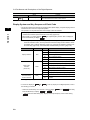
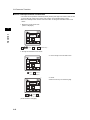
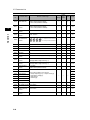
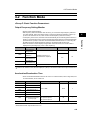
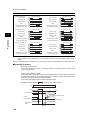
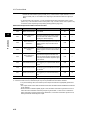
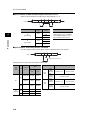
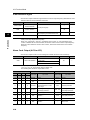
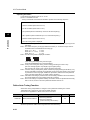
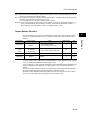
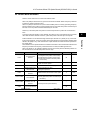
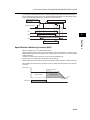
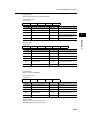
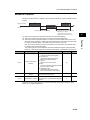
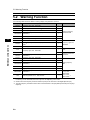
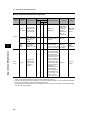
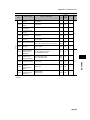
STOP Key Selection
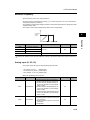
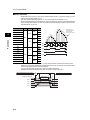
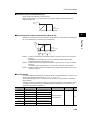
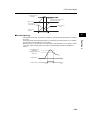
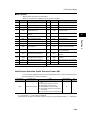
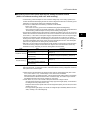
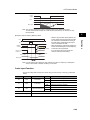
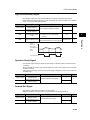
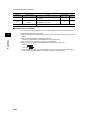
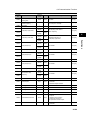
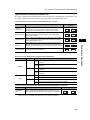
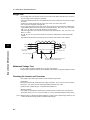
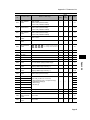
•When "control circuit terminal block" is selected for the RUN command, you can set whether the
STOP/RESET key on the Digital Operator is used to activate the STOP command and trip reset
operation.
•This setting is enabled when any item other than "02" (Digital Operator) is selected in RUN
command selection A002. (Refer to "RUN Command Selection" (page 4-11).)
If "02" (Digital Operator) is selected in A002, the STOP command and trip reset operation are
enabled regardless of this setting.
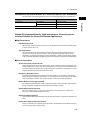
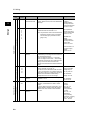
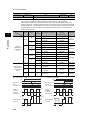
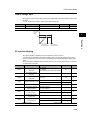
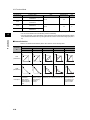
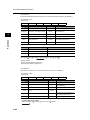
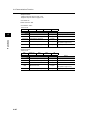
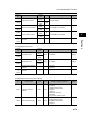
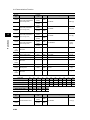
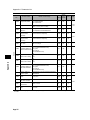
Parameter No.
Function name
b087
STOP key selection
Data
Default setting
Unit
00
⎯
00: Enabled
01: Disabled
02: Disabled only during stop
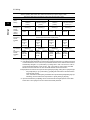
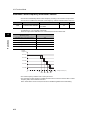
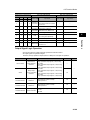
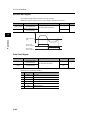
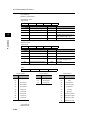
STOP command via the STOP/
RESET key on the Digital Operator
Trip reset operation via the STOP/
RESET key on the Digital Operator
00
Enabled
Enabled
01
Disabled
Disabled
02
Disabled
Enabled
Functions
Data
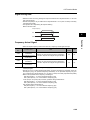
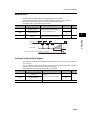
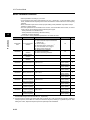
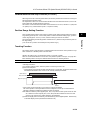
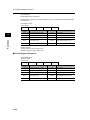
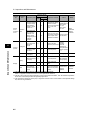
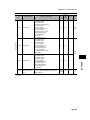
Stop Selection
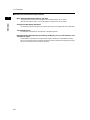
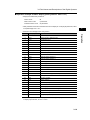
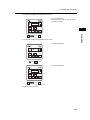
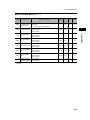
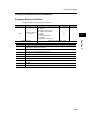
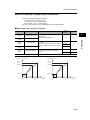
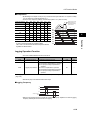
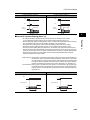
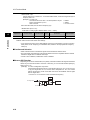
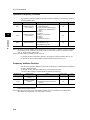
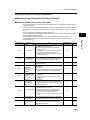
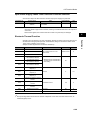
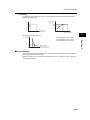
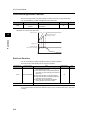
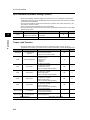
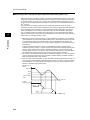
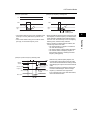
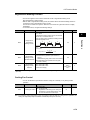
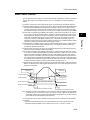
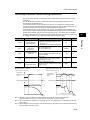
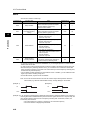
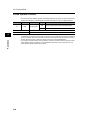
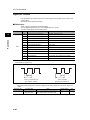
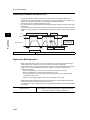
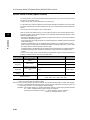
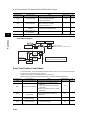
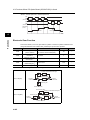
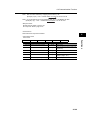
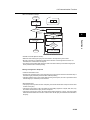
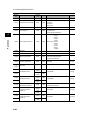
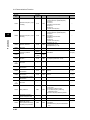
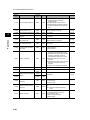
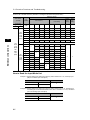
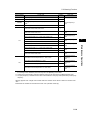
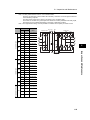
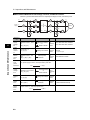
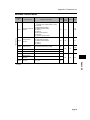
•You can set whether the Inverter decelerates to a stop for the set deceleration time or goes into
free-run status, when the STOP command is input from the Digital Operator or the control circuit
terminal block.
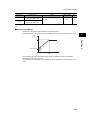
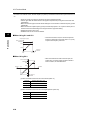
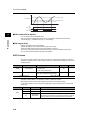
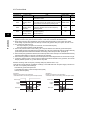
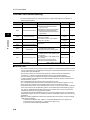
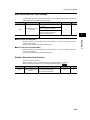
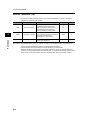
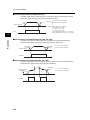
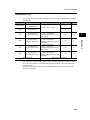
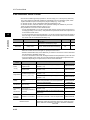
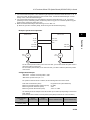
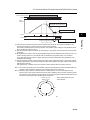
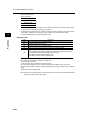
•If the RUN command is input again during free running, the Inverter restarts according to free-run
stop selection b088. (Refer to "Free-run Stop Selection" (page 4-69).)
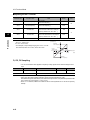
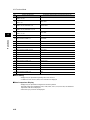
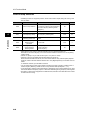
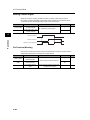
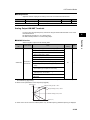
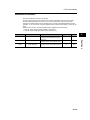
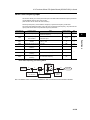
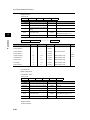
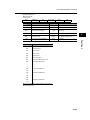
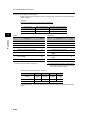
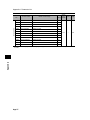
Parameter No.
Function name
b091
Stop selection
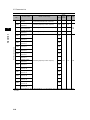
b088
Free-run stop selection
b003
Retry wait time
b007
Frequency matching lower
limit frequency setting
Related functions
Data
4
Default setting
Unit
00: Deceleration → Stop
01: Free-run stop
00
⎯
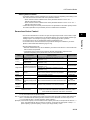
00: 0-Hz start
01: Frequency matching start
02: Active Frequency Matching restart
00
⎯
0.3 to 100.
0.00
Hz
0.00 to 400.0
1.0
s
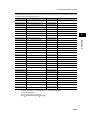
F003, F203, F303
4-68