1
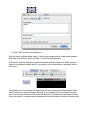
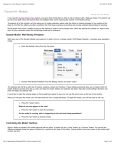
4. Press "OK" to dismiss the dialog box
Now you have a button called 'setup'. It will execute the procedure 'setup' when pressed,
which once we define it, will do just that -- set up the NetLogo world.
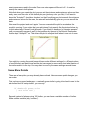
At this point, both the new button and the Interface tab have turned red. That's because
there is no procedure called 'setup'! If you want to see the actual error message, click on
the button:
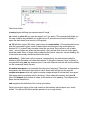
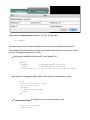
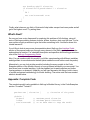
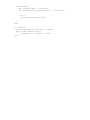
Now switch to the Procedures Tab and create the 'setup' procedure shown below. Notice
that the lines are indented different amounts. A lot of people find it very helpful to indent
their code in a way at least similar to how it's done here. It helps them keep track of where
they're at inside of a procedure and makes what they write easier for others to read as well.