1
System Requirements
> Full version of Kontakt 4.2.3
> 1.1 GB of Free Disc Space
Installation
The library is supplied as a single Zip file. This is a compressed folder that you can open using the built
in tools on your computer. Open the file by double clicking and it will decompress the contents.
Once decompression is complete you will have a single folder, this contains all the files needed to use
the sample library. Simply copy this folder to the drive where you store your samples. For top
performance it is recommended to keep sample libraries on a different drive to that of the OS and
program files.
Running the Library
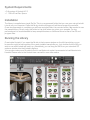
Once inside Kontakt, if you open the file tab in the browser window on the left-hand side you can
browse through the instruments of the newly installed sample library. Just double click the NKI you
wish to use and Kontakt will load it up. Alternatively you can drag the NKI from your standard OS
explorer window into the Kontakt interface.
You can also make use of Kontakt's Quick Load feature to make it even easier to load libraries into
Kontakt: Please refer to the Kontakt user manual for more information.