1
G Data Software
Internet settings
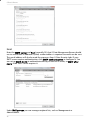
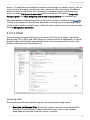
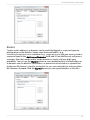
If you use a computer behind a firewall, or if you have other special settings for your
Internet access, configure the use of a Proxy server. You should change these settings
only in case the Internet update does not work. If necessary, ask your Internet Service
Provider about the proxy address.
The Internet connection login data (user name and password) are especially important
if the automatic Internet update is based on a schedule. Without this information, an
automatic connection to the Internet cannot be established. Be sure to enable
automatic login in your general Internet settings (for example, for your mail program or
web browser). G Data MailSecurity can start the Internet update process without
automatic dialling, but it has to wait for you to confirm the Internet connection by
selecting OK. Additionally, you can select the Update server region to optimize
connection speed.
User account
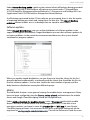
Under User account, please enter a user account on the MailGateway computer that
has access to the Internet.
Warning: Do not mix up the entries you make on the Access data and User
account tabs.
136