Download STM32W108 ZigBee® starter kit (beta version)

Transcript
UM0787
User manual
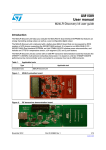
STM32W108 ZigBee® starter kit (beta version)
1
Introduction
This document describes the STM32W108 ZigBee® starter kit (beta version) (order code:
STM32W-SK), an RF tool you can use to evaluate the capabilities of the STM32W108
device for RF communication based on the IEEE 802.15.4-2006 standard for the ZigBee
communication protocol.
The STM32W108 ZigBee starter kit (beta version) provides all the capabilities for
developing:
●
RF evaluation applications that target basic RF tests, communication and light ZigBee
software development.
●
RF networking applications that target more complex ZigBee applications.
The STM32W108 ZigBee starter kit (beta version) reference platform is based on the
STM32W108 application board (MB851). This platform enables running specific ZigBee
applications supporting the EmberZNet™ PRO stack using the STM32W108
microcontroller. Further, it enables user interaction through the use of buttons, LEDs and
serial communication protocols.
The STM32W108 ZigBee starter kit (beta version) software includes the EmberZNet™ stack
for the STM32W108 RF microcontroller which consists of:
●
ZigBee PRO stack libraries
●
HAL (hardware abstraction layer) APIs (application programming interfaces) for driving
the STM32W108 microcontroller and hardware resources for related boards (button,
LEDs, USB)
●
Application utility APIs for addressing specific ZigBee PRO features (form/join, ZDO,
message fragmentation and Network Manager)
●
Application utility APIs for serial communication management
●
ZigBee PRO application demos that address a wide range of ZigBee PRO features
(including the ZDO and the HA, SE profiles).
●
Fully documentation about the STM32W108 microcontroller, STM32W108 boards,
Doxygen documentation for EmberZNet ZigBee PRO stack APIs, HAL APIs and
application utility APIs.
More details on the STM32W108 ZigBee starter kit (beta version), including hardware and
software resources are provided in the following sections.
November 2009
Doc ID 16222 Rev 1
1/35
www.st.com
Contents
STM32W108 ZigBee® kit user manual
Contents
1
Introduction . . . . . . . . . . . . . . . . . . . . . . . . . . . . . . . . . . . . . . . . . . . . . . . . 1
2
Description of the delivered packages . . . . . . . . . . . . . . . . . . . . . . . . . . 4
2.1
2.2
3
Hardware overview . . . . . . . . . . . . . . . . . . . . . . . . . . . . . . . . . . . . . . . . . . . 4
2.1.1
STM32W108 microcontroller . . . . . . . . . . . . . . . . . . . . . . . . . . . . . . . . . . 4
2.1.2
STM32W108 application board . . . . . . . . . . . . . . . . . . . . . . . . . . . . . . . . 4
2.1.3
JTAG adaptation board (MB885) . . . . . . . . . . . . . . . . . . . . . . . . . . . . . . . 5
2.1.4
IAR J-Link debug probe . . . . . . . . . . . . . . . . . . . . . . . . . . . . . . . . . . . . . . 5
Software overview . . . . . . . . . . . . . . . . . . . . . . . . . . . . . . . . . . . . . . . . . . . 6
2.2.1
EmberZNet ZigBee PRO stack . . . . . . . . . . . . . . . . . . . . . . . . . . . . . . . . 6
2.2.2
Hardware abstraction layer (HAL) . . . . . . . . . . . . . . . . . . . . . . . . . . . . . . 6
2.2.3
ZigBee PRO application utility APIs . . . . . . . . . . . . . . . . . . . . . . . . . . . . . 6
2.2.4
ZigBee PRO demo applications . . . . . . . . . . . . . . . . . . . . . . . . . . . . . . . . 7
2.2.5
Daintree sensor network analyzer . . . . . . . . . . . . . . . . . . . . . . . . . . . . . . 7
2.2.6
Daintree capture firmware . . . . . . . . . . . . . . . . . . . . . . . . . . . . . . . . . . . . 7
2.2.7
IAR compiler . . . . . . . . . . . . . . . . . . . . . . . . . . . . . . . . . . . . . . . . . . . . . . 7
ZigBee PRO application descriptions . . . . . . . . . . . . . . . . . . . . . . . . . . . 8
3.1
Sink and sensor applications . . . . . . . . . . . . . . . . . . . . . . . . . . . . . . . . . . . 8
3.1.1
3.2
Nodetest application . . . . . . . . . . . . . . . . . . . . . . . . . . . . . . . . . . . . . . . . . 10
3.2.1
3.3
3.4
3.3.1
Serial commands . . . . . . . . . . . . . . . . . . . . . . . . . . . . . . . . . . . . . . . . . . 11
3.3.2
Notes and limitations . . . . . . . . . . . . . . . . . . . . . . . . . . . . . . . . . . . . . . . 23
ZigBee device object (ZDO) sample . . . . . . . . . . . . . . . . . . . . . . . . . . . . 23
Notes and limitations . . . . . . . . . . . . . . . . . . . . . . . . . . . . . . . . . . . . . . . 25
Getting started . . . . . . . . . . . . . . . . . . . . . . . . . . . . . . . . . . . . . . . . . . . . . 26
4.1
2/35
Notes and limitations . . . . . . . . . . . . . . . . . . . . . . . . . . . . . . . . . . . . . . . 23
Manufacturing library sample . . . . . . . . . . . . . . . . . . . . . . . . . . . . . . . . . . 23
3.5.1
4
Notes and limitations . . . . . . . . . . . . . . . . . . . . . . . . . . . . . . . . . . . . . . . 10
Smart energy (SE) / home automation (HA) . . . . . . . . . . . . . . . . . . . . . . 11
3.4.1
3.5
Notes and limitations . . . . . . . . . . . . . . . . . . . . . . . . . . . . . . . . . . . . . . . . 9
Kit setup . . . . . . . . . . . . . . . . . . . . . . . . . . . . . . . . . . . . . . . . . . . . . . . . . . 26
4.1.1
EmberZNet for STM32W108 software installation . . . . . . . . . . . . . . . . . 26
4.1.2
Host development platform (IAR toolset) . . . . . . . . . . . . . . . . . . . . . . . . 26
Doc ID 16222 Rev 1
STM32W108 ZigBee® kit user manual
5
Contents
4.1.3
Building a ZigBee application for an STM32W108 application board
(MB851) 26
4.1.4
Download and running a ZigBee application on a STM32W108 application
board (MB851) 27
4.1.5
Daintree sensor network analyzer (SNA) setup . . . . . . . . . . . . . . . . . . . 27
Terms and definitions . . . . . . . . . . . . . . . . . . . . . . . . . . . . . . . . . . . . . . . 30
Appendix A Schematic diagram . . . . . . . . . . . . . . . . . . . . . . . . . . . . . . . . . . . . . . 31
Appendix B Bill of materials . . . . . . . . . . . . . . . . . . . . . . . . . . . . . . . . . . . . . . . . . 32
Revision history . . . . . . . . . . . . . . . . . . . . . . . . . . . . . . . . . . . . . . . . . . . . . . . . . . . . 34
Doc ID 16222 Rev 1
3/35
Description of the delivered packages
2
STM32W108 ZigBee® kit user manual
Description of the delivered packages
Each STM32W108 ZigBee starter kit (beta version) package contains the following items:
Note:
1
2
●
Three STM32W108 application boards (MB851)
●
One JTAG adaptation board (MB885)
●
One IAR J-Link (USB-JTAG/SWD) debug probe
●
One CD-ROM including the Daintree SNA evaluation version
●
One CD-ROM including the IAR Limited Compiler 5.30 (a patch is needed to support
STM32W108 microcontrollers)
The starter kit (beta version) boards are pre-programmed as follows:
●
One ZigBee sink firmware (board labeled as “Sink”)
●
One ZigBee sensor firmware (board labeled as “Sensor”)
●
One Daintree capture firmware (board labeled as “Analyzer”)
The EmberZNet stack and the related documents can be downloaded from the
www.st.com/mcu STM32W section.
2.1
Hardware overview
2.1.1
STM32W108 microcontroller
The STM32W108 is a fully integrated System-on-Chip that integrates a 2.4 GHz,
IEEE802.15.4-compliant transceiver, 32-bit ARM® Cortex™-M3 microprocessor, Flash and
RAM memory, and peripherals of use to designers of ZigBee-based systems. For detailed
information about the STM32W108 microcontroller, please refer to the related technical
documentation.
2.1.2
STM32W108 application board
The STM32W108 application board (MB851) is equipped with:
●
A STM32W108 system-on-chip that integrates a 2.4 GHz, IEEE 802.15.4-compliant
transceiver, 32-bit ARM® Cortex M3 microprocessor
●
A set of sensors to detect temperature and acceleration
●
A button and 2 LEDs for user interaction
●
An infrared LED
●
A mini-USB connector for serial communication through PC hyper terminal
●
Connector (labeled as P1) for Flash programming using the IAR J-Link debug probe
The STM32W108 application board (MB851) can be powered as follows:
4/35
●
Power via batteries (place jumper on pins 1-2 on connector P3)
●
Power via JTAG (place jumper on pins 3-4 on connector P3)
●
Power via USB (place jumper on pins 5-6 on connector P3)
Doc ID 16222 Rev 1
STM32W108 ZigBee® kit user manual
Figure 1.
2.1.3
Description of the delivered packages
STM32W108 application board
JTAG adaptation board (MB885)
This adapter board is used for connecting an IAR™ J-Link to the STM32W108
microcontroller through the P1 board connector for STM32W108 Flash programming and
debugging operations.
2.1.4
IAR J-Link debug probe
For detailed information about the IAR J-Link USB-JTAG/SWD debug probe, please refer to
the www.iar.com website.
Doc ID 16222 Rev 1
5/35
Description of the delivered packages
2.2
STM32W108 ZigBee® kit user manual
Software overview
This section describes the software components delivered with the EmberZNet stack for the
STM32W108 microcontroller.
2.2.1
EmberZNet ZigBee PRO stack
The EmberZNet™ ZigBee PRO compliant networking stack is an advanced wireless
protocol stack that runs on the STM32W108 RF microcontroller and provides algorithms for
creating reliable, flexible and secure networks.
For information about the EmberZNet™ ZigBee stack, see the related documentation in
your kit.
2.2.2
Hardware abstraction layer (HAL)
HAL APIs enable addressing certain STM32W108 platform devices and capabilities
(buttons, LEDs, memory, microcontroller, system timer, UART …).
2.2.3
ZigBee PRO application utility APIs
A collection of useful functions used in STM32W108 ZigBee starter kit (beta version)
sample applications and for common ZigBee tasks that a customer may wish to re-use in his
custom project:
6/35
●
Command-line-interface (CLI) — (app/util/serial/cli.[ch])
A simple command interpreter for processing serial input and calling application
functions
●
Counters — (app/util/counters.[ch])
Implements emberCounterHandler() and keeps a tally of the events reported by the
stack.
●
Form-and-join — (app/util/common/form-and-join.[ch])
Supports scanning for forming and joining networks.
●
Fragment — (app/util/zigbee-framework/fragment*)
Breaks long messages into smaller blocks for transmission and reassembles received
blocks.
●
Inter-PAN — (app/util/zigbee-framework/ami-inter-pan*)
Utilities for sending and receiving ZigBee AMI InterPAN messages.
●
Network manager — (app/util/zigbee-framework/network-manager*)
Utilities for use by the ZigBee network manager
●
Print stack tables — (app/util/common/print-stack-tables.[ch])
Functions to print stack tables for use in troubleshooting.
●
Security — (app/util/security/*)
Implementation for setting up security on a Trust Center device and a non Trust Center
device.
●
Serial — (app/util/serial/serial.[ch])
The high-level serial drivers used by the stack for I/O processing.
●
Source-route — (app/util/source-route*)
Example code for managing source routes on a gateway.
Doc ID 16222 Rev 1
STM32W108 ZigBee® kit user manual
2.2.4
Description of the delivered packages
●
ZigBee cluster library (ZCL) — (app/ha/zcl-util*)
An implementation of the ZCL. See also the reference application in this directory.
●
ZigBee device object (ZDO) TX functions — (app/util/zigbee-framework/zigbeedevice*)
The ZDO library provides functions that construct and send several common ZDO
requests. It also provides a function for extracting the two addresses from a ZDO
address response.
ZigBee PRO demo applications
The following demo applications and utilities library are provided:
2.2.5
●
Sink & Sensor
●
Nodetest application
●
Smart Energy / Home Automation (SE / HA)
●
ZigBee Device Object (ZDO) sample
●
Manufacturing Library sample (mfg-sample-app)
Daintree sensor network analyzer
The Daintree Sensor Network Analyzer (SNA) combines a powerful protocol analyzer with
network visualization, measurements and diagnostics for IEEE 802.15.4 and ZigBee®
applications. It provides automatic display of network formation, topology changes, and
router and coordinator state changes allowing rapid detection of incorrect network behavior
and identification of device or network failures.
The STM32W108 ZigBee® starter kit (beta version) includes an evaluation version of
Daintree Sensor Network Analyzer which allows customer to use the standard edition of
software for a period of 30 days. After this time, customers can upgrade directly from
Daintree. In any case, the SNA Basic Edition remains available. SNA customer support is
handled by Daintree.
2.2.6
Daintree capture firmware
To enable use of the Daintree Sensor Network Analyzer, special firmware is required for
configuring the STM32W108 application board (MB851) as a Daintree capture device (a
starter kit board is already preprogrammed with the Daintree capture firmware). This device
is included in this kit.
2.2.7
IAR compiler
The IAR Embedded Workbench IDE for ARM is a very powerful Integrated Development
Environment (IDE) designed for developing and managing complete embedded applications
projects.
The provided IAR 5.30 version requires a patch for adding support for the STM32W108.
(The STM32W108 is on the way to be supported by an official IAR release). For detailed
information about IAR products, please refer to the www.iar.com website.
Doc ID 16222 Rev 1
7/35
ZigBee PRO application descriptions
STM32W108 ZigBee® kit user manual
3
ZigBee PRO application descriptions
3.1
Sink and sensor applications
An example of a complete application that implements a distributed sensors network with 1
or more data collection points (called “sensors”) and 1 data storage point (called “sink”).
Each Sink broadcasts its identity via a multicast message (SINK_ADVERTISE) to nearby
Sensor nodes, who can then set up an entry into their address table to the Sink and send a
request (the SENSOR_SELECT_SINK message) for attachment to that Sink. If the Sink
agrees to accept data from a particular Sensor, the Sensor receives a confirmation
message (SINK_READY) and begins transmitting data reports (DATA) to the Sink at fixed
intervals (as set by SEND_DATA_RATE).Sleepy and mobile sensors nodes are also
supported.
Roles:
●
Sensor — A device that takes data readings from some input source and passes these
readings to a particular collection point. Many Sensors report to a single Sink.
●
Sink — A device that serves as a collection point for 1 or more Sensor devices. In this
example, the Sink is set up to be the ZigBee Coordinator device, and it forms the
network automatically on first startup and retains this settings across reboots. (See
Notes section below if wanting to use multiple Sinks in a network.)
●
Sleepy-Sensor — A sleeping version of the Sensor application. Battery powered
devices must sleep in order to extend their battery life.
●
Mobile-Sensor — A sleeping and mobile version of the Sensor application.
Buttons used
●
●
Sensor:
–
S1 button: If the device is not joined to a network, pressing this causes the device
to search for an available network and join it if possible. After it has successfully
joined a network, pressing this button will cause the device to permit joining
(accepting other devices into the network) for the next 60 seconds.
–
RST button: Forces the device to reset. This can be useful if you have left the
network and now want the device to attempt network participation again. (Note
that if you have not left the network before resetting, the device will simply resume
operation on the same network as before.)
Sink:
–
S1 button: After network formation, pressing this button allows joining to the
network by other devices for the next 60 seconds.
–
RST button: Forces the device to reset. This can be useful if you have left the
network and now want the device to establish a new network. (Note that if you
have not left the network before resetting, the device will simply resume operation
on the same network as before.)
Serial baud rates, ports used
●
8/35
115200 bps for all devices
Doc ID 16222 Rev 1
STM32W108 ZigBee® kit user manual
ZigBee PRO application descriptions
Serial commands supported
Table 1.
List of supported commands
Command
3.1.1
Description
f
Forces the sink to advertize. (Sink only)
p
Prints the binding table of the node.
l
Tells the node to send a multicast hello packet.
i
Prints info about this node including channel, power, and app.
b
Puts the node into the bootloader menu (as an example).
0
Simulates S1 button press. Turns permit join on for 60 seconds, allowing
other nodes to join to this node.
1
Simulates RST button press. Resets this node.
x
Prints token information (non-volatile settings stored in EEPROM).
c
Prints child table. (Sensor and Sink only)
j
Prints status of Just In Time (JIT) message storage. (JIT messages are used to
communicate reliably with sleeping end devices.)
a
Prints the status of emberNetworkState, emberOkToNap,
emberOkToHibernate, and emberCurrentStackTasks. The app must be
built with DEBUG_NETWORK_STATE. (Used for debugging.)
?
Prints the help menu.
Notes and limitations
This application defaults to using a fixed set of network parameters, with a default channel
setting of 26. (Remove the #define USE_HARDCODED_NETWORK_SETTINGS line in the
common.h header file to allow the application to dynamically select its network parameters.)
Although the example portrays a single Sink node that acts as a ZigBee Coordinator, the
application could be easily adapted to allow a variant of the Sink node that joins the network
as an ordinary ZigBee Router so that multiple Sinks can be supported.
Although the example is set up to have a Sensor node participate in the network as a
ZigBee Router, the application could support Sensors as sleepy or mobile ZigBee End
Devices as well.
This application uses a “push” style of communication, where the Sensor sends reports to
the Sink without needing to be asked for this data. This is more efficient than a “pull” model,
where a device only transmits data when asked to do so by another device, because it cuts
the amount of traffic in half, thereby reducing the number of collisions and routing burden in
the network.
The data reports used in this example are fixed size packets (of a size defined by
SEND_DATA_SIZE). The data contents are simply a 16-bit random pattern (generated for
each message) that is repeated as many times as necessary to fill the packet to its required
size.
The application uses a constant called MISS_PACKET_TOLERANCE as a threshold for fault
tolerance. On the Sensor, this controls how many message timeouts can be permitted
between the Sensor and Sink before the Sensor decides to attach itself to a different Sink.
Doc ID 16222 Rev 1
9/35
ZigBee PRO application descriptions
STM32W108 ZigBee® kit user manual
For a Sink, this controls how many data reports can be missed from a Sensor before the
Sink “forgets” about the Sensor (stops maintaining a record of its attachment). Although
bindings are kept on the Sink node to track the attached Sensors, these could easily be
made temporary (used only for the SINK_READY message) to allow the Sink application to
support more nodes without enlarging the binding table, assuming that the Sink application
does not care which Sensors and how many Sensors are attached to it.
This application is designed to scale to approximately 250 sensors and one sink. The
applicability of this in large networks is dependant on the traffic rates expected from sensors
to sink. Suitable jitter needs to be sensor data reports to ensure traffic is spread out to avoid
bottlenecks around the sink.
The sensor advertisement is a broadcast. The behavior of such a broadcast in the network
depends on the network topology and density. Zigbee limits the number of broadcasts that
can be active in a network to 10 to minimize the network disruption and loss of bandwidth.
As this network increases in size or density, the rate of the sensor advertisement should be
reduced in frequency.
3.2
Nodetest application
It is a low-level test program meant for functional testing of RF modules, including token
viewing/programming, range testing, RSSI measurement, and special test modes of
transmission as required for FCC and CE certification.
Roles
●
Device Under Test (DUT) — The primary device undergoing functional testing. You will
probably want to also load Rangetest to a node that you are sure is working correctly
(often called the “Golden Node”) so that you can verify proper communication and
comparison between the DUT and the Golden Node when each are running Rangetest.
Buttons used
●
None
Serial baud rates, ports used
●
The Rangetest runs at 115200 bps. Active serial port is auto-detected; whichever of the
UART or virtual UART first detects a Carrier Return (\r), Line Feed (\n), or asterisk ('*')
character will become the port used until the application is reset.
Serial commands supported
This application supports different commands depending on the hardware platform being
used. Use the HELP or ? command to list all supported commands on the current device's
platform.
3.2.1
Notes and limitations
This application is provided in pre-built form only.
The packets transmitted by Rangetest are raw packets sent by the radio without the aid of a
networking stack, so 802.15.4 and ZigBee conventions, such as CSMA-CA algorithms,
random backoffs, transmission retries and MAC and Network Layer packet headers, do not
apply in this context. Such test conditions can produce very different results when
comparing reliability of communication to a test case involving two (or more) devices
running a full ZigBee networking stack. Therefore, it is recommended that you perform
interference testing, coexistence testing and reliability testing with your own application
10/35
Doc ID 16222 Rev 1
STM32W108 ZigBee® kit user manual
ZigBee PRO application descriptions
(based on the networking stack) in addition to any similar testing done with Rangetest, so
that your results are more representative of a true networking scenario.
Packets transmitted by Rangetest are of a fixed size (the minimum size allowed by the radio)
and are always transmitted at a fixed rate. (This rate may be different for different radios; see
program output for details.)
This application is not intended for use in operating networks. Use by nodes in a network will
result in packet collisions and lost traffic. This application can be used by multiple nodes at
the same time where one node sends packets and multiple other nodes receive the traffic.
3.3
Smart energy (SE) / home automation (HA)
The Smart Energy (SE) / Home Automation (HA) profile provides the Application Framework
that can be setup to implement ZigBee Smart Energy devices or ZigBee Home Automation
devices. This includes an implementation of the ZigBee Cluster Library which enables
building any of the SE or HA devices.
Roles:
Note:
●
SE Energy Service Portal (ESP) - implements the clusters for an SE ESP
●
SE Meter - implements the clusters for an SE Meter
●
SE Smart Appliance (SA)
Other HA, SE or custom ZigBee device types can be built by adding the proper #defines
to include the correct clusters.
Button used
●
S1 button:
If not joined: FORM (if the device is capable of forming).
If joined: BIND (send ZDO end device bind request).
Serial baud rates, ports used
3.3.1
●
Default baud rate is 115200 bps for all devices.
●
This can be set to 9600, 19200, 38400, or 115200 baud rate by changing the
ZA_BAUD_RATE value.
Serial commands
General commands
Table 2.
List of general commands
Command
Description
help
Lists the available commands.
version
Shows the version of the software.
reset
Resets the device.
option
button0
Simulates a S1 button press.
Doc ID 16222 Rev 1
11/35
ZigBee PRO application descriptions
Table 2.
STM32W108 ZigBee® kit user manual
List of general commands (continued)
Command
Description
option
button1
Simulates a RST button press.
write
[cluster]
[attrID]
[dataType]
[dataLen]
[bytes 0-7]
[bytes 8-15]
Writes the value specified to the attribute specified in the local attribute
table where:
cluster, cluster identifier in decimal format
attrID, attribute identifier in decimal format
dataType, data type as a 2-character string in decimal format
dataLen, data length (variable) in decimal format
bytes 0-7, in hexadecimal format
bytes 8-15, in hexadecimal format
Informational commands
Table 3.
List of informational commands
Command
12/35
Description
info
Gives information about the local node.
option
bindingtable print
Prints the binding table.
option
bindingtable clear
Clears the binding table.
keys
Prints the APS Link Key table.
print attr
Prints the ZCL attribute table.
print
identify
Prints the identify cluster state.
print groups
Prints the groups table.
print scenes
Prints the scenes table.
print c
(ias-ace
info)
Prints the ias-ace info.
print price
Prints the Price table showing the currently configured prices.
print
message
Prints the Message table, showing the currently configured or received messages.
print time
Prints the current time.
print report
Prints the reporting table.
Doc ID 16222 Rev 1
STM32W108 ZigBee® kit user manual
ZigBee PRO application descriptions
Network commands
Table 4.
List of network commands
Command
Description
network form
[channel]
[power]
[panid]
Starts a ZigBee network with:
channel, channel number (11 to 26) in decimal format
power, radio transmit power value in decimal format
panid, PAN identifier as a 4-character hexadecimal string
Example, “network form 11 2 0abb“
network
pjoin [time]
Sets time joining is permitted on a ZigBee network with:
time, in seconds in decimal format
network join
[channel]
[power]
[panid]
Attempts to join a ZigBee network with:
channel, channel number (11 to 26) in decimal format
power, radio transmit power value in decimal format
panid, PAN identifier as a 4-character hexadecimal string
The device uses ZA_DEVICE_TYPE when joining. If type is Coordinator, it joins as
a Router. Example, “network join 11 2 0abb“
network
leave
Forces node to exit current ZigBee network.
network
extpanid
[extpanid
value]
Sets the extended PAN ID used for forming or joining a network. This must be
done before a device becomes part of a network, where:
extpanid value is a 16 character (8 byte) hexadecimal string representing the
extended PAN ID desired.
option disc
[clusterId]
Sends a ZDO Match Descriptor Request for the server side of the cluster
specified. Match Descriptor Responses received are printed to the serial output.
clusterId, is a 4 character (2 byte) hexadecimal string.
option edb
Sends a ZDO End Device Bind Request using the local endpoint specified by
ZA_GLOBAL_SRC_ENDPOINT.
Security commands
Table 5.
List of security commands
Command
Description
keys
Prints the APS Link Key table.
keys clear
Clears the APS Link Key table.
option link
[index]
[EUI64] [key
bytes 0-7]
[key bytes
8-15]
Sets a link key in the link key table, where:
index, in key table
EUI64, in big endian format
key bytes 0-7, in hexadecimal format
key bytes 8-15, in hexadecimal format
Doc ID 16222 Rev 1
13/35
ZigBee PRO application descriptions
Table 5.
STM32W108 ZigBee® kit user manual
List of security commands (continued)
Command
Description
option
register
[nodeId]
[endpoint]
[EUI]
Initiates Smart Energy Key Establishment using the nodeId, endpoint, and EUI
passed in the command, where:
nodeId
endpoint
EUI
(Available only when using Smart Energy Security.)
option
partner
[partner
EUI]
Initiates a partner link key request to the Trust Center, where:
partner EUI,
(Available only when using Smart Energy Security.)
Commands for building and sending messages
Table 6.
List of commands for building and sending messages
Command
14/35
Description
send [id]
[src] [dst]
Sends a message using the message that exists in the current send buffer
(created using “zcl” command), where:
id, is the node identifier as a 4-character hexadecimal string
src, is the source endpoint in decimal format
dst, is the destination endpoint in decimal format
bsend [src]
Sends the current message to any device in the binding table that has a binding
entry with a cluster matching the cluster specified in the message, where:
src, is the source endpoint in decimal format
timesync
[id] [src]
[dst]
Sync time with the device specified by sending a read attribute command and
using the read attribute response, where:
id, is the node identifier as a 4-character hexadecimal string
src, is the source endpoint in decimal format
dst, is the destination endpoint in decimal format
anon short
[id] [short
dest panid]
[dest appprofile-id]
Sends an Inter-PAN message using the message that exists in the send buffer
(created with “zcl” command) to the shortID specified on the destination PAN
specified and using the Application Profile specified, where:
id, is the node identifier as a 4-character hexadecimal string
short dest panid, is a 4-character hexadecimal string
dest app-profile-id, is a 4-character hexadecimal string
Doc ID 16222 Rev 1
STM32W108 ZigBee® kit user manual
Table 6.
ZigBee PRO application descriptions
List of commands for building and sending messages (continued)
Command
Description
raw1
[clusterID]
[len] [data
0-8] [data
9-16] [data
17-24] [data
25-32]
Creates a message by specifying the raw bytes, where:
clusterID, in decimal format
len, is the message length in decimal format
data 0-8, in hexadecimal format
data 9-16, in hexadecimal format
data 17-24, in hexadecimal format
data 25-32, in hexadecimal format
To specify messages larger than 32 bytes use this command first and then use
“raw2”. Use “send” to send the message once it has been created.
Example, “raw1 15 8 000A001122334455” sends a message to cluster 15
(0xF) of length 8 which includes the ZCL header.
raw2
[clusterID]
[len] [data
33-40] [data
41-48] [data
49-56] [data
57-64]
Specifies bytes 33 through 64 of a message, where:
len, is the message length in decimal format
data 33-40, in hexadecimal format
data 41-48, in hexadecimal format
data 49-56, in hexadecimal format
data 57-64, in hexadecimal format
The first 32 bytes are set using the “raw1” command.
ZCL Global serial commands
Note:
These commands construct a payload, you must call “send” to send the message.
Table 7.
List of ZCL global serial commands
Command
Description
This command reads the specified attribute, where:
zcl global read
cluster, in decimal format
[cluster] [attrID]
attrID, as a 4-character hexadecimal string
This command writes the specified attribute, where:
cluster, in decimal format
zcl global write
[cluster] [attrID] attrID, as a 4-character hexadecimal string
[data type] [data] data type, as 2-character hexadecimal string
data, variable size depending on data type as a hexadecimal string
This command changes the values of one or more attributes located on
another device, in such a way that if any attribute cannot be written, no
zcl global uwrite attribute values are changed, where:
[cluster] [attrID] cluster, in decimal format
[data type] [data] attrID, as a 4-character hexadecimal string
data type, as 2-character hexadecimal string
data, variable size depending on data type as a hexadecimal string
Doc ID 16222 Rev 1
15/35
ZigBee PRO application descriptions
Table 7.
STM32W108 ZigBee® kit user manual
List of ZCL global serial commands (continued)
Command
Description
This command changes the value of one or more attributes located on
another device but does not require a response, where:
zcl global nwrite cluster, in decimal format
[cluster] [attrID]
attrID, as a 4-character hexadecimal string
[data type] [data]
data type, as 2-character hexadecimal string
data, variable size depending on data type as a hexadecimal string
This command is used to discover the identifiers and types of the attributes
zcl global
on a device, where:
discover [cluster] cluster, in decimal format
[attrID] [max # to
attrID, as a 4-character hexadecimal string
report]
max # to report, in decimal format
This command is used to read the configuration details of the reporting
zcl global report- mechanism for one or more of the attributes of a cluster, where:
cluster, in decimal format
read [cluster]
[attrID]
attrID, as a 4-character hexadecimal string
[direction]
direction, in decimal format (‘0’ for client-to-server, ‘1’ for server to
client)
zcl global sendme-a-report
[cluster] [attrID]
[data type] [min
report time] [max
report time]
[reportable
change]
This command replies to a zcl global report-read command,
where:
cluster, in decimal format
attrID, as a 4-character hexadecimal string
data type, as 2-character hexadecimal string
min report time, in seconds as a 4-character hexadecimal string
max report time, in seconds as a 4-character hexadecimal string
reportable change, variable size depending on data type as a
hexadecimal string
This command is used by a device to report the values of one or more of
zcl global expect- its attributes to another device, where:
report-from-me
cluster, cluster identifier in decimal format
[cluster] [attrID]
attrID, attribute identifier as a 4-character hexadecimal string
[timeout]
timeout, in decimal format
ZCL cluster-specific serial commands
Many of these commands build cluster-specific messages that can be sent with the “send”
command.
Note:
16/35
1
These commands construct a payload, you must call “send” to send the message.
2
These commands are available on a per-cluster basis and the application must have defined
the client (or server) side of the cluster to have access to these commands.
3
The send command must be followed by the short address to which the message should be
sent.
Doc ID 16222 Rev 1
STM32W108 ZigBee® kit user manual
ZigBee PRO application descriptions
Example:
on-off-client> zcl on-off off
on-off-client> send 0
ias-zone-server> zcl ias-zone enroll
ias-zone-server> send 05c7
Table 8.
List of ZCL cluster-specific serial commands
Command
Description
ZCL Basic Client commands
zcl basic rtfd
This command is used to reset all the attributes of all its clusters of a device
to their factory default values.
ZCL Identify Client commands
zcl identify id
[identify time]
This command specifies the remaining length of time the device will
continue to identify itself, where:
identify time, in seconds as 4-character hexadecimal string
zcl identify query
This command allows the sending device to request the target or targets to
respond if they are currently identifying themselves.
ZCL Identify Server commands
zcl identify on
[seconds]
This command turns on the identify on the local device for the number of
seconds specified, where:
seconds, in seconds in decimal format
zcl identify off
This command turns off identify on the local device.
ZCL Groups Client commands
zcl groups add
[groupId] [name]
This command adds a device to a group, where:
groupId, group identifier as 4-character hexadecimal string
name, as 16 character ASCII string
zcl groups view
[groupId]
This command requests to view group name, where:
groupId, group identifier as 4-character hexadecimal string
This command requests a list of group memberships of a device, where:
zcl groups get
count, in decimal format
[count] [[groupId]
groupId, group identifier as 4-character hexadecimal string
zcl groups remove
[groupId]
This command removes a device from a group, where:
groupId, as 4-character hexadecimal string
zcl groups rmall
This command removes all group associations for a device.
zcl groups ad-ifid [groupId]
[name]
This command adds group membership for a device if it is identifying itself,
where:
groupId, group identifier as 4-character hexadecimal string
name, as 16-character ASCII string
Doc ID 16222 Rev 1
17/35
ZigBee PRO application descriptions
Table 8.
STM32W108 ZigBee® kit user manual
List of ZCL cluster-specific serial commands (continued)
Command
Description
ZCL Scenes Client commands
zcl scenes add
[groupId]
[sceneId]
[transition time]
[name]
This command adds a scene, where:
groupId, group identifier as 4-character hexadecimal string
sceneId, scene identifier as 2-character hexadecimal string
transition time, in seconds as 4-character hexadecimal string
name, as 16-character ASCII string
zcl scenes view
[groupId]
[sceneId]
This command displays scene information, where:
groupId, group identifier as 4-character hexadecimal string
sceneId, scene identifier as 2-character hexadecimal string
zcl scenes remove
[groupId]
[sceneId]
This command removes a scene, where:
groupId, as 4-character hexadecimal string
sceneId, as 2-character hexadecimal string
zcl scenes rmall
[groupId]
This command removes all scenes from the Scene table for all devices with
this Group ID, where:
groupId, group identifier as 4-character hexadecimal string
zcl scenes store
[groupId]
[sceneId]
This command adds an entry to the Scene table, where:
groupId, group identifier as 4-character hexadecimal string
sceneId, scene identifier as 2-character hexadecimal string
zcl scenes recall
[groupId]
[sceneId]
This command locates the entry in the Scene table, where:
groupId, group identifier as 4-character hexadecimal string
sceneId, scene identifier as 2-character hexadecimal string
zcl scenes getmembership
[groupId]
This command is used to find an unused scene number, where:
groupId, group identifier as 4-character hexadecimal string
zcl scenes set
["on" or "off"
keyword] [level
value]
This command sets the scene extensions for on/off and level control,
where:
“on” or "off" keyword
level value, as integer
ZCL On/Off Client commands
zcl on-off off
This command switches off a device.
zcl on-off on
This command switches on a device.
zcl on-off toggle
This command toggles the device state (on or off).
ZCL Level Control Client commands
All arguments are given in hexadecimal format. The value listed after an argument is the number of
bytes it expects. The number of characters expected are 2 times that number.
zcl level-control
mv-to-level
[level:1]
[transition
time:2]
18/35
This command is used to have a device move to a new level in the specified
time, where:
level:1
transition time:2
Doc ID 16222 Rev 1
STM32W108 ZigBee® kit user manual
Table 8.
ZigBee PRO application descriptions
List of ZCL cluster-specific serial commands (continued)
Command
Description
zcl level-control
move [mode:1]
[rate:1]
This command defines the direction and rate of movement of level change,
where:
mode:1
rate:1
zcl level-control
step [step:1]
[step size:1]
[trans time:2]
This command defines the time to perform the step, in tenths of a second,
where:
step:1
step size:1
trans time:2
zcl level-control
stop
This command cancels all on-going level change operations.
zcl level-control
o-mv-to-level
[level:1] [trans
time:2]
This command performs the Move to Level command with the On/Off
feature, where:
level:1
transition time:2
zcl level-control
o-move [mode:1]
[rate:1]
This command performs the Move command with the On/Off feature,
where:
mode:1
rate:1
zcl level-control
o-step [step:1]
[step size:1]
[trans time:2]
This command performs the Step command with the On/Off feature, where:
step:1
step size:1
trans time:2
ZCL Time Server commands
zcl time [year]
This command sets the local time to the value specified, where:
[month] [day]
[hour] [min] [sec] all arguments in decimal.
ZCL Thermostat Client commands
zcl tstat set
[mode] [amount]
This command configures the thermostat, where:
mode, Heat, Cool or Both as 2-character hexadecimal string
amount, as 2-character hexadecimal string
ZCL IAS Zone Server commands
This command sets a device for operation in a zone, where:
zcl ias-zone
enroll [zone type] zone type, as 4-character hexadecimal string
[manuf]
manuf code, device manufacturer code as 4-character hexadecimal string
zcl ias-zone sc
[zone status]
[extended status]
This command indicates a change in the zone status, where:
zone status, as 4-character hexadecimal string
extended status, as 2-character hexadecimal string
ZCL IAS ACE Client commands
zcl ias-ace arm
[mode]
This command sets the device Arm mode, where:
mode, as 2-character hexadecimal string
Doc ID 16222 Rev 1
19/35
ZigBee PRO application descriptions
Table 8.
STM32W108 ZigBee® kit user manual
List of ZCL cluster-specific serial commands (continued)
Command
Description
zcl ias-ace bypass This command is used to bypass the Arm mode, where:
[numZones]
numZones, as 2-character hexadecimal string
[zones:numZones
zones: numZones zones, as 2-character hexadecimal string
zones]
zcl ias-ace
emergency
This command indicates an emergency situation.
zcl ias-ace fire
This command indicates a fire situation.
zcl ias-ace panic
This command indicates a panic situation.
zcl ias-ace getzm
This command is used to get a zone ID map.
zcl ias-ace getzi
[zoneID]
This command is used to get a zone ID, where:
zoneID, as 2-character hexadecimal string
ZCL Price Client commands
zcl price current
[command options]
This command initiates a Publish Price command for the current time,
where:
command options, the Requestor Rx On When Idle value which could be
‘0’ or ‘1’.
zcl price
scheduled [num
events requested]
This command initiates a Publish Price command for all currently
scheduled times, where:
num events requested, as 2-character hexadecimal string
ZCL Price Server commands
These commands are used for configuring Prices in the Price table on the ESP. The Price table can
be viewed by using “print price”
zcl set-price
clear
20/35
zcl set-price
current [index]
This command sets the index entry with the current time.
zcl set-price
[index]
[providerID]
[label] [eventId]
This command sets the index entry with the providerID, label and eventId,
where:
index, in decimal format
providerID, as 8-character (4 byte) hexadecimal string
label, as up to 13-character ASCII string
eventId, as 8-character (4 byte) hexadecimal string
zcl set-price
[index]
[unitOfMeas]
[currency] [ptd]
[PTRT]
This command sets the index entry with unitofMeas, currency, ptd and
PTRT, where:
index, in decimal format]
unitOfMeas, as 2-character (1 byte) hexadecimal string
currency, currency symbol to display as 4-character (2 byte) hexadecimal
string
ptd, price trailing digit as 2-character (1 byte) hexadecimal string
PTRT, Price Tiers & Register Tier value as 2-character (1 byte)
hexadecimal string
Doc ID 16222 Rev 1
STM32W108 ZigBee® kit user manual
Table 8.
ZigBee PRO application descriptions
List of ZCL cluster-specific serial commands (continued)
Command
zcl set-price
[index]
[startTime]
[duration]
Description
This command sets the index entry with startTime and duration, where:
index, in decimal format
startTime, as 8-character (4 byte) hexadecimal string
duration, a 4-character (2 byte) hexadecimal string
This command sets the index entry with price, ratio, genPrice and
genRatio, where:
zcl set-price
index, in decimal format]
[index] [price]
price, as 8-character (4 byte) hexadecimal string
[ratio] [genPrice]
ratio, as 2-character (1 byte) hexadecimal string
[genRatio]
genPrice, as 8-character (4 byte) hexadecimal string
genRatio, as 2-character (1 byte) hexadecimal string
zcl sprice publish This command sets up an unsolicited publish price command.
ZCL Demand Response Load Control Server commands
zcl drlc lce
[eventId] [start
time] [duration]
[event control]
This command constructs a Load Control Event, where:
eventId, as 8-character (4 byte) hexadecimal string
start time, as 8-character (4 byte) hexadecimal string
duration, in minutes as 4 character (2 byte) hex string
event control, as 2-character (1 byte) hexadecimal string
zcl drlc cl
[eventId] [start
time]
This command cancels a Load Control Event, where:
eventId, event identifier as 8-character (4 byte) hexadecimal string
start time, as 8-character (4 byte) hexadecimal string
zcl drlc ca
This command cancels all Load Control Events.
ZCL Demand Response Load Control Client commands
zcl drlc gse
[number of events
to get]
This command gets Scheduled Events, where:
number of events to get, as 2-character (1 byte) hexadecimal string
zcl drlc opt in
This command opts in to current DRLC event.
zcl drlc opt out
This command opts out of current DRLC event.
ZCL Simple Metering Client commands
This command gets a profile, where:
type, as 2-character (1 byte) hexadecimal string
zcl sm gp [type]
[time] [intervals] time, as 8-character (4 byte) hexadecimal string
intervals, as 2-character (1 byte) hexadecimal string
ZCL Simple Metering Server commands
These commands are used on an ESP or a Meter to simulate the behavior of a meter.
zcl tm print
This command prints the state of the Test Meter setup.
This command sets the Test Meter mode, where:
zcl tm [electric |
electric or gas turn the test mode on
gas | off]
off turns the test mode off.
Doc ID 16222 Rev 1
21/35
ZigBee PRO application descriptions
Table 8.
STM32W108 ZigBee® kit user manual
List of ZCL cluster-specific serial commands (continued)
Command
Description
This command sets the normal consumption rate per second, where:
zcl tm rate
[consumption rate] consumption rate in decimal
zcl tm variance
[variance]
This command sets a variance to add to the normal consumption rate each
second, where:
variance, in decimal format
If the consumption rate is set to 2 and variance is set to 3 the consumption
rate will be between 2 and 5 units per second. The actual number is
randomly chosen.
zcl tm adjust
This command adjusts the consumption of the meter based on the time
value as if the device was consuming at the currently set rate and variance
for the whole of the current day.
ZCL Messaging Client commands
zcl message get
This command sends a get last message command.
ZCL Messaging Server commands
zcl message
display
This command sends a display message using the current message.
zcl message cancel This command sends a cancel message using the current message.
The following commands are for setting the message on the Messaging Server.
zcl set-message
message [message]
This command defines a message, where:
message, up to 16 ASCII character string
zcl set-message
append [message]
This command adds additional text to a message, where:
message, up to 16 ASCII character to append to the current message
zcl set-message id This command sets the current message identifier, where:
[messageId]
messageId, as 8-character (4 byte) hexadecimal string
zcl set-message
time [start time]
[duration]
This command sets the time for the message, where:
start time, as 8-character (4 byte) hexadecimal string
duration, as 4 character (2 byte) hex string
zcl set-message
transmission
This command sets the message transmission type.
[normal|ipan|both]
zcl set-message
importance
This command sets the message level of importance.
[low|med|high|crit
ical]
22/35
zcl set-message
confirm
[true|false]
This command defines if the message confirmation is required.
zcl set-message
cancel
This command provides the ability to cancel the sending or the acceptance
of previously sent messages.
Doc ID 16222 Rev 1
STM32W108 ZigBee® kit user manual
3.3.2
ZigBee PRO application descriptions
Notes and limitations
This application uses #defines to enable pieces of the application code. See app/ha/haconfig.h for examples of the #defines that can be used. A device is defined by the clusters it
supports, so the base of the application stays the same and the clusters supported
changes. Supporting a client-side of a cluster enables the serial commands for that cluster.
Supporting the server-side of a cluster defines the attributes in the attribute table and
support for receiving messages generated by the client.
3.4
ZigBee device object (ZDO) sample
The ZDO application sample provides an example of how to send ZDO messages using the
ZDO library.
Roles
●
ZDO Test Device
Buttons used
●
None
Serial baud rates, ports used
●
115200 bps for all devices
Serial commands supported
Table 9.
List of supported commands
Command
3.4.1
Description
help
Prints the help menu.
version
Prints the version of the application.
info
Prints info about this node including channel, power, and app information.
network
Network commands: form, join, leave and permit join.
zdo
Sends ZDO commands. See help for more info.
print
Prints the binding table.
reset
Resets the node.
Notes and limitations
This is meant as a simple example of using the ZDO Library calls and is not designed as a
fully featured application.
3.5
Manufacturing library sample
The manufacturing library sample application provides an example of how to use the
manufacturing library.
Roles
●
Manufacturing Library Device
Doc ID 16222 Rev 1
23/35
ZigBee PRO application descriptions
STM32W108 ZigBee® kit user manual
Buttons used
●
None
Serial baud rates, ports used
●
115200 bps for all devices
Serial commands supported
Table 10.
List of supported commands
Command
Description
help
Displays the list of available commands.
version
Displays the software version.
info
Displays information about the local node.
reset
Resets the device.
network form
[channel] [power]
[panid]
Starts a ZigBee network with:
channel, channel number (11 to 26) in decimal format
power, radio transmit power value in decimal format
panid, PAN identifier as a 4-character hexadecimal string
network join
[channel] [power]
[panid]
Attempts to join a ZigBee network with:
channel, channel number (11 to 26) in decimal format
power, radio transmit power value in decimal format
panid, PAN identifier as a 4-character hexadecimal string
network leave
Leaves current ZigBee network.
network pjoin
[time]
Sets time joining is permitted on a ZigBee network with:
time, in seconds in decimal format
network
mfg start [want
callback,
0=False, 1=True]
[want callback, 0=False, 1=True]
mfg end
mfg tone start
mfg tone stop
mfg stream start
mfg stream stop
24/35
mfg send
[numPackets]
test-packet
[length]
[numPackets]
[length]
mfg send
[numPackets]
random [length]
[numPackets]
[length]
Doc ID 16222 Rev 1
STM32W108 ZigBee® kit user manual
Table 10.
ZigBee PRO application descriptions
List of supported commands (continued)
Command
Description
mfg send
[numPackets]
message [first 8
bytes] [second 8
bytes]
[numPackets]
[first 8 bytes] [second 8 bytes]
mfg chan set
[channel]
[channel]
mfg chan get
mfg power set
[power]
[power]
mfg power get
3.5.1
Notes and limitations
This is meant as a simple example of using the Manufacturing Library calls and is not
designed as a fully featured application.
Doc ID 16222 Rev 1
25/35
Getting started
4
STM32W108 ZigBee® kit user manual
Getting started
This section provides a complete description on how to use the kit and how to setup the
required hardware and build, run the ZigBee demo applications. It also provides information
about how to set up and use the Daintree Sensor Network Analyzer.
4.1
Kit setup
4.1.1
EmberZNet for STM32W108 software installation
Currently, the EmberZNet 4.0.0 Alpha3 ZigBee stack for the STM32W108 microcontroller is
delivered as a ZIP file to be unzipped in the user’s working folder.
4.1.2
Host development platform (IAR toolset)
The IAR Embedded Workbench IDE for ARM toolset (version 5.30 and 5.40 supporting the
STM32 ARM Cortex™ M3) is used for building the ZigBee applications.
Note:
IAR 5.30 and 5.40 require a patch to support the STM32W108 microcontroller. The IAR
patches can be downloaded from the www.st.com/mcu, STM32W website. For instructions
about how to apply them, please refer to the related IAR customization technical note for
STM32W108 microcontrollers.
4.1.3
Building a ZigBee application for an STM32W108 application board
(MB851)
The following steps are required for building one of the ZigBee application demo provided
with the EmberZNet4.0.0Alpha3 ZigBee stack for the STM32W108 microcontroller:
26/35
1.
Power the STM32W108 Application board through the JTAG: P3 jumper fitted on 3-4
position.
2.
Connect the IAR J-Link adapter board (MB885) to the STM32W108 MB851 P1
connector.
3.
Connect an IAR J-Link to a PC (through an USB cable) and to the STM32W108 board
(through the IAR J-Link adapter board).
4.
Open the IAR toolset.
5.
From the File, Open, Workspace menu, open the *.eww IAR workspace related to the
application you're going to address. The EmberZNet4.0.0Alpha3 IAR *.eww workspace
are placed in the specific application directory inside the app folder.
6.
From the View menu, select Workspace to display the supported projects.
7.
From the Workspace selector window, select the application configuration related to the
Application Board.
8.
From the Project menu, select Rebuild All. A binary file is built in the specific
application directory in the build folder.
Doc ID 16222 Rev 1
STM32W108 ZigBee® kit user manual
4.1.4
Getting started
Download and running a ZigBee application on a STM32W108
application board (MB851)
9.
From the Project menu, select Download and Debug. The related binary application is
downloaded into the STM32W108 Flash.
10. From the Project menu, select Stop Debugging.
11. Connect the STM32W108 Application board to the PC USB port (using a USB cable
connected to the board mini-USB connector)
12. Open a HyperTerminal on the corresponding USB virtual COMx port with the following
configuration:
–
–
–
–
–
Bit rate: 115200
Data bits: 8
Parity: None
Stop bits: 1
Flow control: None
The application is now running.
Note:
Please follow the same steps for downloading the required image in each node used for
building a ZigBee network.
4.1.5
Daintree sensor network analyzer (SNA) setup
When using the Daintree SNA tool, please perform the following steps.
1.
Connect the STM32108 MB851 board configured with the Daintree Capture firmware
(board labeled as Analyzer) to a PC USB port (P3 jumper in position 5-6). LED D1 (red
LED) should be blinking.
2.
Open the Daintree SNA tool (previously installed from the provided CD-ROM).
3.
Select the Device Manager as shown in Figure 2.
Figure 2.
Device Manager selection screen shot
Doc ID 16222 Rev 1
27/35
Getting started
4.
STM32W108 ZigBee® kit user manual
Add the serial device as shown in Figure 3.
Figure 3.
5.
Define the serial configuration as shown in Figure 4.
Figure 4.
28/35
Serial device selection screen shot
Serial configuration screen shot
Doc ID 16222 Rev 1
STM32W108 ZigBee® kit user manual
6.
Select the Capture device as shown in Figure 5.
Figure 5.
Note:
Getting started
Capture device selection screen shot
7.
In the SNA main window, select the Channel on which you want to capture traffic.
8.
From Capture menu, select Start Capture to start capturing packets on the selected
channel.
1
The sink and sensor demo application set up a network on channel 26. Select 26 as
Channel on the Daintree SNA tool for capturing the related packets.
2
In normal operation, the STM32W108 MB851 board configured with the Daintree capture
firmware keeps on blinking the red LED (D1) and when a 802.15.4 packet is captured, the
green LED (D2) shows a short flash (almost invisible).
Doc ID 16222 Rev 1
29/35
Terms and definitions
5
STM32W108 ZigBee® kit user manual
Terms and definitions
Table 11.
List of terms
Term
30/35
Meaning
API
Application programming interfaces
APS
Application Support Sub-Layer
CLI
Command line interface
DUT
Device under test
ESP
Energy Service Portal
EUI
Extended Unique Identifier
HA
Home Automation
HAL
Hardware Abstraction Layer
IAS
Intruder Alarm System
RF
Radio frequency communication
SA
Smart Appliance
SE
Smart Energy
SNA
Sensor Network Analyzer
USB
Universal serial bus
ZCL
ZigBee cluster library
ZDO
ZigBee device object
Doc ID 16222 Rev 1
GND
MCX
J1
AN0835
E1
GND
nc
C30
nc
L3
GND
15p
C15
nc
C16
GND
C31
nc
GND
L1
2n7
nc
C29
22nF
C14
4
FLT1
2
GND
GND
5
1
GND
C21
2.2uF
1R
R8
GND
GND
WE748351124
GND
3
C10
8pF
GPIO21
4
3
C7
10nF
+1V8
GND
R7
180K(1%)
GND
C9
10nF
R5
10K
+VBRD
GND
C17
8p2F
GND
nRST
12
11
10
9
8
7
6
L2
5n1
2
1
+
WE748-422-245
2
4
GND
C11
100nF
5
3
T1
10R
R1
nc
C20
33pF
GND
Rst
SW-PB
C19
22pF
32.768kHz
X2
GND
RSTB
GPIO21
VDDA
BIAS R
VDD IF
RF TX ALT N
RF TX ALT P
VDD RF
RF N
RF P
VDDA
C13
18pF
GND
24MHz
VDDA
R2
C12
18pF
X1
GND
46
C6
10nF
+1V2
GND
C18
1uF
+1V2
GPIO13
R4
1k
R3
1k
D1
LED
GPIO14
C5
10nF
GND
1
48
OSCA
13
+1V8
14
GPIO22
45
OSCB
47
VDDA
15
VREG OUT
16
GPIO23
44
VDDA
VDD PADS
17
VDD CORE
43
GND
C8
10nF
18
GPIO07
VDD CORE
GPIO15
D2
LED
GPIO14
GPIO13
42
GPIO15
19
GPIO11
GPIO7
41
GPIO16
GPIO12
39
GPIO11
20
GPIO12
GPIO17
0R
R11
GPIO05
0R
R10
S1
SW-PB
IC1
STM32W108
29 GPIO06
30 GPIO09
31 GPIO10
32 JTCK
33 GPIO18
34 GPIO19
35 GPIO20
EPAD
PWRoff
GPIO09
GND
R9
10k
25 GPIO03
26 GPIO04
27 GPIO05
28
23
22
13
14
12
6
10
9
2
11
3
5
1
C3
100n
+VBRD
+VBRD
C2
100n
36 GPIO08
C1
100n
GPIO10
GPIO3
GPIO4
GPIO5
VDD PADS
GPIO6
GPIO9
GPIO10
JTCK
GPIO18
GPIO19
GPIO20
GPIO8
GND
C4
10uF
37
VDD PADS
40
GPIO16
GPIO0
22
21
GPIO00
VDD MEM
GPIO1
GPIO01
FT232R
CBUS0
CBUS1
CBUS2
CBUS3
CBUS4
RI#
DCD#
DSR#
DTR#
CTS#
RTS#
RXD
TXD
IC2
2
4
6
GND
GND
7
R14
10k
Q1
BC846
Header 3X2
1
3
5
P3
GND
1k
R13
6
CS
Vdd
38
GPIO17
VDD PADS
23
GPIO2
24
GPIO02
5
10R
3V3OUT
OSCO
OSCI
NC
RESET#
NC
USBDP
USBDM
VCC
VCCIO
GND
GND
SCL/SPC
4
17
28
27
24
19
8
15
16
20
14
C28
100n
GND
C25
100n
+VUSB
GND
AAA
Byp GND
Vout Vin
Shdn
U3
GND
LKF1112
C32
100n
3
4
GPIO01
GPIO02
5
2
1
+VISA
3
4
GND
2
5
1
GND
2
4
6
8
10
12
14
16
18
20
22
24
26
28
2
4
6
8
10
JP4
6
1
2
3
4
5
470
Vbus
DD+
ID
GND
USB_MINIB
J2
GND
+VBRD
PWRoff
Header 2
R6
Debug/Trace
1
3
5
7
9
P1
Header 14X2
1
3
5
7
9
11
13
15
17
19
21
23
25
27
P2
C27
4.7uF
GND
GND
C26
100n
ST: STLM20W87F
Vcc
Vout
GND
GPIO20
GPIO05
GPIO16
GND
+VBRD
GND
GPIO08
GPIO16
GPIO14
GND
NC
U2
C23
100n
GND
GND
C22
100n
GND
BT1
nRST
AAA-SCK1 GPIO11
GPIO00
GPIO02
GPIO03
GPIO05
GPIO09
JTCK
GPIO19
+VBATAAA
U1
GND
ST: LIS302DL
TSHF5210
D5
+VUSB
+VISA
GPIO12
DIODE
D4
DIODE
D3
R12
GND
INT 2
9
INT 1
8
AGND
3
1
+
2
+VBRD
TEST
26
GND
21
GND
18
2
GND
SDO
4
GND
10
Reserved
GND
11
GND
1
Vdd_IO
SDA/SDI
13
Doc ID 16222 Rev 1
12
GND
C24
100n
GPIO15
GPIO18
GPIO19
JTCK
nRST
GPIO04
GPIO17
GPIO15
GPIO13
GPIO10
GPIO18
GPIO20
GPIO21
GPIO07
GPIO12
GPIO01
GPIO04
GPIO06
Figure 6.
1
2
Appendix A
25
STM32W108 ZigBee® kit user manual
Schematic diagram
Schematic diagram
STM32W108 application board (MB851) schematic diagram
Ai15275
31/35
Bill of materials
STM32W108 ZigBee® kit user manual
Appendix B
Table 12.
Bill of materials
List of components
Marking
Qty.
AAA-SCK1
1
2 X AAA battery holder
Generic part
C1, C2, C3,
C11, C22, C23,
100 nF
C24, C25, C26,
C28 and C32
11
Capacitor ±10%, 25 V, X7R, 0603
Generic part
C4
10 µF
1
Capacitor
Generic part
C5, C6, C7, C8
and C9
10 nF
5
Capacitor ±10%, 25 V, X7R, 0603
Generic part
C10 and C17
8 pF
2
Capacitor 50 V, C0G, NPO, 0402
GRM1555C1H8R0DZ01
Murata
D
C12 and C13
18 pF
2
Capacitor ±5%, 50 V, C0G, NPO, 0603 Generic part
C14
22 nF
1
Capacitor 50 V, C0G, NPO, 0402
Generic part
C15, C29, C30,
nc
C31 and L3
5
Capacitor
Not assembled
C16
15 pF
1
Capacitor 50 V, C0G, NPO, 0402
GRM1555C1H150JZ01
C18
1 µF
1
Capacitor ±10%, X5R, 0603
Generic part
C19
22 pF
1
Capacitor ±5%, 50 V, C0G, NPO, 0603 GRM155R71C223KA01 Murata
C20
33 pF
1
Capacitor ±5%, 50 V, C0G, NPO, 0603 Generic part
C21
2.2 µF
1
Capacitor ±10%, X5R, 0603
Generic part
C27
4.7 µF
1
Capacitor ±10%, X5R, 0603
Generic part
D1 and D2
LED
2
SMD LED 0603
D1 = Red; D2 = Green
D3 and D4
Diodes
2
Diodes
Generic parts 1N4148 or
equivalent
D5
TSHF5210
1
Typical RED GaAs LED
TSHF5210 or equivalent Vishay
E1
AN0835
1
Generic antenna
3030A5645-01 Mica
2.4 GHz
Antennov
a
FLT1
WE748351
124
1
Filter
WE748351124
Wurth
IC1
STM32W
1
STM32W
STM32W108CBU
ST
IC2
FT232R
1
FT232R
FT232RL SSOP-28
FTDI
J1
MCX
1
Connector
Not assembled
J2
USB_MiniB
1
Connector
Generic part
JP4
Header 2
1
Header, 2-Pin
Header, 2-Pin, single
row Male
L1
2.7 nH
1
Inductor 300 mA 0402
LQP15MN2N7B02
BT1
32/35
Description
Doc ID 16222 Rev 1
Reference
Manufacturer
Comment
Murata
Murata
STM32W108 ZigBee® kit user manual
Table 12.
Marking
Bill of materials
List of components (continued)
Comment
Qty.
Description
Reference
Manufacturer
L2
5.1 nH
1
Inductor 300 mA 0402
LQG15HS5N1S02D
Murata
P1
Debug/
Trace
1
Header, 5-Pin, Dual row
FTSH-105-01-F-DV-K
Samtec
P2
Header
14x2
1
Header, 14-Pin, Dual row, straight
Header, 14-Pin, Dual
row Male
P3
Header 3x2
1
Header, 3-Pin, Dual row
Male
R3, R4 and R13 1 kΩ
3
Resistor
Generic part
R1 and R12
10 Ω
2
Resistor
Generic part
R2
nc
1
Not assembled
Generic part
R5 and R9
10 kΩ
2
Resistor
Generic part
R6
470
1
Resistor
Generic part
R7
180 kΩ
(1%)
1
Resistor
Generic part
R8
1Ω
1
Resistor
Generic part
R10 and R11
0Ω
2
Resistor
Generic part
Rst and S1
SW-PB
2
SMD switch button
Generic part
T1
WE748422-245
1
Balun 50/200 Würth
WE748-422-245
Wurth
U1
LIS302DL
1
Digital MEMS Accelerometer
LIS302DL
ST
U2
STLM20W
87F
1
Precision Analog Temperature Sensor
STLM20W87F
ST
U3
LK112
1
Voltage regulator
LK112SM33TR
ST
X1
24MHz
1
Crystal ±10 PPM Tol., ±25 PPM Stab.,
18 pF, -40° to +85° C
NX2520SA 24MHz
EXS00A-CS01145
NDK
X2
32.768kHz
1
Quartz
NX3215SA 32.768KHz
EXS00A-MU00007
NDK
Q1
BC846W or
equivalent
1
NPN General Purpose Amplifier
Generic part
Doc ID 16222 Rev 1
33/35
Revision history
STM32W108 ZigBee® kit user manual
Revision history
Table 13.
34/35
Document revision history
Date
Revision
18-Nov-2009
1
Changes
Initial release.
Doc ID 16222 Rev 1
STM32W108 ZigBee® kit user manual
Please Read Carefully:
Information in this document is provided solely in connection with ST products. STMicroelectronics NV and its subsidiaries (“ST”) reserve the
right to make changes, corrections, modifications or improvements, to this document, and the products and services described herein at any
time, without notice.
All ST products are sold pursuant to ST’s terms and conditions of sale.
Purchasers are solely responsible for the choice, selection and use of the ST products and services described herein, and ST assumes no
liability whatsoever relating to the choice, selection or use of the ST products and services described herein.
No license, express or implied, by estoppel or otherwise, to any intellectual property rights is granted under this document. If any part of this
document refers to any third party products or services it shall not be deemed a license grant by ST for the use of such third party products
or services, or any intellectual property contained therein or considered as a warranty covering the use in any manner whatsoever of such
third party products or services or any intellectual property contained therein.
UNLESS OTHERWISE SET FORTH IN ST’S TERMS AND CONDITIONS OF SALE ST DISCLAIMS ANY EXPRESS OR IMPLIED
WARRANTY WITH RESPECT TO THE USE AND/OR SALE OF ST PRODUCTS INCLUDING WITHOUT LIMITATION IMPLIED
WARRANTIES OF MERCHANTABILITY, FITNESS FOR A PARTICULAR PURPOSE (AND THEIR EQUIVALENTS UNDER THE LAWS
OF ANY JURISDICTION), OR INFRINGEMENT OF ANY PATENT, COPYRIGHT OR OTHER INTELLECTUAL PROPERTY RIGHT.
UNLESS EXPRESSLY APPROVED IN WRITING BY AN AUTHORIZED ST REPRESENTATIVE, ST PRODUCTS ARE NOT
RECOMMENDED, AUTHORIZED OR WARRANTED FOR USE IN MILITARY, AIR CRAFT, SPACE, LIFE SAVING, OR LIFE SUSTAINING
APPLICATIONS, NOR IN PRODUCTS OR SYSTEMS WHERE FAILURE OR MALFUNCTION MAY RESULT IN PERSONAL INJURY,
DEATH, OR SEVERE PROPERTY OR ENVIRONMENTAL DAMAGE. ST PRODUCTS WHICH ARE NOT SPECIFIED AS "AUTOMOTIVE
GRADE" MAY ONLY BE USED IN AUTOMOTIVE APPLICATIONS AT USER’S OWN RISK.
Resale of ST products with provisions different from the statements and/or technical features set forth in this document shall immediately void
any warranty granted by ST for the ST product or service described herein and shall not create or extend in any manner whatsoever, any
liability of ST.
ST and the ST logo are trademarks or registered trademarks of ST in various countries.
Information in this document supersedes and replaces all information previously supplied.
The ST logo is a registered trademark of STMicroelectronics. All other names are the property of their respective owners.
© 2009 STMicroelectronics - All rights reserved
STMicroelectronics group of companies
Australia - Belgium - Brazil - Canada - China - Czech Republic - Finland - France - Germany - Hong Kong - India - Israel - Italy - Japan Malaysia - Malta - Morocco - Philippines - Singapore - Spain - Sweden - Switzerland - United Kingdom - United States of America
www.st.com
Doc ID 16222 Rev 1
35/35