1
How to start a measurement
147
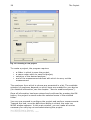
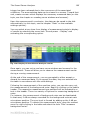
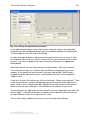
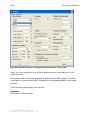
•
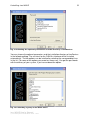
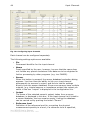
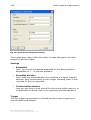
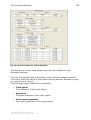
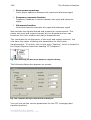
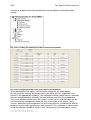
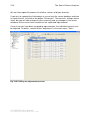
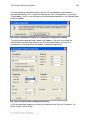
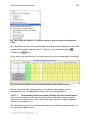
Channel
Selects the channel to be used for threshold value triggering.
•
Trigger threshold
Enter the desired trigger threshold for the input selected in the
control “Channel” above.
•
Amount
Here, the desired amount of trigger events is specified. The setting
“1” is the default setting, where only one measurement (trigger
event) occurs and data acquisition immediately stops afterward.
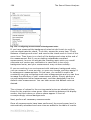
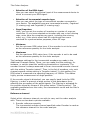
•
Transfer only last event
For setups involving more than one trigger, this option allows you to
omit display of measurements from previous triggered events. To
activate it, set a check in this control’s box. After each new trigged
event, the result of the previous triggered event is deleted and only
the data from the new triggered event is displayed.
Whenever this option is not active (when the checkbox is empty), all
data from the triggered event are transferred from the
measurement device to the PC, and an unlimited amount of
triggered events can cause an overflow.
Alongside this option, the curve window also offers the possibility of
viewing only the last event (to do this, select the item „Window
Configuration – Events“ in the curve window menu). The difference
is that this setting only affects the display in the curve window: only
the last event is shown, but the transfer of all events from the
measurement device to the PC is not cancelled.
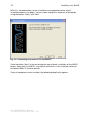
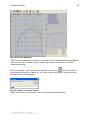
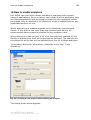
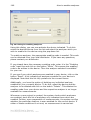
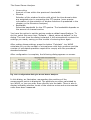
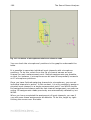
After completing configuration of the Quick View measurement mode, we
can exit the dialog. Then, as with the analyzer, measurement is prepared
by clicking on the toolbar button
and started using the button
.
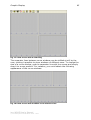
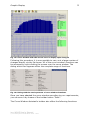
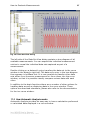
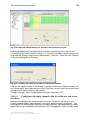
It is then possible to display the measured data (time plots of the physical
input signals) in the curve window as accustomed, and to combine the
displays in screen views.
Notes
•
The option to save measurements is not provided in Quick View
mode. If you wish to save data, simply transfer the data from the
curve window to imc FAMOS and save the data from there directly.
•
Measurements carried out in Quick View mode are not even saved
under Data in the Project Explorer.
imc WAVE User's Manual
© imc Meßsysteme GmbH Berlin 2002 - 2007