1
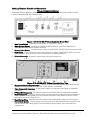
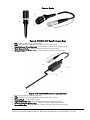
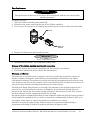
Figure 5: 05-004/05-004P IsoVu Camera Head
1. Camera Head - CCD & Optical lens.
2. Camera Connector– Connects to the controller.
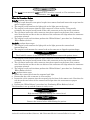
Figure 6: Connected devices
NOTE
The diagram above is an illustrative example only. Consult with the facility manager for
instructions on connecting to your video equipment and network.
NOTE
When recording a video and printing a video print, you must use the same type of cable
(either BNC or S-Video) to transmit the video signal from the Controller along the video
chain to the end VCR or print device.
NOTE
The last device of each video chain must always terminate with 75 Ohm (75 Ohm “ON”).
The devices inside the video chain must be switched to high impedance (75 Ohm “OFF”).
IsoLux IIc 100 Ferncroft Road, Danvers, MA USA 01923 PH 978.774.9136 FAX 978.774.1559
9