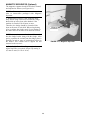
1
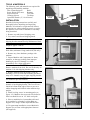
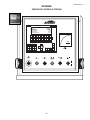
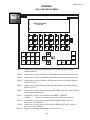
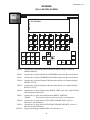
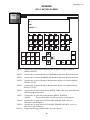
6. Press K5, Home Machine on Control Panel.
CAUTION
Ensure honing tool is collapsed.
7. If required: Press K2, Man/Auto Mode Button
until LED is OFF.
24. Press K16, Tool Col. to fully collapse tool.
8. Press K1, Hyd. Stop/Start to START hydraulic
unit.
25. Press K4, Jog Down, to inch tool down into
workpiece bore.
9. Press K16, Tool Col. to fully collapse tool.
26. Press K13, Jog Expand to expand stone in
workpiece bore; hold until all stones contact bore
wall. Shaking Honing Tool keeps hone from binding
in bore while stones are being fed out.
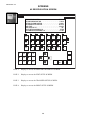
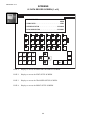
10. Go to 02 RECIPROCATION screen.
CAUTION
Remember that when jogging down, spindle carriage
will move at a slow speed for first three seconds and
then will change to jog speed rate set on
Reciprocation Screen.
27. Close guard doors.
28. Recheck all values entered in Control Panel.
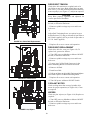
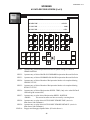
29. Press K2, Man/Auto Mode, until LED is ON.
This indicate machine is in automatic mode. At this
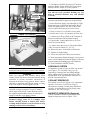
point, the Cycle Ready / Start Button will be
illuminated indicating that all conditions have been
met to start a honing cycle.
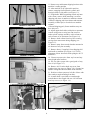
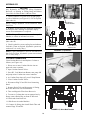
10. Inch down until honing tool is in desired full
withdraw position, but has not yet entered the bore.
11. Enter this position in ENTER WITHDRAW
POSITION field using RECIPROCATION POSITION
display as a reference.
Cursor down to ENTER WITHDRAW POSITION
and enter position, using numeric keypad. If a decimal
point is needed it must be entered from keypad (28.5).
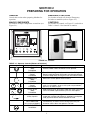
30. Depress CYCLE START OPTO SWITCHES, on
sides on Operator Control Console simultaneously
to initiate A honing Cycle.
CE Models: Press Cycle Ready/Start Button to initiate A Honing Cycle.
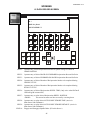
12. Jog tool down until approximately 1/3 of Stone
length is visible out top of Workpiece, to allow for
overstroke. Enter UP-GO-DOWN POSITION.
NOTE: At this point machine should start
reciprocating between the reversal points, spindle
should be rotating, tool should be expanding (if
selected), and cycle timer should be counting down to.
At any time during cycle operator may hit cycle
stop and cycle will interrupt. Counters will hold
their count unless cycle is terminated.
The operator may also press K10, Withdraw / Exit
and honing tool will exit bore and stop at withdraw
position and cycle will end.
The operator may also press K8, WIthdraw and
honing tool will stop just above up-go-down position. A second pressing of K8 will allow carriage to
exit to withdraw position.
At any time during cycle, spindle and reciprocation
speeds may be changed. Change will take place
immediately.
Honing Tool will continue to feed stones out, to
maintain load set by Feed Knob, until Honing Cycle
Time reaches zero "0". At that point, the stones stop
feeding out and remain in a blocked position until
Run Out Stroke Counter reaches zero "0" and Honing
Cycle ends.
13. Continue to jog tool down, until approximately
1/3 of Stone length is visible out bottom of
Workpiece. Enter DOWN-GO-UP POSITION.
13. If required: Enter DWELL TIME.
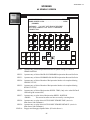
14. Press F2, Screen Dir. Cursor down to 03
SPINDLE and press Enter.
15. Enter desired SPINDLE ROTATION
DIRECTION by toggling F7.
16. Press F2, Screen Dir. Cursor down to 04 TOOL
FEED and press Enter.
17. Enter desired PULSE FEED ON / OFF TIMES.
18. Press F2, Screen Dir. Cursor down to 05
TIMER/COUNTER and press Enter.
19. Enter desired amount of time for HONING
CYCLE and desired amount of counts for RUNOUT
CYCLE.
20. Press F1, Main Menu. Next.
21. Jog tool up and out of bore until the TOOL IN
WITHDRAW message appears.
NOTE: After the honing timer and the stroke counter
have both reached zero, the honing tool will stop at
the up-go-down reversal point or exit the part,
depending on the withdraw default selected on the
Maintenance Screen. Again, a second pressing of K8
will cause the tool to exit the second withdraw
position if the "MANUALLY" withdraw default is
selected.
22. Enter desired SPINDLE SPEED and
RECIPROCATION SPEED. (See Appendix X,
Spindle Speed Chart.)
23. Select any options needed, such as K6 Dwell or
K12 Pulse Feed, using Keypad.
14