1
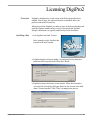
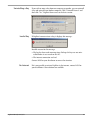
Introduction About DigiPro DigiPro2 creates databases, manages inclinometer data, and generates plots and reports. It also provides advanced routines for identifying and correcting systematic errors. Compatibility DigiPro2 works with both the Digitilt Classic system and the Digitilt AT system. It replaces the original DigiPro for Windows and it also replaces DMM, since it can retrieve surveys from the DataMate directly DigiPro2 features a new database engine and a new database format. The new database files have a .dpw extension. DigiPro2 cannot directly open DMM databases (.mdb files) but it can convert or import them. The convert command generates a dpw database from an mdb database. The new database has the same name and appears in the same location as the old database. This is the easiest way to use existing data. The import command is slightly different. You create a new dpw database first. Then you can import data from a variety of formats, including DMM mdb files. Installing DigiPro2 About DigiPro2 Licenses 1. Direct your browser to www.slopeindicator.com. 2. Click Downloads > Software > DigiPro2. 3. Run the “digipro2setup.exe” program after it downloads. DigiPro2 starts with advanced features enabled for 45 days. After 45 days, it reverts to a basic version, unless a license is purchased. See Appendix 1 for information about purchasing and installing a license. The basic version has no time limits and is free to use. DigiPro2 Manual, 2014/5/29 1