1
USB Virtual COM Quick Start User Guide
MAC Installation
1. Enter cd /dev to change directories.
2. Enter ls -ltra to sort the files by date.
Note any files with today's date.
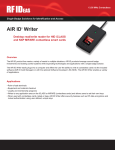
3. Plug in the device. Wait for the LED to turn red.
4. Enter ls -ltra in the /dev directory.
A new device file displays in the file list:
/dev/cu.usbmodemXXXXX
/dev/tty.usbmodemXXXXX
Page 13 of 15